


It’s arguably never been easier to stay connected while travelling overseas and abroad, but it’s also arguably never been more complicated.
Sure, you can hang onto your existing SIMs and pay for international roaming or expensive data charges as you go, which is not always recommended, or buy a SIM as soon as you get to the airport.
With the majority of devices capable of supporting dual SIM cards and eSIM (electronic SIM) cards as well, there are plenty of options to get you sorted for data, even before you leave.
Simify (formally known as SimsDirect) has a bunch of limited and unlimited data plans, which factor in any roaming charges, no matter where you travel.
Setup
Assuming your device supports an eSIM, the setup process is relatively straightforward. You can purchase eSIMs via the Simify website, in which you’ll receive a confirmation email shortly after.
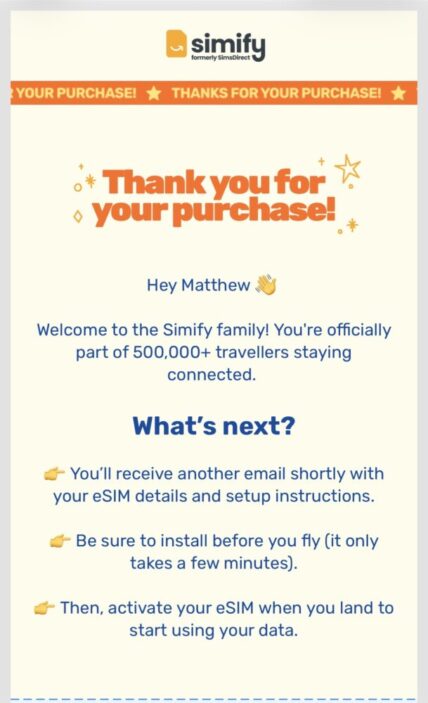
Plans are generally segmented into limited and unlimited data plans across a number of specific regions. For example, I’ve spent the last 4 weeks in Europe, and selected therefore selected therefore selected the UK & Europe eSIM for a period of 45 days.
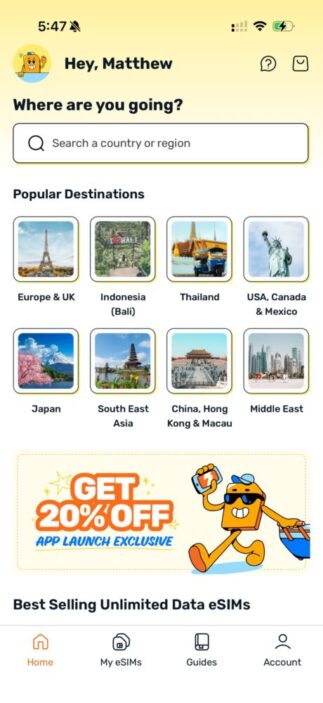
You can select longer or shorter plans, across multiple counties and with certain amounts or unlimited amounts of data. That being said, it’s worth downloading the Simify app on your device at this point, as it’s simply easier to browse through your options and then set up your eSIM when the time is right.
Once you’ve received your email and everything is ready to go, you’ll generally want to get things ready on your phone at home before leaving, to then activate your eSIM once you land at your destination.
As an iPhone user, the app actually has both Android and iOS set up instructions, which take around 5-10 minutes to complete. It essentially takes you through your mobile settings, in which you must install the eSIM onto your phone.
The app will keep track of your setup progress and even offers a separate section with guides, should you need to refer back to them. It even allows you to download a PDF guide for each platform, for offline use.
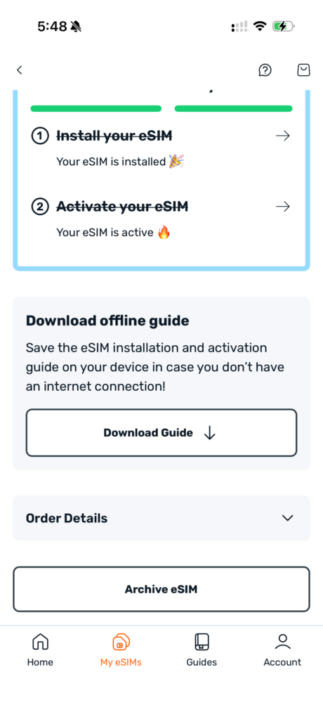
The app will take you through the process step by step, to the point where you’ll be able to see your main SIM and eSIM together. In some cases, it seems like it can take a while for the eSIM to actually register, but it shouldn’t take more than 10 minutes.
If all else fails, you can even chat directly with the Simify team through the Accounts tab on the app. Thankfully, I have not had to do that on my travels, but it’s really easy to access nonetheless.
Once landing, you’ll essentially need to make sure your data usage is assigned to your secondary SIM (or in this case, the eSIM), and your voice line is set to your primary, as most providers generally allow you to receive text messages for free for things like two-factor authentication codes, for example.
Usage
You’ll notice the usage section of this review is much shorter than the setup section. That’s essentially because once you’re off and running, there really isn’t much to it.
Once you’ve received land, you really need only turn on data roaming for the eSIM, and things should be good to go.
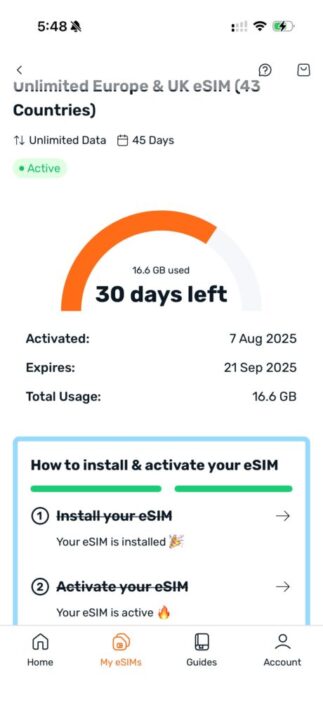
The app will then allow you to check in on your plan, see how long is left, and check the amount of data used.
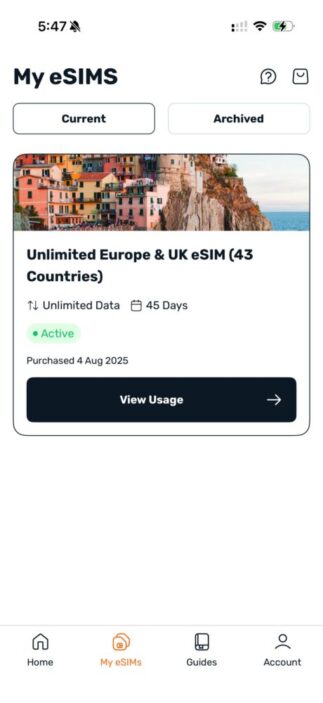
It’s all easy to navigate and keep track of through the Simify app, and the app even allows you to archive certain eSIMs, to help you declutter your device list if you’re planning on using a few or needing more for various countries.
5G access is relatively standard these days and is supported by Simify. In most cases, the data speeds are decent enough, but we’re now talking about the various overseas phone providers that Simify is utilising, which makes it hard to comment on.
There were patches where my service speeds were relatively average, but overall, it’s been a fantastic experience.
Things to Keep in Mind
Above all, there are some important things to keep in mind when using an eSIM service overseas that Simify doesn’t really cover.
The first is roaming charges. These eSIM plans are data plans specifically, and do not include phone calls or text messages. This is possible to take advantage of overseas via your main service, but additional charges will apply. Instead, look into apps like WhatsApp or Messenger to stay connected with family and friends back home.
Also, be sure to turn off data roaming on your main SIM. Even though the setup process tells you to select your secondary SIM for data use, I would turn off roaming on that main SIM altogether, so that those crazy data charges won’t get in the way.
The app mentions these steps, but still leaves these choices in your hands as part of the setup process.
Final Thoughts
Either way, a Simify eSIM is a fantastic way to stay connected while travelling, and for the prices, options and countries covered here, it’s hard to complain.
The app is really easy to use, and while I feel the setup process may get the better of some, let’s say, less technologically inclined users, it is still a relatively streamlined process.
With plans starting from A$25, there’s really something for everyone, no matter the destination.


FOUR STARS (OUT OF FIVE)
Highlights: App is easy to use and navigate; eSIM data roaming means you won’t have to worry about managing your plan overseas once activated
Lowlights: Certain steps must be taken to ensure roaming charges are minimised or negated
Manufacturer: Simify
Price: Plans start from A$25
Available: Now
Review based on a plan provided by Simify, which can be purchased via the official Simify website.
Featured header image provided by Brooke Cagle via Unsplash.
