

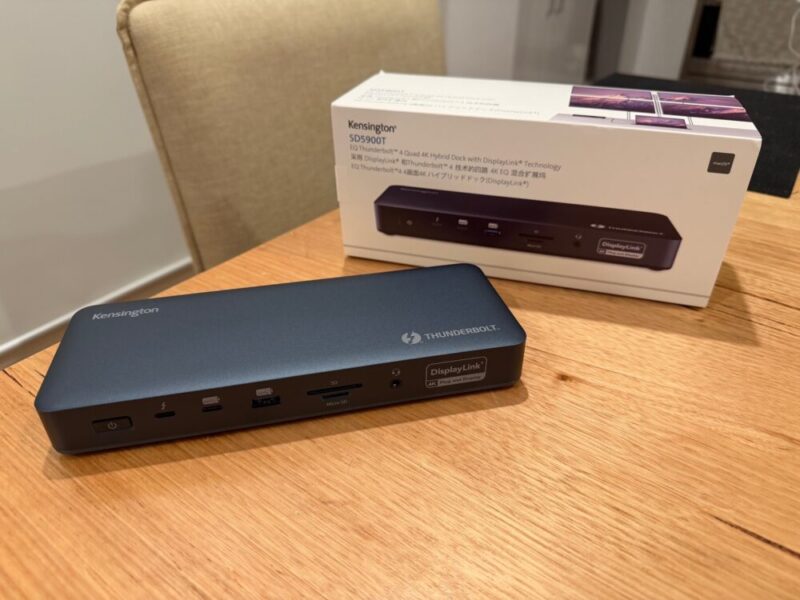
If you’ve ever had the issue of struggling to find additional ports on your laptop or desktop PC for things like monitors, USB sticks, webcams or everything in between, then you’ve probably needed a dock or a hub at some point in time. While most users in an office environment or even at home would need a dock for multiple displays, there are a bunch of extra advantages that come with owning a dock as well.
Kensington’s SD5900T EQ Thunderbolt 4 Quad 4K Hybrid Dock feels like a mouthful to say, but it’s packing just as many features on the hardware side as well to justify such a title. At A$599.95, this is certainly one of the most premium docks on the market, but if you need something that supports up to 4 displays in addition to support for a range of Thunderbolt 4 and Thunderbolt 3 devices to boot, this really does have you covered.
Design
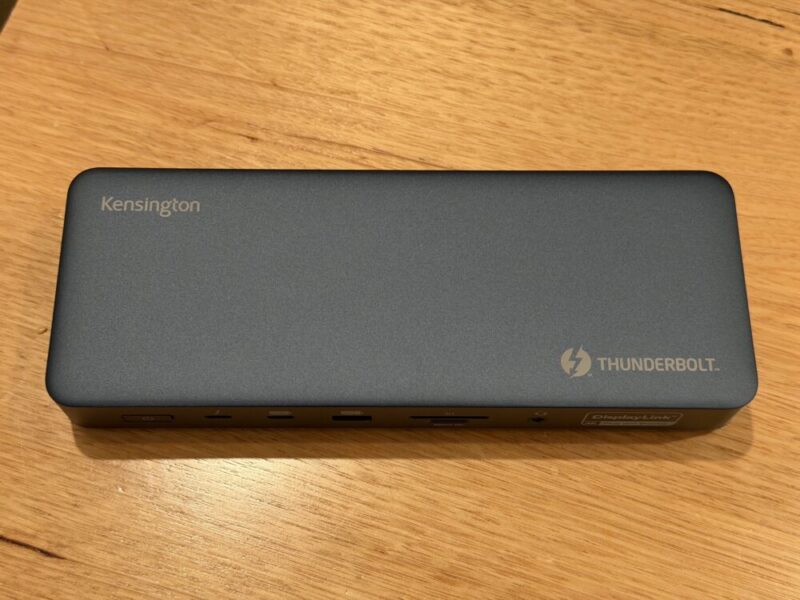
The SD5900T is nice and sleek, and while there’s not much to note about its overall design, it’s really all about what you’re getting on the front and back. So let’s run through the list here:
- 1 x Thunderbolt™ host port
- 2 x Thunderbolt™ 4 downstream ports capable of data, video, and audio
- 1 x USB-C® 3.2 Gen2 10Gbps port
- 1 x USB-A 3.2 Gen2 10Gbps port
- 2 x USB-A 3.2 Gen1 5Gbps port
- 2 x HDMI ports
- 3 x DisplayPorts
- 1 x 3.5mm combo audio jack
- 1 x SD Card reader
- 1 x Micro SD Card reader
- 1 x 2.5Gbps Ethernet
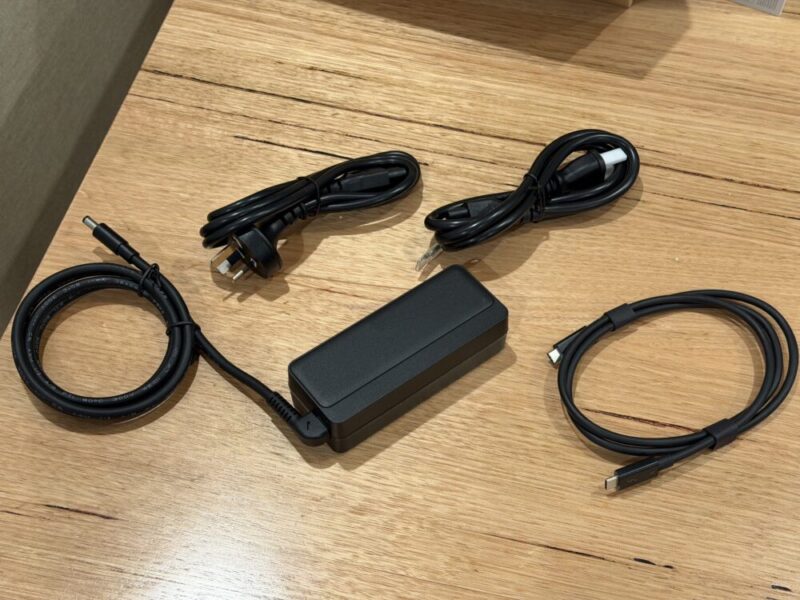
Finally, you’ll get your power brick and cable, along with a USB-C to USB-C cable and a European power cable as well.
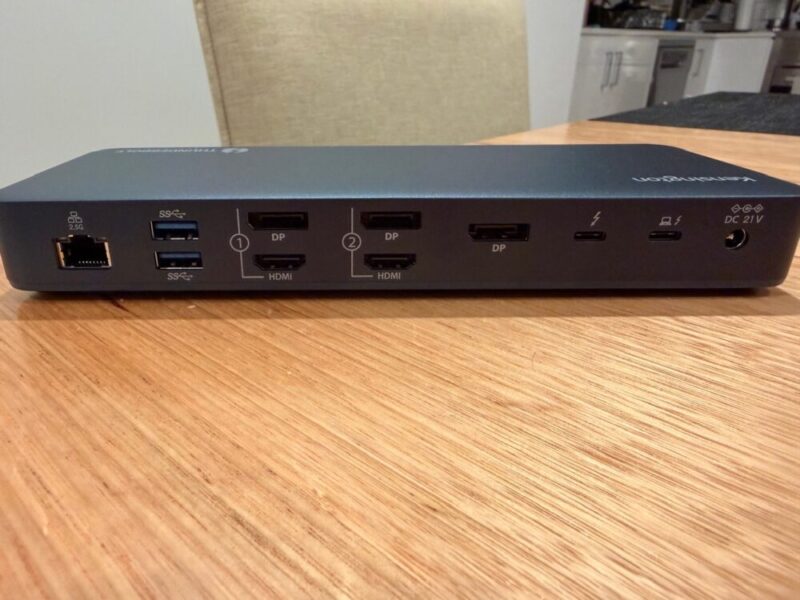
There isn’t a dock I’ve come across that provides more in a single package, but it’s worth noting here that while the SD5900T supports up to four 4K displays, both sections that include an HDMI or DP port will require you to choose between one of the two options. The third DP port to the right can be used in addition to the ports on the left.
I personally like not only how clean the dock is, but just how nicely each port is placed next to the other, helping highlight and localise where certain things go. The back of the dock includes those HDMI and DP ports, along with the main DC power port, two Thunderbolt 4 ports, two USB-A 3.2 Gen1 5Gbps ports and that single 2.5Gbps Ethernet port.
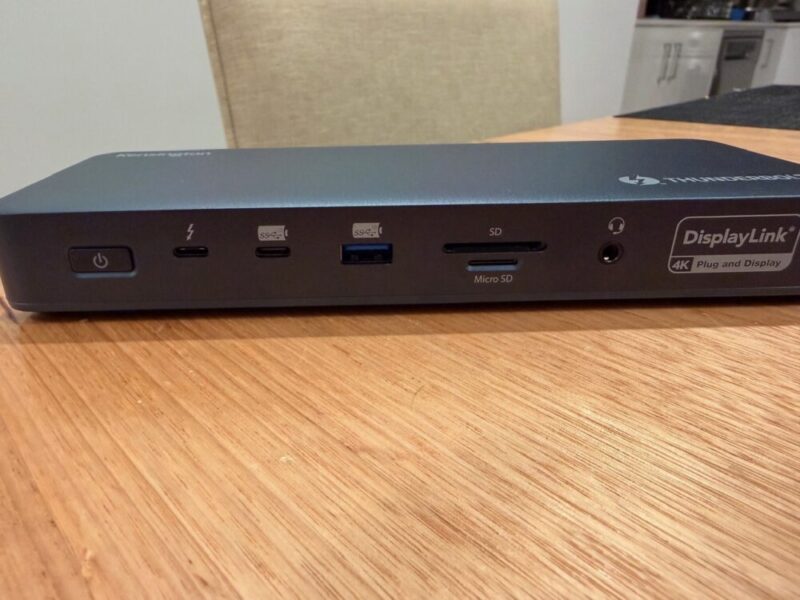
Around the front, you’ll find the remaining SD and MicroSD card readers, 3.5mm audio jack, USB-C 3.2 Gen2 10Gbps port and the final Thunderbolt 4 port next to the dedicated power button. While there isn’t really much more to it than that, I am a huge fan of the colour and finish of the dock, which blends seamlessly into my desk.
Performance
As you could imagine, the SD5900T dock is really more about performance rather than looks, and it really shows. For as much as it’s actually doing at any given time, it feels like an absolute blessing to have this many Thunderbolt 4 ports firing at the same time. While HDMI and DP ports always come in handy, it obviously depends on your office space or setup, which really factors into the value here.
The only real gripe I have with the SD5900T is its power supply, capped at 149W. That is still a decent amount of power for most users, as that upstream Thunderbolt 4 port will deliver up to 96W of power to cover most smaller laptops and those on really any MacBook, be it the Air or Pro, for example. But for those using beefier Windows gaming laptops, which require upwards of 180W, it can cause a few issues.
Even if you’re trying to charge additional devices, you might find some hiccups there too. The Thunderbolt 4 ports will punch out up to 15W of power, which is decent at best, but the remaining USB ports will only provide you with a disappointing 4.5W, so I would simply avoid using them for charging purposes and invest in a dedicated charging dock instead.
While Thunderbolt 5 docks are certainly available, delivering 80Gbps as opposed to the 40Gbps of the Thunderbolt 4 docks, I just don’t feel like most users are really there yet in terms of requiring massive transfer speeds. Sure, those docks also support 8K displays and up to 240W of power, which feels more important in most cases, but it really does come down to your personal setup at the end of the day. Certain high-end options like the M5 Pro and M5 Max CPUs will actually need Thunderbolt 5 for multiple displays, which is also worth keeping in mind.
It is also worth researching your devices, as with certain MacBooks, though, this experience can vary. Kensoington’s official website states that the SD5900T “Supports up to Quad 4K @ 60Hz for Thunderbolt™ 4 laptops and devices via plug-and-play TB4 port and MacBook* models with M1/M2/M3/M4 Pro and Max chipsets via DisplayLink®. Provides flexible video connections (HDMI®, DP and TB4) without the need for cumbersome adapters. *For MacBooks with the M4 base chipset, M1/M2/M3/M4 Pro and Max chipsets (and M3 base chipset when the laptop lid is closed), this dock supports up to quad 4K @ 60Hz. It also supports up to triple 4K @ 60Hz for M1/M2 base chipsets.”
The SD card readers are also rated at UHS-II’s 312 Mbps, which is quite fast and faster than most of its competitors at this price point. As a result, if you’re relying on transferring data, photos or videos from devices like action cameras, you’re in luck. The inclusion of a 2.5Gb Ethernet is also great, and it is again one of the fastest ports I’ve seen in a dock to date, which is a nice touch, even if Australian internet speeds aren’t quite there yet.
Finally, given the SD5900T isn’t a powered dock, Kensington’s KonstantCharge technology means your connected devices will remain powered or charging even if you were to disconnect your main laptop or unit.
Software
I’ve reserved the DisplayLink feature for this section of the review, as it can come with a few caveats for certain users. DisplayLink is essentially a free piece of software needed to run these multiple displays and has been used in the vast majority of docks that support multiple displays.
In this regard, it can hold back certain users at times. For one, each display will be limited to just 60Hz, which could pose issues like screen tearing or even lag for gamers or those editing or viewing videos in higher frame rates. Secondly, the DisplayLink software can block certain apps and content, like Netflix, Prime, Disney+ or Apple TV, unless you’re using a DisplayLink-enabled monitor, but again, I feel like this is a little more specific to certain users.
While it’s an extra layer required to get your multiple displays up and running, these restrictions aren’t really going to hurt most users, but it’s worth noting nonetheless.
Verdict & Value
I’ve been researching how various PCs and even MacBooks connect and function with the SD5900T dock, and it’s amazing just to see how many options there really are to fit a range of users and devices. While it can be admittedly tough to review such a device given that range, it’s hard to argue with what Kensington are providing here at this price point. I can admit that I’ve barel;y pushed this as hard as it can go.
It’s certainly the most premium dock I’ve ever used, but even with its DisplayLink and USB charging issues aside, I feel like this is providing one of the best value-packed options on the market, even at this price point. While I think the four displays will entice most users, the inclusion of a higher-end SD card reader and Ethernet port is nice, while Thunderbolt 4 feels like a decent option for the vast majority of users today, as far as transfer and data speeds are concerned.


FOUR AND A HALF STARS (OUT OF FIVE)
Highlights: Solid build quality; Plenty of ports; Up to four displays; Thunderbolt 4 ports are great
Lowlights: 149W of power won’t work with all laptops or computers; DisplayPort software can limit certain users; USB-C and USB-A ports aren’t great for charging
Manufacturer: Kensington
Price: A$599.95
Available: Now available via the official Kensington website.
Review based on unit provided by Kensington.
