

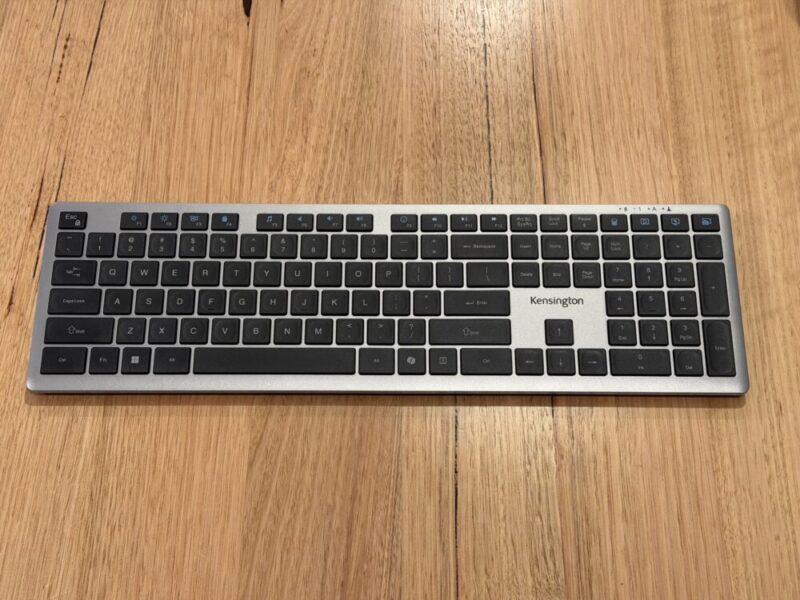
Keyboards might feel like a dime a dozen these days, and it can even be quite overwhelming if you’re trying to choose the right one for your needs. While we primarily review gaming keyboards here at The AU Review, we jumped at the chance to review a more everyday, productivity-focused alternative geared towards those who might be using this for work, typing or simply for everyday use.
The Kensington KB535 EQ Rechargeable Multi-Device Keyboard is certainly a viable option, providing good value for money while remaining versatile enough to work on a range of devices and connectivity methods. It’s incredibly easy to set up and use, and has some pretty impressive battery life to boot.
Design
The KB535 is slim and minimal, with a gunmetal grey top and black keys. It’s a great option for most minimal setups, free from any RGB lighting and overbearing controls and screens. That being said, it’s going for a completely different audience here, and I’ve even come to appreciate this as of late, given I’m normally using a gaming keyboard, which, as you can imagine, is much thicker and heavier.
Speaking of weight, the KB535 comes in at 557 grams, and you can feel that weight. It’s not necessarily a bad thing, as it gives the keyboard a much more sturdy feel for typing. That being said, the KB535 is still made primarily from plastic. This plastic is, however, made with 41% post-consumer recycled (PCR) content, which is a nice touch for the sake of sustainability.
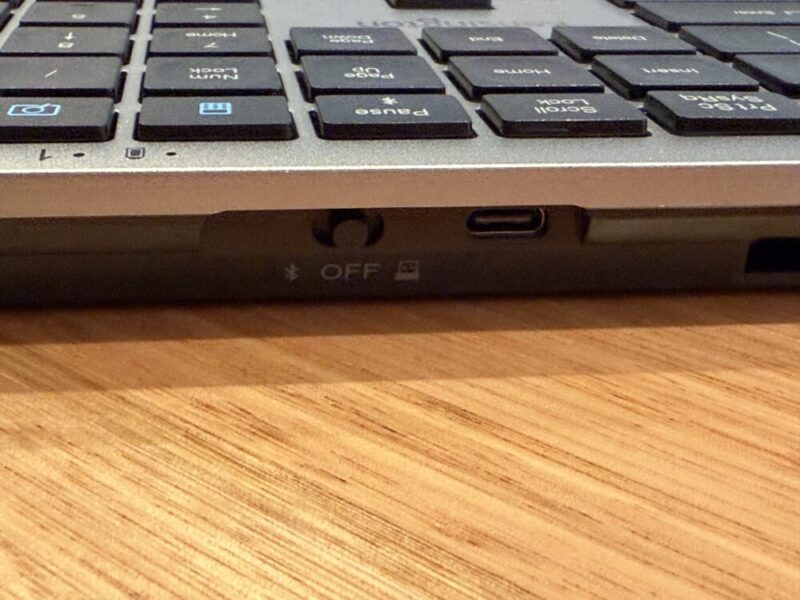
The keyboard’s minimal look and feel also extends to its additional controls. Around the back of the keyboard on the right-hand side, you’ll find a switch, which allows you to choose between a 2.4 GHz or Bluetooth connection or to simply turn the keyboard off. Next to this switch, you’ll also find a USB-C port for charging. There’s also a port to plug the USB-A receiver into the keyboard for storage when you’re not using it. Finally, you’ll find expandable legs under the keyboard to raise it ever so slightly.
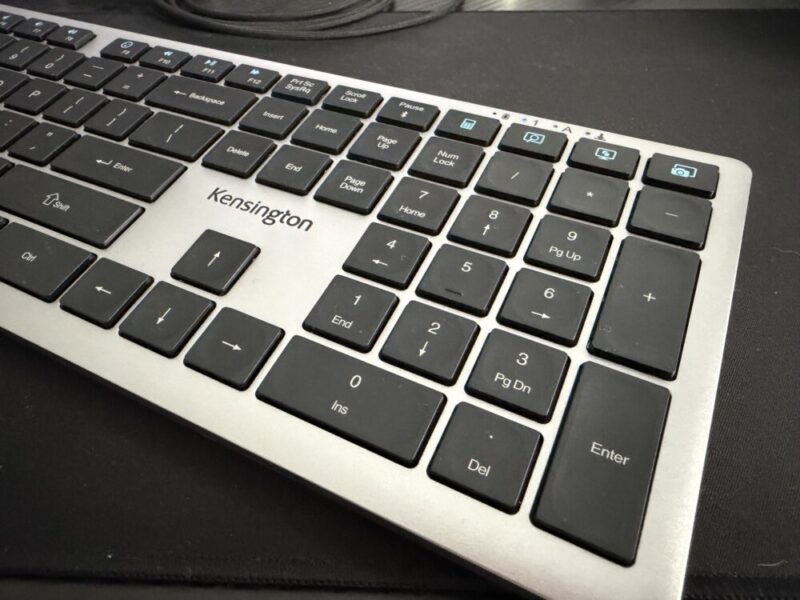
The top right-hand side will also give you lights and symbols to indicate things like battery life, number lock and caps lock.

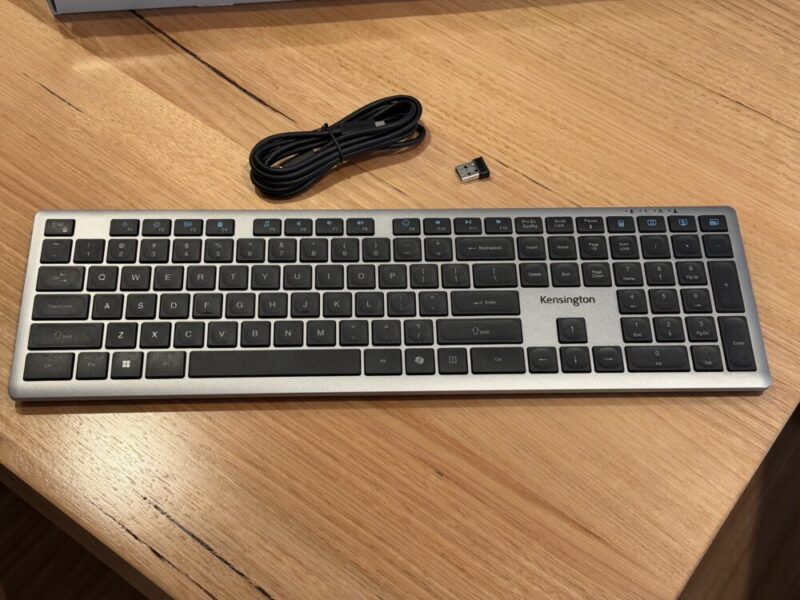
In the box, you’ll also find a 2.4 GHz USB-A receiver and a USB-C to USB-A charging cable. While there’s not much more to this, I’m a fan of the colourway and slim design, and can’t see too many users being fussed with the presentation either.
Performance
The biggest standout for the KB535 is its scissor keys, which greatly enhance the typing experience. Although these keys are considered standard, you won’t find them on every keyboard. The keys essentially have two intersecting, scissor-like arms underneath them, meaning each key press feels incredibly low and responsive, in turn making them less likely to be knocked or pressed when typing, for example.
As a result, the keys feel incredibly linear and punchy, and for me personally, it’s a nice change of pace. I actually type on my PC much more than I game on it, making most mechanical keyboards slightly more annoying to type on so frequently. The only real downside here, and a feature that I tend to find more important personally, comes from the lack of backlit keys.
While you can find a backlit keyboard a little cheaper if you really try, at A$89.95, I understand certain choices must be made to maintain its price point, but it would have been a fantastic addition nonetheless.
The KB535 is also really easy to set up. By flicking the switch to the Bluetooth option, my OC instantly recognised the keyboard, and I only needed to click to confirm the connection. The PC should automatically reconnect the next time you use it. The 2.4 GHz dongle is even easier, as you only need to plug it into your PC and flick the switch to the corresponding little USB-A dongle icon.
The keyboard is also instantly compatible with Windows, Chrome and MacOS, so there’s no need to mess around with any updates or drivers.
The battery life is also really impressive. Kensington suggests the battery life will last up to three months, and as of yet, I haven’t had to charge it after around three weeks of use. While I wouldn’t expect to be charging this just yet, it’s also worth keeping in mind that the 2.4 GHz option will drain the battery slightly faster, as opposed to the Bluetooth connection.
I can’t really speak to the KB535 as an option for gaming, but the choice of a 2.4 GHz connection, as standard as it is for most premium and entry-level keyboards alike, will give you better response times when compared to Bluetooth.
Software
The KB535 is also compatible with the Kensington Konnect app, available on Windows and MacOS. It’s a relatively basic piece of software that allows you to customise and reprogram up to 16 keys, all indicated by the blue colouring across the top section of the keyboard.
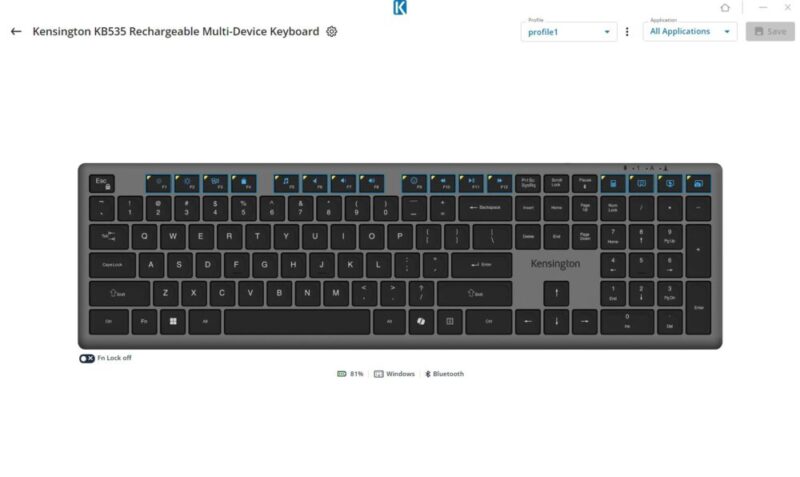
These also double as your Function keys, which already serve a purpose of their own, but it’s nice to know you have the option. You can even save certain presets and configurations to several profiles, which is nice.
There’s not much to it beyond that, but it’s worth mentioning nonetheless, as this can help improve workflow or simply cater to various users in the one household or office.
Verdict & Value
The Kensington KB535 EQ Rechargeable Multi-Device Keyboard provides some solid value for money through its versatility, solid battery life and satisfying keys. It even goes as far as to offer software support to customise up to 16 keys.
While there are no backlit keys and the build is made from plastic throughout, it’s still a great fit for most casual and everyday users.


THREE AND A HALF STARS (OUT OF FIVE)
Highlights: Satisfying scissor switch keys for typing; Easy to connect and works across multiple devices; Multiple ways to connect; Rechargeable battery lasts for up to 3 months
Lowlights: Plastic build lessens the premium look; No backlit keys
Manufacturer: Kensington
Price: A$89.95
Available: Now available via the official Kensington website.
Review based on unit supplied by Kensington.
