

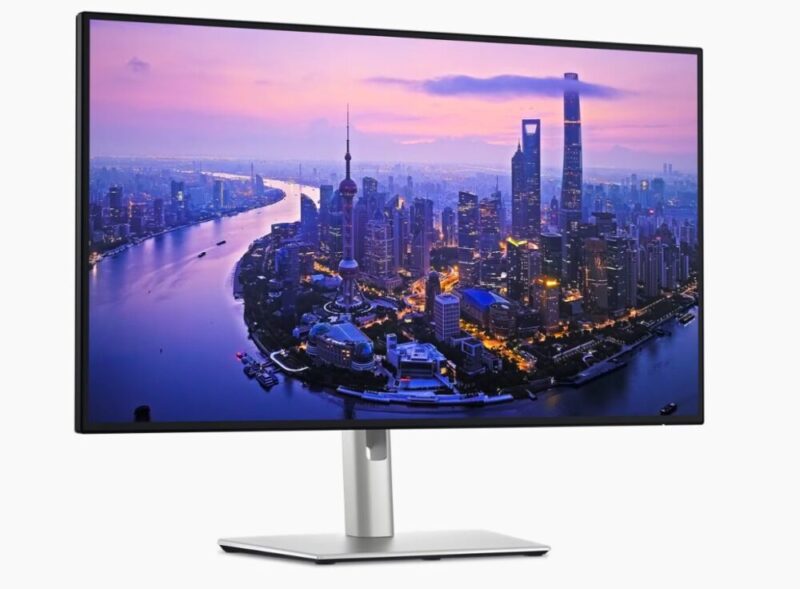
Dell’s UltraSharp series has long been a go-to for professionals chasing image quality, thoughtful ergonomics, and dependable build quality. The latest in that lineage, the U2725QE, continues that tradition. Not through total reinvention, but refinement. This current release takes lessons from Dell’s previous models and folds them into a cohesive, modern package. With smarter connectivity and a cleaner design, the UltraSharp aims to be the ultimate productivity display for 2025’s hybrid workforce.
Design & Ergonomics
At first glance, the UltraSharp looks every bit the part of a professional display. The thin-bezel design maximises screen space, while the matte silver and graphite finish gives it a subtle premium feel without shouting for attention. The build quality is great. It’s solid, but not bulky and the stand remains one of the most flexible in the business. It’s ultimately minimalist and functional.
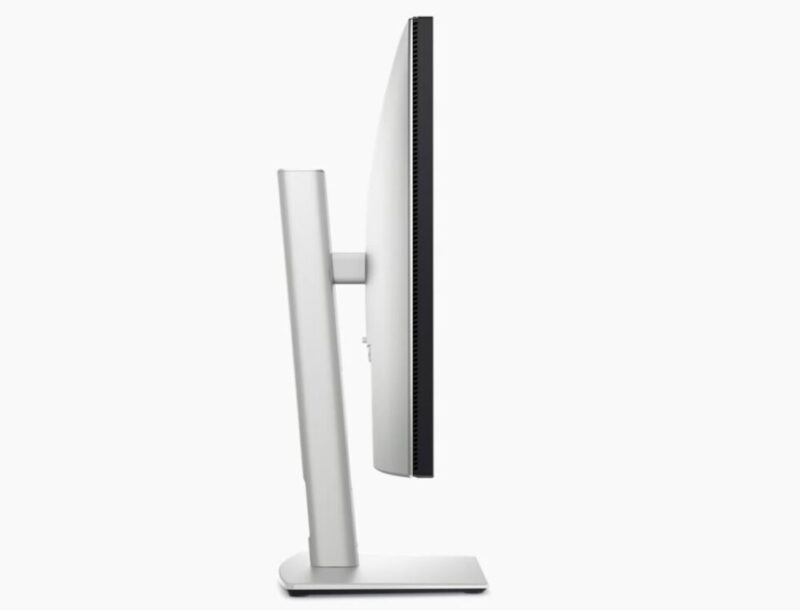
Ergonomics are generous: you get 130mm of height adjustment, plus smooth tilt, swivel, and pivot functions. The motion feels well-damped and stable, even when frequently repositioned, and there’s a small but effective cable routing hole to keep your setup neat. This refinement makes the display feel at home in both minimalist workspaces and busier studio setups.
Ports & Connectivity
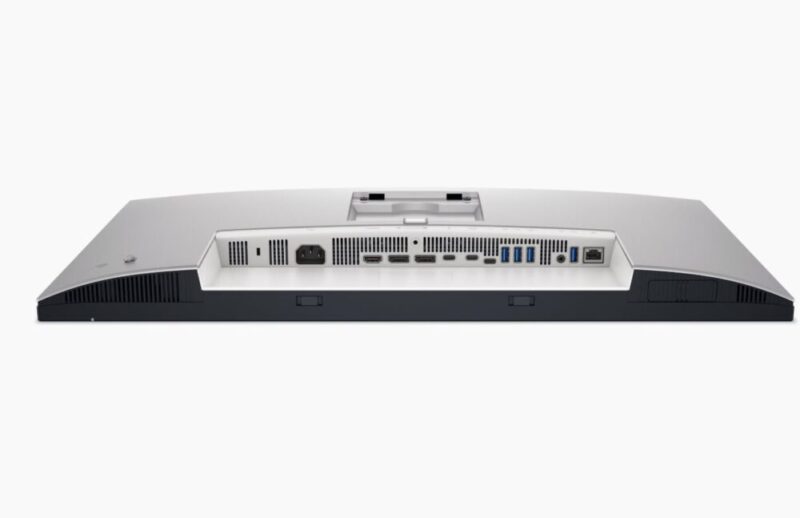
Connectivity is a major strength, and Dell clearly understands how hybrid professionals work. Serving as a fully-fledged hub monitor, it has:
- 1x Thunderbolt 4 (upstream) with 140W power delivery
- 1x Thunderbolt 4 (downstream) with 15W PD
- 1x HDMI 2.1
- 1x DisplayPort 1.4 (in)
- 1x DisplayPort (out, MST)
- 4x USB-A 3.2 Gen 2
- 1x USB-C 3.2 Gen 2 (15W PD)
- 1x RJ45 Ethernet port
- 1x 3.5mm audio output
This effectively turns the U2725QE into a workstation hub. You can dock a laptop via a single Thunderbolt cable, charge it, connect peripherals, and even daisy-chain a second 4K display all while keeping desk clutter to a minimum. The rear ports are neatly recessed, and two of the USB ports are side-mounted for easy access to external drives or accessories.
It’s one of the most complete port selections in its class, and the 140W output is especially generous.
Display Quality
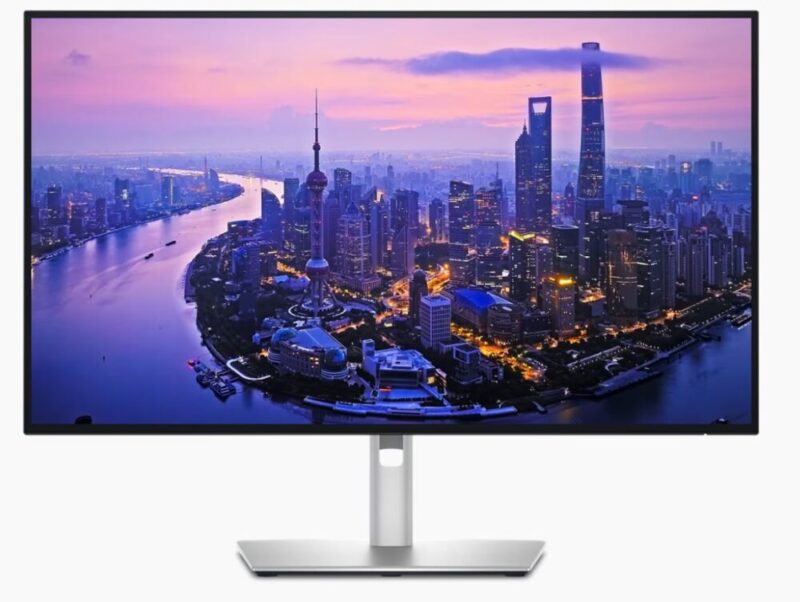
The centrepiece is the 27-inch 4K IPS Black panel, boasting a native 4K UHD resolution. The IPS Black technology, first introduced in Dell’s earlier UltraSharp models, continues to impress. Blacks are noticeably deeper and shadows more detailed than traditional IPS screens, while maintaining excellent viewing angles.
Dell rates brightness at 600 nits peak with DisplayHDR 600 certification, and the monitor covers 99% sRGB and 98% DCI-P3 color gamuts. Out of the box, the factory calibration is outstanding, making it ready for professional colour work right away.
The matte anti-glare coating deserves particular praise. It keeps reflections at bay without introducing grain or reducing vibrancy, striking the right balance between clarity and comfort. Uniformity is strong across most of the panel, with only mild corner dimming on full-white test backgrounds. It’s not something that appears in everyday use, and Dell’s quality control seems consistent with the UltraSharp reputation.
Everyday Performance
In day-to-day productivity tasks, the U2725QE feels incredibly crisp. The 27-inch size remains the sweet spot for 4K, while the 120Hz refresh rate provides smooth scrolling and fluid cursor movement. It’s a subtle but noticeable improvement over the older 60Hz models, especially when switching between documents, editing timelines, or dragging large windows across the screen.
For creative users, Dell’s Display Manager software continues to be a helpful companion. It lets you divide the screen into multiple zones, quickly switch between colour profiles, and manage connected devices with ease.
HDR, Multimedia, & Gaming
HDR performance is solid for a productivity monitor, though not on par with high-end mini-LED displays. Brightness levels give HDR content noticeable pop and dimension, but tone mapping can appear a little conservative, better for preserving detail than achieving cinematic punch. Still, for editing HDR video or streaming the occasional movie, the experience is immersive and richly detailed.
Gaming isn’t the U2725QE’s target use case, but the 120Hz refresh rate and 5ms GtG response time do make casual gaming perfectly enjoyable. Input lag is minimal, though the absence of variable refresh rate (VRR) means you’ll see occasional tearing if you push it too hard. It’s best described as gaming-capable, not gaming-focused.
Verdict & Value
The Dell UltraSharp U2725QE monitor isn’t trying to dazzle with gimmicks; it’s simply a finely tuned tool for people who care about convenience. It refines nearly every aspect of its predecessors, from port layout to refresh rate, and delivers one of the most well-rounded 27-inch 4K experiences available today.
There are flashier displays out there, and cheaper ones too, but few that blend professionalism, connectivity, and image quality this seamlessly. For hybrid workers, creative professionals, and anyone who wants their setup to feel as capable as their workflow, Dell’s latest UltraSharp is an easy recommendation.


FOUR AND A HALF STARS (OUT OF FIVE)
Highlights: Excellent SDR and HDR image quality; strong contrast and colour accuracy; full Thunderbolt 4 support (140W PD)
Lowlights: Edge-lit HDR with limited dimming zones; Average response time for gaming; Short USB cable included
Manufacturer: Dell
Price: A$997.70
Available: Now via Dell and authorised retailers
Review unit provided by Dell.
Featured header image also provided by Dell.
