

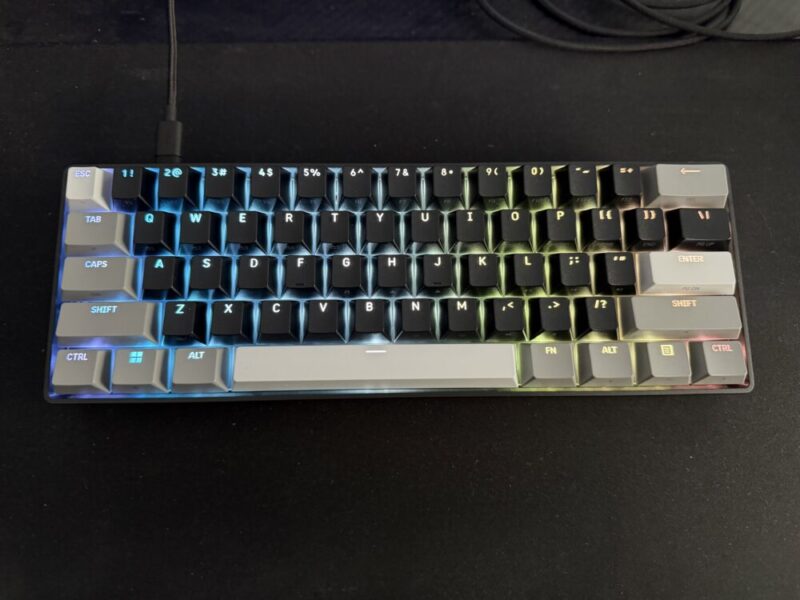
We’ve had the pleasure of reviewing various Corsair keyboards here at The AU Review, and I’ve pretty much loved each one that I’ve come across. There are obviously various keyboards for certain users, but regardless of the model, Corsair are no stranger to producing quality products that provide fantastic value for a range of competitive and casual gamers alike.
I’ve been using the incredible Vanguard Pro 96 up until this point as my daily driver, given my preference for a fully-sized keyboard and volume control knob. While the CLIPPER PRO MINI 60 Hall Effect Gaming Keyboard feels like the opposite end of the spectrum, given its smaller size, I’m once again a fan of these MGX Hyperdrive Core switches for their linear feel and adjustable settings, and I can certainly get behind the more compact design, should you need the extra desk space.
Design
I love how compact and sturdy the Clipper Pro Mini 60 is. For a 60% keyboard, it really is keeping things to a minimum, and that pretty much applies to the setup as well. Simply plug in the braided USB-C to USB-A cable, and you’re good to go. Strangely enough, however, that’s all you get in the box alongside the keyboard itself.
Given these keys and switches are not only customisable but interchangeable, it seems like a strange omission not to include a keycap puller in the box, but I guess it’s not a dealbreaker if you’re not looking to mess around with the switches.
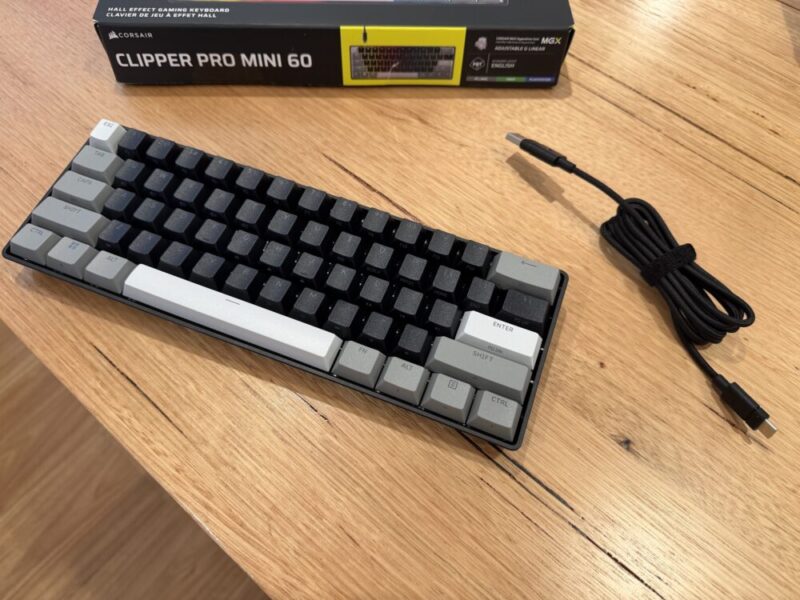
I am, however, a fan of the triple-tone black, white and grey keys, while the double-shot keys themselves look great and allow the RGB lighting to come through rather nicely. The Clipper Pro Mini 60 does come in both Black and White, and while we’re reviewing the former, the latter does come with some fresh white keys in place of the black ones, leaving both the white and grey keys in check.
I don’t want to diminish the value of the Clipper Pro Mini 60 for how basic it sounds, because I do believe most of the appeal is in its size and minimalism. If you do not need the numberpad or simply want to save space on your desk, this is definitely one of the nicer-looking 60% keyboards out there.
Performance
With 8,000Hz hyper-polling and those sweet MGX hyperdrive Core switches on board, using the Clipper Pro Mini 60 feels as good as Corsair’s best. While the Core switches are still linear, it’s worth noting here that they are not the newer MGX Hyperdrive V2 switches found in the Vanguard Pro 96, but they’re as close as you can get. The V2 switches provide slightly cleaner bottom-out responsiveness and more precise actuation force, but if you weren’t actively looking for those differences, I dare say these keys are still fantastic.
The linear feel helps them remain super responsive, and these Hall Effect switches go as far as to provide near-limitless customisation for various users. These keys can feel a little sensitive for everyday typing, though, so keep that in mind if you’re looking to get this for various usage types.
The CLIPPER PRO MINI 60 also includes the Tap Lock feature, which essentially allows you to turn commands that would otherwise require the holding of a particular key into a single press. The Smart Tap feature also allows you to turn a single key into two distinct functions, depending on where you tap or hold it. Given the 60% design, it also means you’re not really losing out on any extra keys in the meantime.
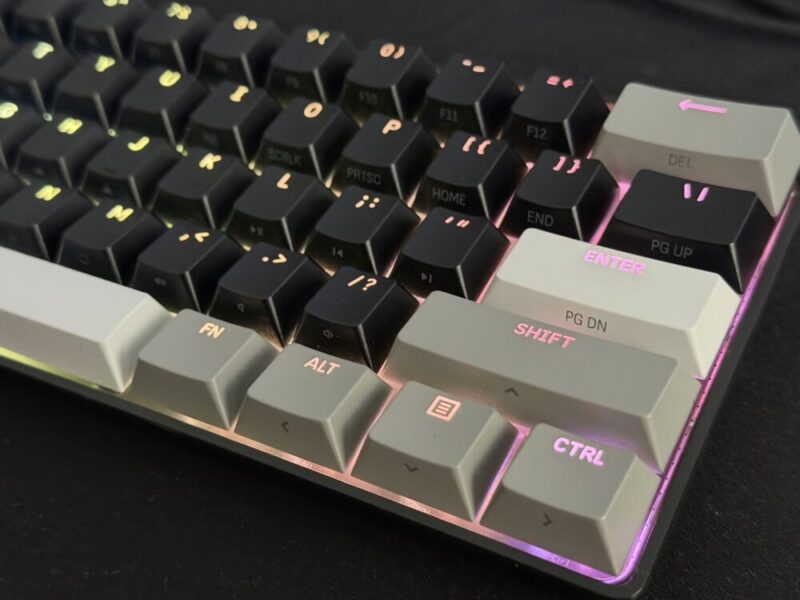
But the fact that you can customise multiple actions and various actuation points to any of these keys is really impressive. The fact that they feel super responsive only feels like a bonus at that point. The build quality also feels incredibly solid, free from any creaks or cracks as you type away or smash keys while gaming.
The only gripe I have with the Clipper Pro Mini 60, which feels like more of a personal preference, is the lack of any volume control wheel. While I understand the compact form factor is making every effort to remain as minimal as possible, even something on the side or back of the keyboard would have come in handy. It’s also worth noting as well that the Clipper Pro Mini 60 only comes in a wired variant.
Software
We’re actually going to bring across our initial thoughts from our original Vanguard 96 review here, as we feel many of the same points ring true.
“Corsair’s Web Hub App is not actually compulsory, but definitely recommended if you want to get the most out of the overall experience. Unlike other brands, this software is accessed via the web directly, instead of being installed directly on your PC. It’s easy enough to access, and you can also store a dedicated shortcut on your desktop.”
“Here, you can basically play with and adjust anything you would like. The polling rate, macro commands, and RGB settings and it’s all easy enough to customise and save. It is worth noting as well that users have up to 5 profiles to save their settings to, in which the keyboard can save these settings locally.”
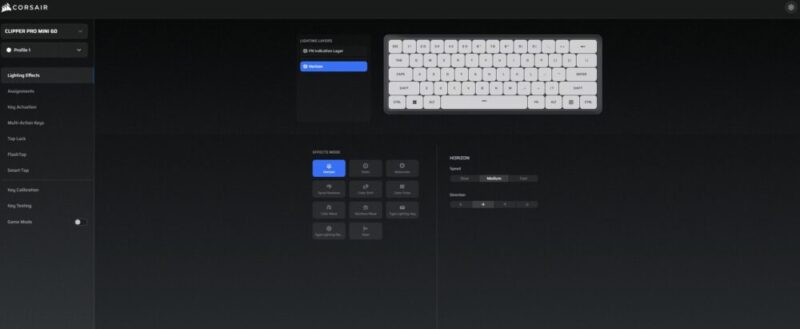
“The keyboard can also be used in Hardware mode, meaning pre-saved settings and profiles can be saved and changed directly on the keyboard itself, but it’s worth noting that the keyboard will need to be connected to the Corsair Web Hub App to be able to create new profiles, new lighting effects and key assignments.”
Verdict & Value
Overall, the Corsair Clipper Pro Mini 60 is a solid, satisfying, and versatile gaming keyboard that succeeds more than it stumbles.
While the lack of a keycap puller is puzzling, and the lack of any additional volume controls is a little disappointing, I absolutely love the keys included here, along with the gorgeous colourway and customisable features.
If you’re looking for a 60% keyboard that’s just as good out of the box as it is to customise and play around with, the Clipper Pro Mini 60 has you covered.


FOUR STARS (OUT OF FIVE)
Highlights: Solid build quality; Satisfying Hall Effect keys; Minimal and compact form factor
Lowlights: Wired connectivity only; No keycap puller included in the box; No additional volume controls
Manufacturer: Corsair
Price: A$159
Available: Now available at all leading hardware retailers, including the official Corsair website.
Review based on unit provided by Corsair.
