

We’ve all been there. Late-night doom scrolling, wondering where that TikTok feed will end so you’ll finally get some sleep. Or at work, taking a quick break and refreshing your Instagram feed for the latest updates. Smartphones get plenty of use throughout the day, and if you’re like me, probably more use than you would like to admit.
Sure, there are apps on the iPhone, for example, that monitor screen time and can give you insights into the most frequently used apps, for context on how to shape and improve your habits.
But once again, we’ve all been there. Saying we’ll finally kick the habit, put our phones down, get some sleep, get back to work, or simply be more present. While there are plenty of ways to actually limit screen time through your device itself, we thought we would get our hands on Brick, the new phone locking device that takes a more hands-on approach to limiting screen time, should you wish to take your resolutions to the next level.
Brick Your Phone, Break Your Habits
We’re going to take a slightly more unique approach to this review. If you’re aware of our structure, we normally begin by discussing the product’s design, and Brick really keeps things to a minimum. No, I mean literally, as basic as you can get.
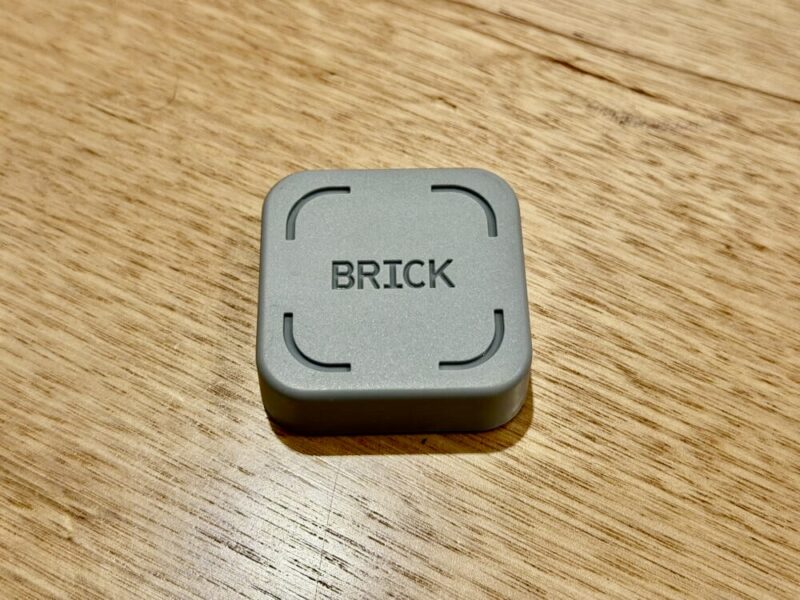
Brick is a small grey square with its logo on top.
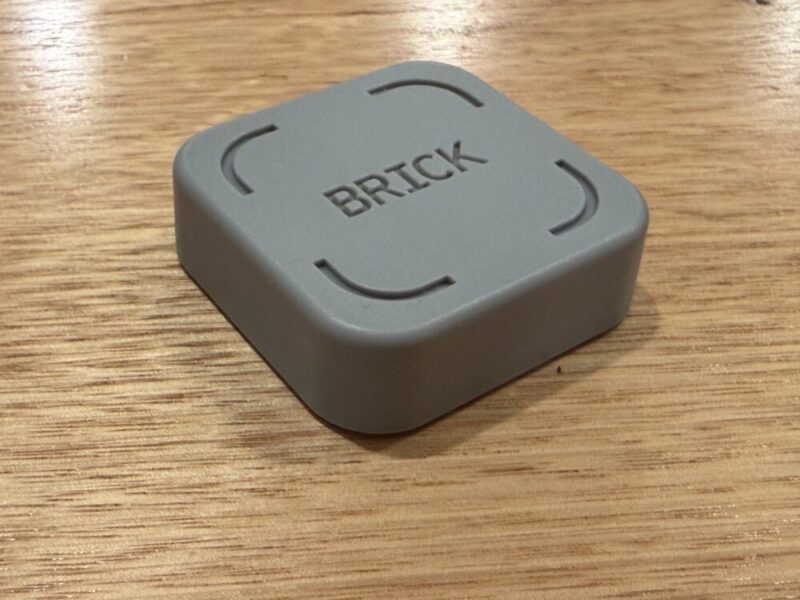
It’s essentially an embedded NFC chip, which you need to tap your phone against in order to restrict and unrestrict access to apps on your phone when required.
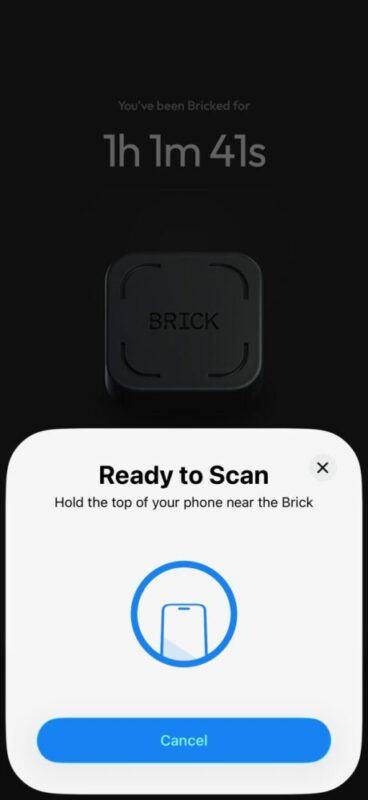
Brick itself is relatively easy to set up; scan the required QR code out of the box to download the app, log in with your email, and you’re almost there within a couple of minutes. The Brick app will then ask what you’d like to focus on, be it work, sleep, or simply being more present. This will then help list and automatically choose a certain selection of up to 50 applications at any given time, which will essentially be blocked when you tap your phone on the physical Brick.
What’s the Catch?
The true value of the Brick is in your dedication to limiting screen time. After all, the device will cost you A$91, and given there are ways you can actually limit screen time from within your phone itself, the real catch is that the only way to lock and unlock access to certain apps is through this device. This means you’ll have to make a conscious effort to get up and tap your phone on the device to regain access to apps.
I’m an iPhone user, and while Screen Time can limit access to apps, it’s only really locked by a password. If you have a friend set this password, for example, it’s another great way to force yourself to stay away from these apps, but I’ve heard some absolute horror stories where people can’t get in touch with their friends in the middle of an emergency, and have to essentially factory reset their phone.
I’ve heard it before, and even asked these questions myself. Can I restore the functionality of my phone if there’s an emergency? Aren’t these things all gimmicks? Well, thankfully, I have answers to these questions after using Brick for a few days.
Can I restore the functionality of my phone if there’s an emergency?
You technically can. While Brick requires you to tap your phone on a physical device to restrict access to these blocked apps, you can only un-Brick your phone, as it were, by tapping the phone once again on the device. If you’re out and about, there’s an Emergency Unbrick option in the app’s settings that gives you 5 tokens to unblock your phone on the spot if Brick isn’t with you.
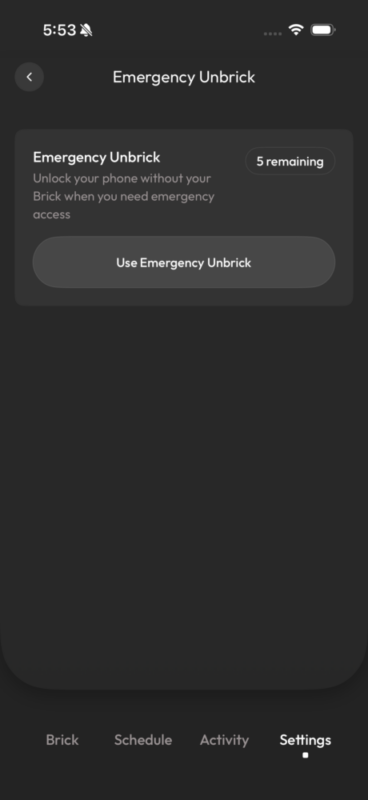
After all these tokens have been used, you’ll actually need to contact Brick customer support directly, so keep in mind how often you really need to use these opportunities.
Aren’t these things all gimmicks?
Funnily enough, no. I admittedly thought the same thing when taking Brick on board for review, thinking if you’re relatively tech savvy, you can bend these rules to your will when you feel like it. If you’re really down to use the Emergency Unbrick option, then sure, but the Brick is quite literally designed to get you moving to the device, which over time, is already prompting me to quetsion if I really need it.
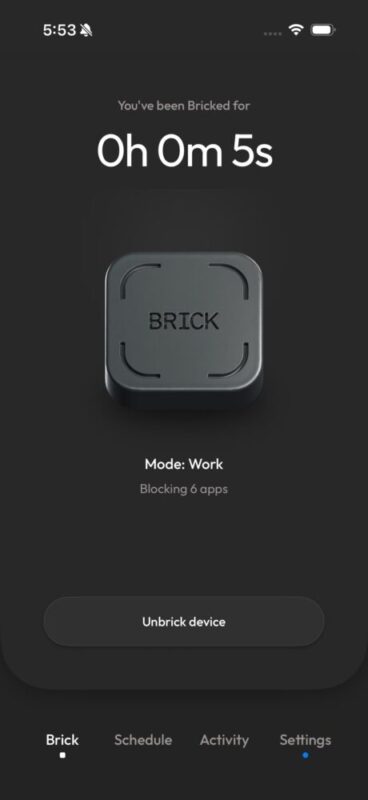
While social media apps and games will be key for most users, Brick can also block more prominent apps, including Messages and Photos. Thankfully, the standard Phone app (on the iPhone at least) cannot be blocked, so you would hope that most emergencies can be solved in this way, without the Brick ever being a life-threatening issue, should you be away from it.
But I’ve got an example for you, which proved to me that this wasn’t a gimmick. I have a terrible knack for staying in bed, checking socials every morning. Scheduling these apps to be blocked when I wake up actually forces me to get up and tap my phone on Brick. This means I’m now up and about.
What else can this thing do?
As basic as Brick sounds, there are heaps of ways actually to interact with it. For example, you can not only choose what apps to block, but also curate a small list of accessible apps, meaning everything else is essentially blocked. This is a great way to help others use your own device, like kids, for example, which can even stop them from accessing important apps and websites without your permission.
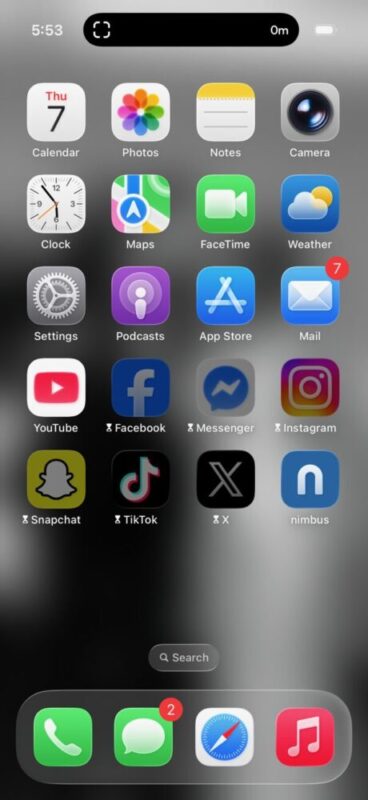
I would even suggest someone elderly could take advantage of Brick, for example, helping them curate a list of apps that they only need to utilise, and essentially blocking everything else, should it not be able to be uninstalled from the actual device.
The Brick App
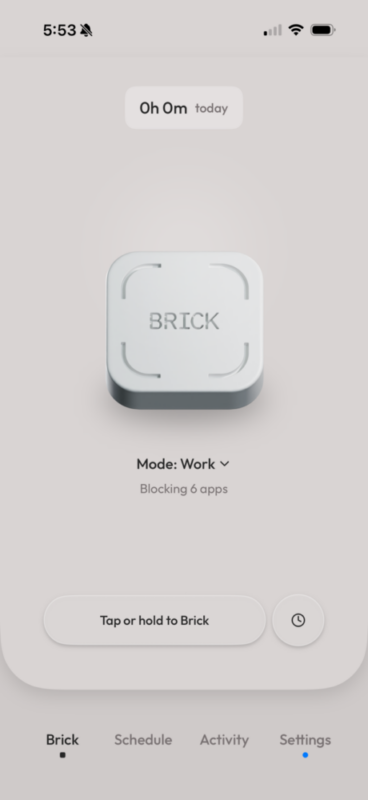
Available on both iOS and Android, the Brick app also offers a Schedule section to help you create plans on when to limit content, along with profiles based on what content to limit when you need it. The Activity section can even help you track your Brick usage throughout the day, as opposed to your Screen Time app on the iPhone, for example. I personally love this feature, as the Screen Time app makes me feel terrible every time I look at it, while Brick celebrates your wins by showing how much you’ve actually used it.
It’s easy enough to navigate, and the app generally prompts you on what to press, with a very basic menu below to navigate through. It’s worth noting here that the app can help take things to another level with Strict Mode, which still blocks apps even if they’re deleted and reinstalled. You can even toggle a function that blocks the installation of applications themselves. Finally, you can block in-app purchases and even mature content.
Is This Really for Me?
If you’re looking to take your screen time seriously, then yes. Making these apps that much harder to access, for some, may be necessary. But at the same time, it doesn’t even have to be for you. As a bonus, an unlimited number of users can interact with the one Brick, meaning multiple family members can access this on their own time.
Even better, the physicality of the device means that parents can actually hide the Brick from their kids, with the phone itself now unable to circumvent these limitations. Just be careful that your kids don’t learn to access the Emergency Unbrick option.
But as previously mentioned, the ability to block the downloading of applications and in-app purchases not only limits screen time, but spending habits as well, if you wish to take things that far. Finally, it’s worth keeping in mind that by restricting access to these apps, you’ll also block the notifications associated with them, which also helped me immensely.
Verdict & Value
I can understand that A$91 might seem a little expensive for a piece of plastic that blocks your phone, when certain free apps and software can already do a very similar thing, but it’s really all about the potential here. The potential to limit that screen time, to break habits, to get better sleep and to essentially feel more present in any given situation, thanks to that extra step in your routine. One that makes you get up and go to the device, and actually stop and think in the process.
I’m not going to dive into the psychological factor of phone use, but I’m going to preach the effectiveness of this little gadget. I’ve only been using it for a few days and am already seeing the benefits of it.
It doesn’t have to be overbearing, nor does it have to be frustrating. It can be what you want, when you want it (or don’t). And I think that’s where the true value of Brick lies.


FOUR AND A HALF STARS (OUT OF FIVE)
Highlights: Minimal design; Easy to set up and use; Unlimited users on one Brick; App is incredibly intuitive and diverse
Lowlights: Steep price point for some
Manufacturer: Brick
Price: A$91
Available: Now
Review based on unit supplied by Brick and available via the official Brick website.
