

Last year, I had the pleasure of reviewing Alienware’s budget-friendly 32-inch QHD AW3225DM monitor. I liked that monitor so much that I eventually bought one. Fittingly, I’m writing this review on it.
I mention this only to say that as I peeled open the packaging of Alienware’s newest 39-inch 5K OLED ultrawide monitor, I felt a little like Bill Murray in Groundhog Day. Before I had even plugged the thing in, I was already doing some creative accounting to figure out how I could afford one.
There is something immediately ridiculous about a 39-inch ultrawide monitor. The sheer amount of screen real estate feels excessive at first, then luxurious, before eventually becoming a question of how you could possibly live without it.
It’s awesome, excessive and immediately impressive. And at $1,999.80 AUD, it absolutely should be.
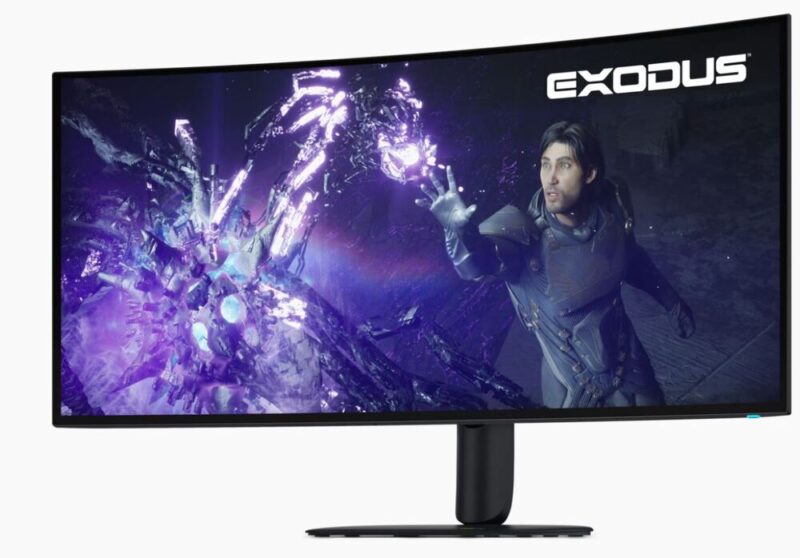
The Alienware AW3926QW sits unapologetically at the premium end of the gaming monitor market, pairing a 38.9-inch 21:9 OLED panel with a whopping 5120 x 2160 resolution, 165Hz native refresh rate and an alternative 330Hz mode for those willing to sacrifice resolution for speed.
It’s the kind of spec sheet that sounds like overkill. After spending time with it, however, I’m increasingly convinced this might be one of the most sensible implementations of overkill I’ve had the pleasure of encountering.
Performance
An important thing to get out of the way first: this thing looks spectacular.
At 5120 x 2160, the AW3926QW isn’t simply stretching a conventional ultrawide image across a bigger panel. Its 144 pixels-per-inch density gives it the sort of clarity you would expect from a high-quality 4K display, except you now have 5,120 horizontal pixels to play with.
The result is an image that remains exceptionally sharp despite the sheer physical size of the screen.
That matters everywhere. Games look incredible, obviously, but text is sharp, desktop applications look clean, and the enormous resolution means you aren’t trading clarity for size.
A big part of that comes down to Alienware’s new Tandem RGB Stripe OLED panel. Earlier OLED monitors could occasionally struggle with text fringing thanks to their unusual subpixel layouts, but that’s essentially a non-issue here. Fine details remain remarkably crisp, which becomes particularly important when you’re using the AW3926QW for something other than blowing people up.
Colour performance is similarly excellent straight out of the box. OLED’s ability to individually illuminate pixels delivers the predictably excellent black levels and contrast we’ve come to expect from the technology, while HDR content is bright enough to give highlights some serious punch.
Alienware rates peak HDR brightness at up to 1,300 nits in small highlights, while the monitor supports both HDR10 and Dolby Vision alongside VESA DisplayHDR 500 True Black certification.
Numbers only tell half the story.
OLED has been around long enough that saying blacks are really black and colours are really colourful isn’t exactly revelatory anymore. What makes the AW3926QW special is the way all of those qualities combine with its size.
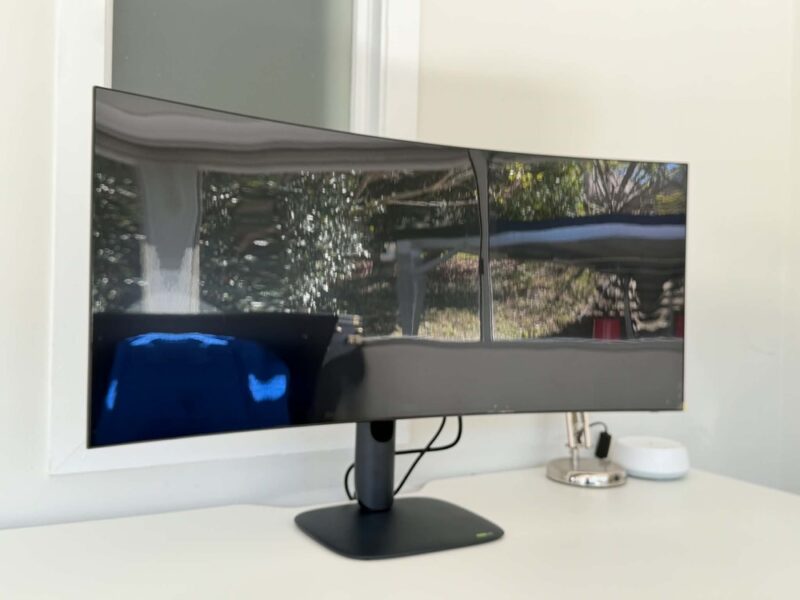
The 21:9 aspect ratio fills a huge amount of your peripheral vision without becoming completely unwieldy, while the relatively subtle 1500R curve helps pull those outer edges towards you. In a game that properly supports ultrawide resolutions, the effect can be phenomenal.
Importantly, the AW3926QW also avoids one of my biggest reservations about enormous ultrawides: losing vertical space.
The screen is effectively the height of a conventional 32-inch 16:9 display, only significantly wider. You get the immersion of an ultrawide without the strange letterbox-like feeling some wider monitors can produce.
And once you’ve adjusted to that, going backwards is actually rough. I say that with nothing but love for my current monitor.
The native 165Hz refresh rate is also more than enough for the overwhelming majority of gaming. Combined with OLED’s 0.03ms response time and support for both AMD FreeSync and NVIDIA G-Sync compatibility, movement is wonderfully smooth and responsive.
For those chasing every conceivable frame, however, Alienware has included a genuinely clever alternative.
The AW3926QW can switch into lower-resolution competitive modes running at up to 330Hz, including 25, 27 and full-width 39-inch configurations. There’s also a 32-inch 4K mode at 165Hz.
Realistically, I imagine most people buying a 39-inch 5K OLED are doing so because they want to actually use the 39-inch 5K OLED. But having the ability to effectively transform it into a smaller, faster competitive display without physically changing your setup is an excellent inclusion.
Design & Build
Alienware continues to absolutely nail the initial setup experience.
As with the company’s other monitors I’ve reviewed, the stand uses a wonderfully simple tool-less assembly system. Everything slots and clicks into place without needing to screw around with screws, Allen keys or anything else.
It might sound insignificant, but it’s something I appreciate every time I review an Alienware display — or any monitor that can go from box to desk and running in under five minutes.
This is particularly helpful when you’re trying to manoeuvre a monitor measuring almost a metre across. The last thing you want is to be balancing the thing while searching for the right screwdriver. Instead, everything comes together quickly, clicks satisfyingly into place and, within minutes, this absolute unit is sitting on your desk.
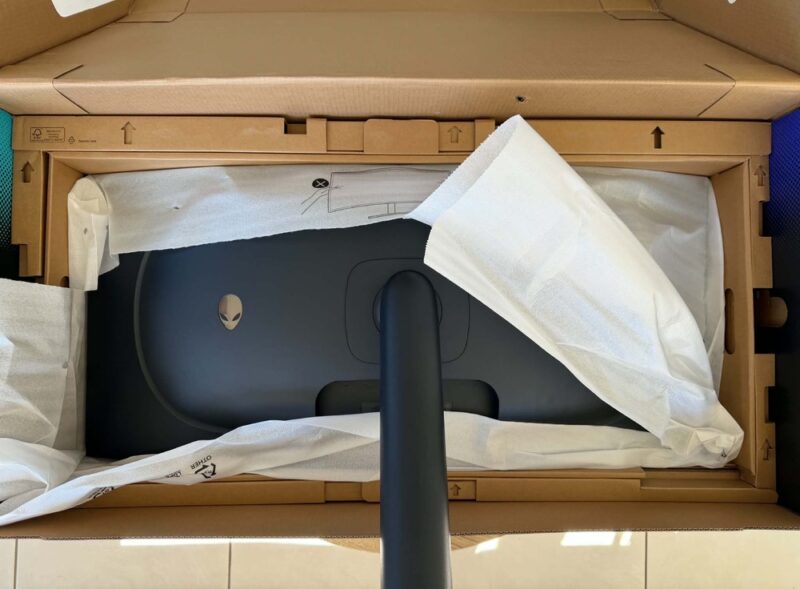
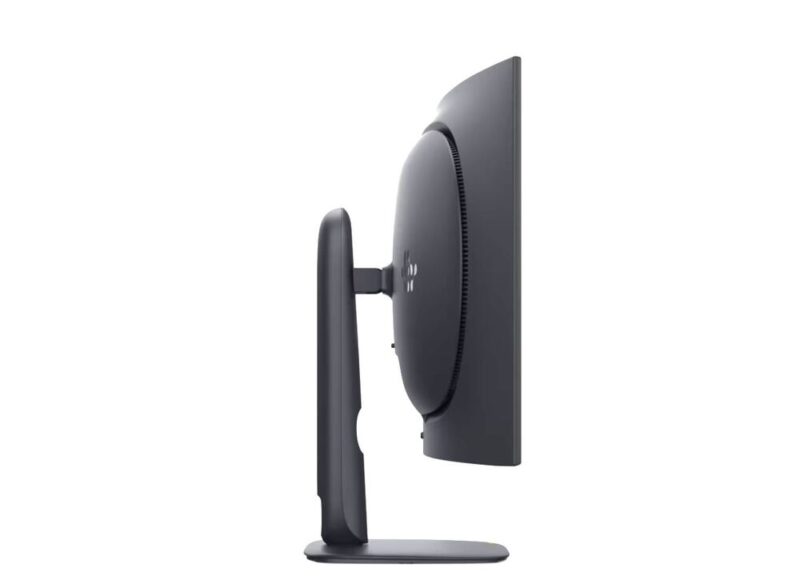
Despite the enormous display, Alienware hasn’t gone overboard with the traditional gaming aesthetic. The design is relatively restrained, with thin bezels, a matte-finished rear and the familiar Alienware head providing some subtle RGB illumination.
The result is something that looks suitably futuristic without making your desk resemble a gaming convention.
The stand itself is impressively sturdy and allows height, tilt and swivel adjustment. There’s also standard 100mm VESA support if you’re brave enough to attach this thing to a monitor arm.
The 1500R curve deserves another mention here because Alienware has judged it exceptionally well. It’s enough to make the enormous width feel natural from a standard desk position without aggressively wrapping around you.
Make no mistake, though: this is a big monitor.
At roughly 92cm wide and weighing more than 10kg with its stand, you’re going to want to measure your desk before getting carried away with the fantasy. It dominates the space considerably more than my 32-inch Alienware, even if the stand itself is reasonably economical considering what it’s supporting.
Connectivity
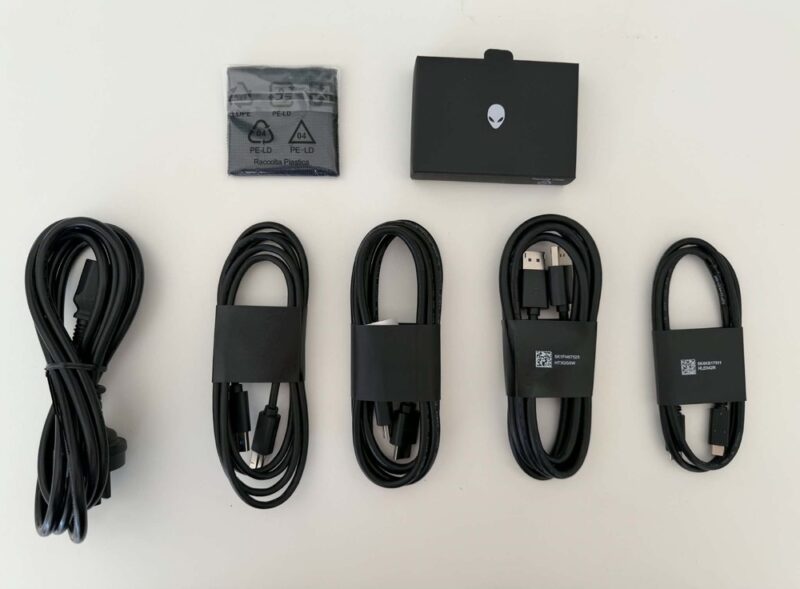
As you’d expect from a monitor at this price, connectivity is extensive:
- 1x DisplayPort 2.1
- 2x HDMI 2.1
- 1x USB-C with DisplayPort Alt Mode and up to 90W Power Delivery
- 2x USB-A downstream
- 1x USB-C downstream
- USB-B upstream
- 3.5mm headphone output
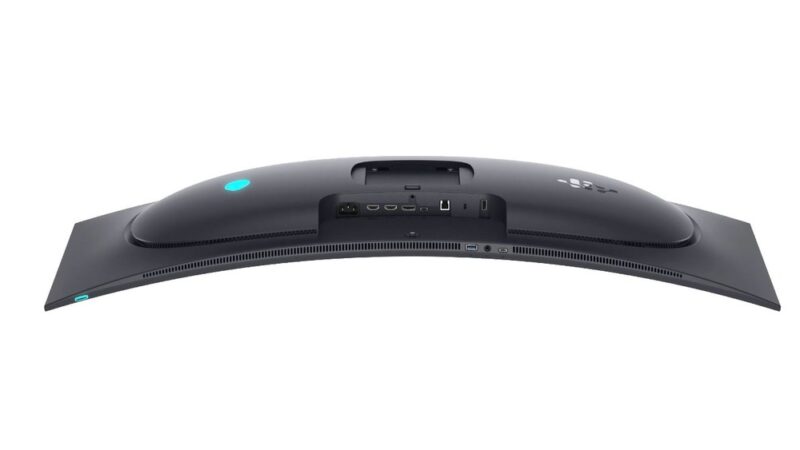
The inclusion of USB-C with 90W power delivery is particularly useful and further strengthens the argument that this isn’t simply a gaming monitor.
Plug in a compatible laptop, and you’re suddenly looking at an enormous workstation while simultaneously keeping the device charged.
There’s also built-in KVM functionality, allowing a keyboard and mouse connected through the monitor to be shared across multiple connected systems. For anyone bouncing between a gaming PC and work laptop, that’s the sort of feature that sounds relatively mundane on a spec sheet but can make a substantial difference to how clean and usable your desk actually is.
It’s a function I made good use of while bouncing between my MacBook for colour grading and video editing and my PC for gaming.
The centrally mounted joystick also remains my preferred way of navigating monitor menus. Alienware lets you customise its shortcuts, which becomes particularly useful here given the number of display, HDR and competitive gaming modes available.
Functionality
While 39 inches of 5K OLED goodness sounds like the definition of unnecessary excess, the amount of usable space here is genuinely transformative.
My existing 32-inch Alienware already felt enormous when I first started using it. Going from that to the AW3926QW feels like somebody has taken everything I liked about having that larger display and simply removed the walls on either side.
You can comfortably have multiple windows open without any of them feeling compromised. Writing while researching becomes considerably easier. Large editing timelines suddenly have room to breathe. Browsers, documents and secondary applications can live beside one another rather than constantly fighting for space.
It’s one of those luxuries that becomes worryingly normal very quickly.
That’s what separates this monitor from something that’s merely big for the sake of being big.
The AW3926QW’s 2160 vertical pixels are enormously important. There are wider ultrawides available, but many stretch 1440 vertical pixels across a huge horizontal canvas. Alienware gives you the useful height of a 32-inch 4K monitor and then adds the ultrawide space around it.
The result feels less like replacing your monitor with a novelty-sized television and more like replacing a multi-monitor setup with one continuous workspace.
There are OLED-specific considerations, of course.
Burn-in remains an inherent concern whenever static desktop elements are involved, particularly if you’re planning to use the monitor for productivity eight hours a day. Alienware includes automatic pixel refresh and pixel-shift routines to mitigate that risk, alongside a three-year panel warranty that explicitly includes OLED burn-in.
That’s reassuring on something this expensive.
There’s another practical consideration, too: running games at 5120 x 2160 is no joke.
You’re pushing more pixels than conventional 4K, so anyone expecting to max out modern AAA games at native resolution while simultaneously taking advantage of that 165Hz ceiling is going to need some serious GPU horsepower.
This is a premium monitor that really wants a premium PC attached to it.
Verdict & Value
And that brings us to the elephant in the room. Around $2,000 AUD is an enormous amount of money to spend on a monitor.
It’s an especially difficult proposition at a time when putting together a high-end gaming PC is already becoming increasingly expensive. Once you’ve accounted for GPUs, CPUs, memory and everything else required to actually drive something like this properly, dropping another couple of grand on the thing displaying it all isn’t exactly an insignificant decision.
There is absolutely nothing necessary about the Alienware AW3926QW. It is a luxury. But it’s a bloody good one.
The Alienware 39 5K OLED is a little like the Ferrari of gaming monitors: expensive, excessive and something most people could never reasonably argue they need. Except, unlike a Ferrari, it’s also ridiculously practical.
That’s ultimately what makes it so difficult to criticise beyond the price.
The enormous 5K workspace genuinely improves everyday productivity. The 39-inch format manages to feel huge without becoming completely ridiculous. OLED makes games look phenomenal. The 165Hz native refresh rate is more than fast enough for most players, while the 330Hz modes give competitive gamers somewhere to go when outright speed becomes more important than resolution.
Add excellent connectivity, KVM functionality, USB-C power delivery, great ergonomics and Alienware’s wonderfully painless setup, and you’re left searching pretty hard for meaningful compromises.
Could I recommend everybody spend $2,000 on a gaming monitor? Of course not.
But if you’ve already got the PC to drive it and the disposable income to make the asking price relatively painless, the AW3926QW is an absolutely brilliant piece of kit.
It’s ridiculous.
It’s luxurious.
And after living with it, I’m increasingly annoyed that Dell expects me to give it back.

FIVE STARS (OUT OF FIVE)
Highlights: Phenomenal 5K OLED image quality; Huge but genuinely practical 39-inch display; Excellent 165Hz gaming performance; Versatile 330Hz competitive modes; Fantastic connectivity and effortless setup
Lowlights: $1,999.80 AUD is a serious investment; Native 5K gaming requires equally serious PC hardware
Manufacturer: Dell / Alienware
Price: Approx. A$1,999.80
Available: Now
Review based on a retail unit provided by Dell and is available now via Dell and select Australian retailers.
Featured header image provided by Dell/ Alienware.
