

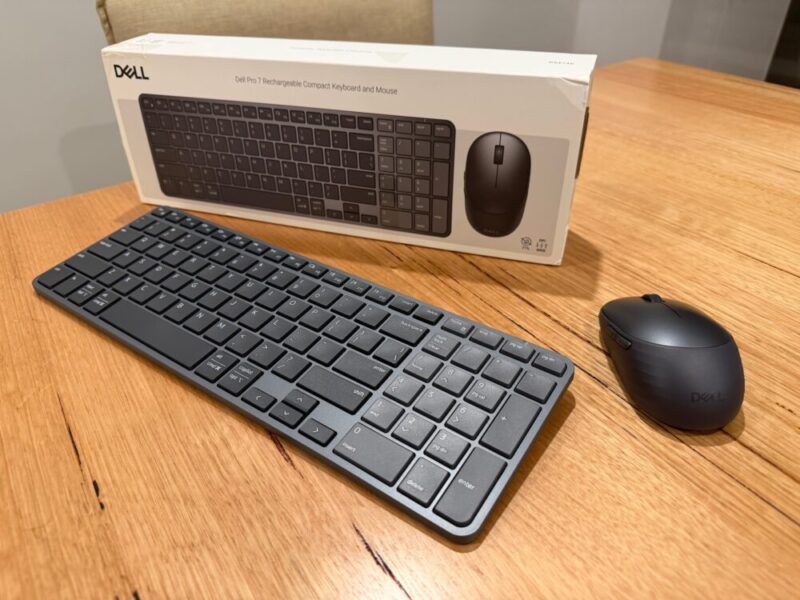
The number of keyboards and mice seems to be growing by the day, and Dell have decided to jump into the fold with their Pro 7 Rechargeable Compact Keyboard and Mouse (KM746).
This wireless combo is sleek and minimal, providing a decent option for those potentially working from home, or those looking for a lighter, slimmer and easier setup to save some desk space where possible.
Design & Setup
Let’s start with what you’re getting in the box:
- Pro 7 Rechargeable Compact Keyboard & Mouse – KM746
- USB-C to USB-C Charging Cable
- Dell Secure Link USB Receiver
- Documentation
For the most part, both the mouse and keyboard fit the compact name, with the keyboard itself being quite slim and light. It’s also a full-sized keyboard, complete with a number pad, although the arrow keys have been conveniently tucked to the right of the ALT/Command and Copilot keys and under the Shift key.
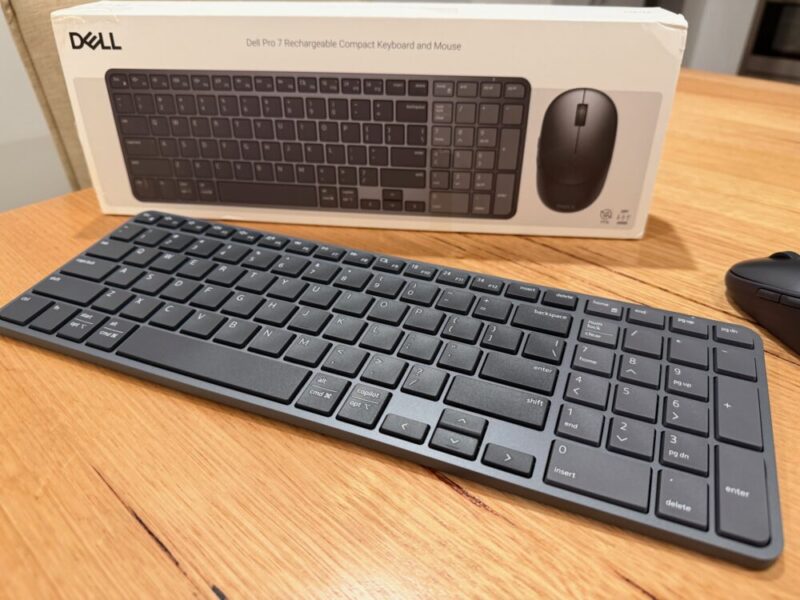
The Function buttons have moved above the number pad, making it feel like a TKL keyboard and saving a little more space if you’re working on a smaller desk.
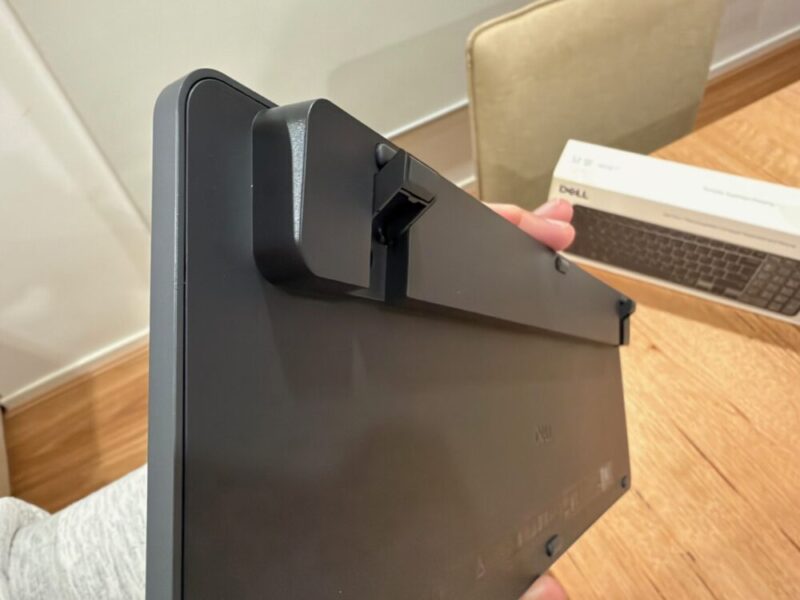
The small adjustable legs give the keyboard a slightly raised angle, though you can only flip them up to one height setting. You’ll also find a single switch towards the top of the keyboard to help you select between Windows and macOS.
For as small as the mouse might look, I’m a fan of how it feels to use. I generally don’t use smaller mice because I hate resorting to a claw grip, which simply feels uncomfortable after longer sessions on my PC.
Aside from the main left and right click buttons, you’ll find two secondary buttons to the left, which line up nicely with the thumb. Under the mouse, you’ll also be able to open up the panel to reveal the storage slot for the USB-A receiver, which works for both the keyboard and mouse via a 2.4GHz connection.
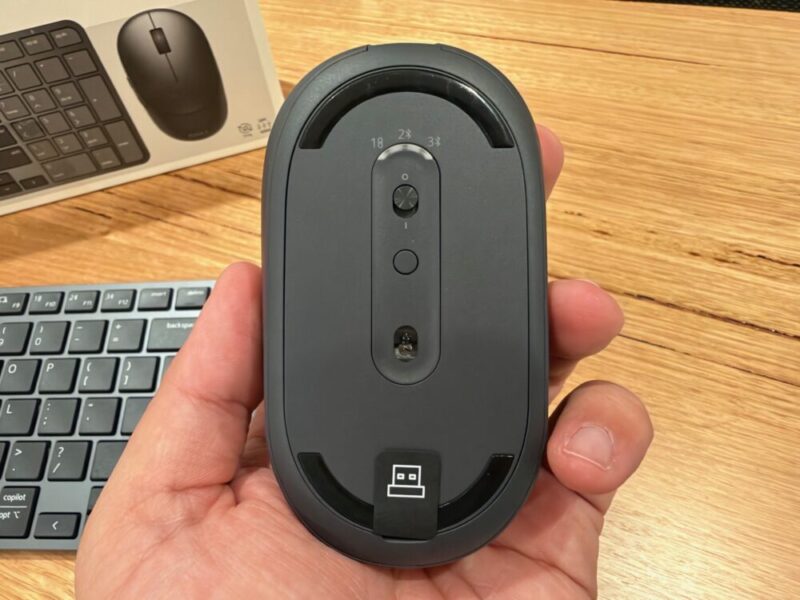
Connecting both these devices is also incredibly easy. Simply turning them on puts them into pairing mode if they’re not automatically reconnecting to a current device. The mouse includes a power switch underneath it, in addition to a dedicated button that allows you to switch the devices between the 2.4GHz dongle and up to two other connected devices on the fly.
For as nice as both devices look, compete with their matte grey finish, there really are no frills to them, so it depends on what you’re after. But if that is a more minimal look for a more professional setting or workspace, then I think this will tick those boxes.
Performance
Keyboard (KB746)
The wireless keyboard feels like the star of the show here, thanks to its premium build quality and sturdy design. At just over 500g, it does feel on the heavier side for a keyboard this slim, but that does lead to the general typing experience feeling less creaky, which certainly helps when you type as much as I do.
The plastic keys do feel like par for the course for the price, but I feel like you also can’t go wrong with the scissor keys, which do feel incredibly punchy and responsive as you type away. For the most responsive experience, however, I do recommend a wired or 2.4GHz connection, as even though these devices come with Bluetooth 6.0 connectivity, it doesn’t feel quite as responsive.
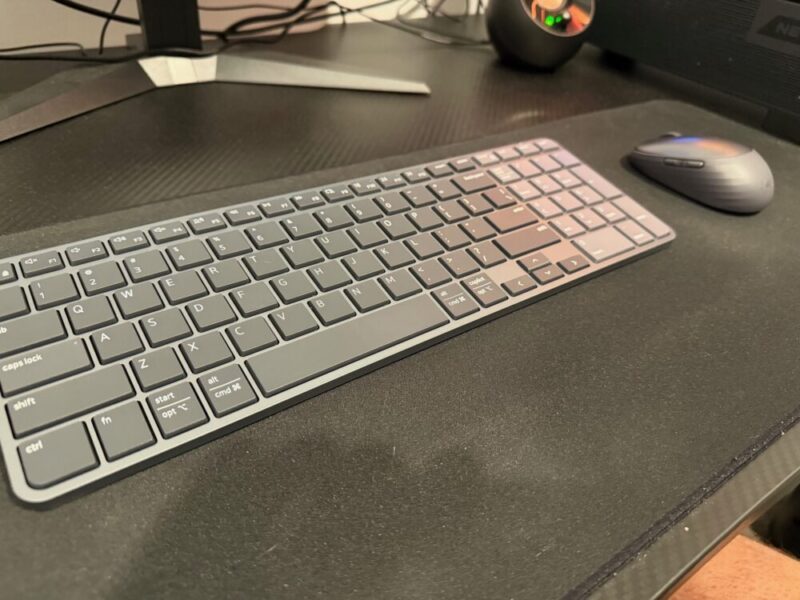
There are 9 programmable keys to customise here, accessible via the Dell Display and Peripheral Manager software, but it’s hardly essential for most users.
The only real gripe I had with the keyboard was the lack of backlit keys. I understand the lower price tag may have determined this, but it does go such a long way in adding value and versatility to its usage.
Finally, the keyboard does allow for USB-C charging, and the three-month battery life is also fantastic. After using this for a week or so, I haven’t even really had the chance to run this flat.
Mouse (MS746)
The symmetrical design of the mouse definitely works in its favour, as it feels comfortable to use. Once again, there are no real frills or eye-popping features to convince anyone who’s looking to balance both work and gaming, but this is more than enough for a work setting or general daily use.
The mouse buttons are also on the quieter side, which I appreciate, and it glides smoothly across a desk mat or mouse pad.
The mouse can be adjusted from 400 all the way to 6000 DPI, which isn’t actually that bad at all. Once again, that’s not great for gamers, but this generally felt quite responsive via the 2.4GHz dongle.
Once again, I felt as though the Bluetooth connection added a slight lag, but it’s certainly fine for the sake of convenience, even to use on other devices like laptops or tablets on the go.
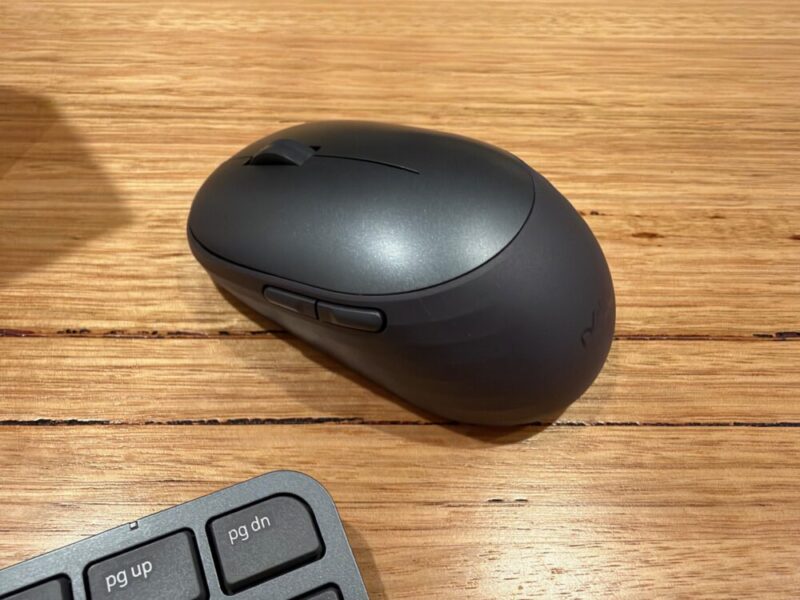
Finally, the mouse provides up to 2 months of battery life, which is also fantastic, even though it’s not quite as much as the keyboard, so you’ll generally always need to recharge these devices at different times. The USB-C port on the front end of the mouse also makes this really easy to charge and use when the time comes.
Verdict & Value
While nothing will really jump out at you, it’s certainly a fine keyboard and mouse combo for everyday use.
Both devices are sleek and minimal, complete with multiple ways to connect, making them a great fit for a number of devices like desktop PCs and laptops, all the way to phones and tablets.


THREE AND A HALF STARS (OUT OF FIVE)
Highlights: Sleek and minimal; Comfortable to use; Mouse clicks are silent, and scissor keys are great for typing; Easy to set up; Great battery life
Lowlights: Software support is clunky and rarely essential; No backlit keys
Manufacturer: Dell
Price: A$141.90
Available: Now available via Dell’s official website.
Review based on unit provided by Dell.
