


Technological advancements have brought in some new rules of modern travel. And while scams and hacks are getting more sophisticated, there are several smart, simple steps you can take to cleanse your digital footprint each time you travel and keep your data safe and secure.
There is an undeniable magic to closing your laptop in a sunlit cafe in Barcelona, grabbing your espresso, and wandering off into narrow cobblestone streets. Today, the world is our office. Armed with ultra-light laptops, noise-cancelling headphones, and high-speed global connectivity, we drift between airport lounges, boutique hotels, and bustling co-working hubs with unprecedented ease.
Yet, while our physical gear has become sleeker and lighter, our digital baggage has exploded. Every hotel Wi-Fi login, online booking portal, shared monitor, and coffee shop hotspot leaves a breadcrumb trail of sensitive credentials, browsing data, and personal identifiers. If you wouldn’t leave your leather backpack unzipped on a crowded subway, why leave your digital assets hanging out in the open?
In 2026, true travel wellness isn’t just about packing light—it’s about building a friction-free digital security routine that keeps you protected wherever inspiration takes you.

Why your digital baggage matters more than ever
Every time you connect to an unfamiliar network or log into a temporary travel service, you open a tiny door into your digital life. For creative freelancers, touring artists, and remote professionals, an account takeover isn’t just an inconvenience—it can derail a client deadline, compromise proprietary project files, or wipe out travel funds mid-trip.
Beyond physical luggage: Packing your digital hygiene kit
Think of digital security as an essential upgrade to your travel kit, right alongside your universal plug adapter and portable power bank. It shouldn’t feel like a chore or require a degree in computer science. By adopting a few seamless habits, you can build a protective bubble around your work and enjoy the ultimate freedom of location independence.
Habit 1: Ditch the repeated login for travel portals
When you are rushing through an airport terminal at 5:00 AM trying to confirm a connection, convenience is king. It is tempting to reuse that trusty old password you’ve memorised for every new boutique hotel booking portal, local scooter app, or regional train ticket site. But this habit creates a domino effect: if one low-security regional site suffers a data leak, every account sharing that credential suddenly becomes vulnerable.
The Weak Credential Risk
| Stage | Vulnerability | Potential consequence |
|---|---|---|
| 1. Entry point | Hotel Wi-Fi portal accessed using a reused password | Credentials may be exposed if the portal is compromised |
| 2. Storage risk | Credentials stored insecurely on a local system | Passwords become accessible to unauthorised parties |
| 3. Exploitation | Data breach or credential stuffing attack | Stolen credentials are tested against other services |
| 4. Wider exposure | Same password used for banking, work or social accounts | Multiple accounts could be compromised |
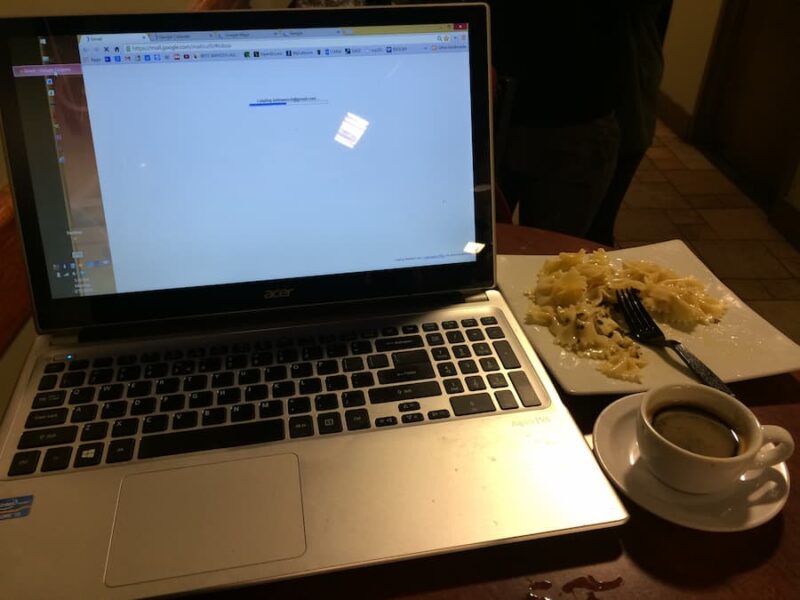
The risk of convenience in airport cafes and booking sites
Travel-related web portals are notorious target areas for credential harvesting. Because travellers frequently register on the fly using public connections, malicious actors keep a close eye on these entry points. Relying on simple, familiar passwords across multiple
travel platforms opens the door to identity theft right when you are least prepared to handle it.
Why you need a 12-character password generator on the road
The easiest fix is to remove human memory from the equation entirely. Instead of reusing variations of your pet’s name or favourite city, generate complex, unique credentials whenever you sign up for a new travel service or Wi-Fi portal. Relying on a 12-character password generator ensures that every account is fortified with a dense mix of uppercase letters, numbers, and symbols that automated cracking tools cannot
easily guess. Paired with a trusted password manager, this simple step stops credential stuffing dead in its tracks without slowing down your itinerary.
Habit 2: Treat public Wi-Fi like public transport
Public Wi-Fi is like a city bus: it gets you where you need to go, but you wouldn’t spread your personal tax documents out across the empty seat beside you. Cafes, airport terminals, and co-working spaces offer free connectivity, but they also pool hundreds of
unknown devices onto the same local network.
Navigating unsecured cafe and airport networks
On an open network, you can intercept unencrypted traffic with relatively basic packet-sniffing tools. A malicious actor two tables over at a beachside cafe can monitor unencrypted site visits or redirect your browser to spoofed login pages that look like popular email or banking services.
The modern travel stack: eSIMs, Cellular Data and Stealth VPNs
- Prioritise local cellular data: Tap into local eSIM plans for sensitive transactions like mobile banking or accessing confidential work files.
- Deploy next-gen travel VPNs: When you must use open Wi-Fi, run a reliable VPN to route your internet traffic through an encrypted tunnel.
- Enable kill switches: Ensure your VPN app includes an automatic kill switch so that if your signal drops, your raw data never leaks onto the open network.
Habit 3: Master the “two-factor” travel stack
Two-Factor Authentication (2FA) is a non-negotiable layer of defence, but relying on traditional SMS text codes while crossing international borders is a recipe for getting locked out.
Why SMS authentication fails when crossing borders
The moment you hop off a long-haul flight and switch out your physical SIM card for a local travel eSIM, your primary phone number goes dark. If your bank or work portal demands an SMS verification code, you end up trapped in a frustrating authentication loop—unable to access your accounts precisely when you need them most.
The Traveller’s 2FA Comparison
| SMS Authentication | App & Hardware Tokens |
|---|---|
| Can fail when swapping local SIMs | Authenticator apps and hardware tokens can work offline |
| Vulnerable to SIM-swapping attacks | Not vulnerable to SIM-swapping attacks |
| Requires mobile network access to receive codes | No mobile carrier signal required for offline authentication |
| May experience delays receiving SMS codes | Instant authentication via app or hardware key tap |
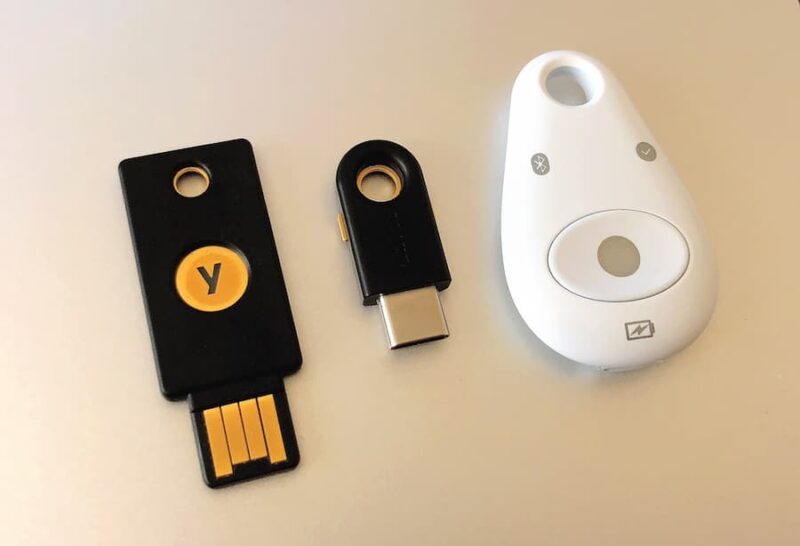
Hardware keys and app-based authenticators for smooth roaming
To maintain smooth access across time zones, shift your security setup away from phone numbers:
1. Authenticator Apps: Use timed, app-based authenticators like Google Authenticator, Authy, or 1Password to generate login tokens completely offline.
2. Hardware Security Keys: Keep a tiny USB/NFC security key (like a YubiKey) attached to your key ring. A quick tap against the back of your phone provides instant, unhackable authentication without waiting for a mobile network signal.
Habit 4: Audit device visibility and local sharing
When settled into a sleek co-working space or a communal lounge, your device constantly broadcasts its presence to surrounding hardware. If your sharing settings are left wide open, nearby machines can probe your open ports or drop unsolicited files
straight onto your desktop.
Taming AirDrop, Bluetooth, and local file discovery
- AirDrop & Quick Share: Set local file sharing to “Contacts Only” or turn it off entirely when working in public spaces.
- Bluetooth visibility: Toggle off Bluetooth when you aren’t actively using wireless headphones or a mouse to prevent local pairing exploits.
- Network discovery: Ensure your operating system’s networking profile is explicitly set to “Public Network”, which automatically hides your shared folders and blocks incoming connection requests.
Setting up privacy barriers in crowded co-working spaces
Physical privacy matters just as much as digital encryption. Over-the-shoulder snooping—known as “shoulder surfing”—is a common way sensitive project details and passwords get leaked in busy places. Investing in a removable magnetic privacy screen shield prevents curious onlookers from glancing at your screen while you work on proprietary assets.
Habit 5: Secure your cloud vaults and creative backups
Whether you are editing video footage from a brand shoot, finalising client decks, or drafting code, losing your work-in-progress mid-trip can turn a dream working vacation into a nightmare.
The tried and tested backup protocol
- Working laptop ->
- Real-time auto-sync ->
- Encrypted cloud ->
- Daily mirror ->
- Hardware SSD [PIN-encrypted]
Protecting high-value work and assets on the fly
Relying solely on your laptop’s local drive leaves your hard work vulnerable to loss, water damage, or theft. Establish a frictionless backup workflow that silently runs in the background while you focus on your day:
- Real-Time Encryption: Use cloud storage providers that feature end-to-end zero-knowledge encryption for stored directories.
- Local External SSDs: Keep a compact, rugged external drive in your bag for daily local mirrors of massive creative files.
- Hardware-Level Encryption: Opt for external drives that feature built-in PIN keypads or hardware encryption, so stolen physical storage remains completely unreadable to strangers.
Habit 6: Clean up unused public apps and session logs
Modern travel accommodation is filled with shared smart technology. From logging into your Netflix account on a hotel room smart TV to connecting your phone to a rented car’s dashboard console, we constantly leave digital footprints in temporary environments.
The hotel smart TV trap and workspace monitors
It is easy to forget that hotel smart TVs and shared office smartboards retain your session tokens long after you check out. The next guest who turns on that display could easily gain access to your viewing history, personal profiles, or linked accounts.
How to conduct a quick remote log-out audit:
Make it a rule to conduct a brief digital checkout right alongside your physical room sweep.
- Clear Smart TV Credentials: Navigate to the settings menu on any shared media device and explicitly choose “Reset to Factory Settings” or manually log out of streaming applications.
- Unpair Bluetooth Consoles: Remove your phone from the device history of rental cars and public smart speakers.
- Use Guest Mode for Public Kiosks: If you must use a shared print station or hotel business centre computer, browse exclusively in Incognito/Private mode and log out of all web accounts before standing up.
Habit 7: Set up your “Find My Device” emergency protocol
No matter how cautious you are, gear can get misplaced, forgotten in a taxi, or stolen from an unattended table. Preparing an emergency recovery plan before you head out ensures that a physical loss doesn’t spiral into a catastrophic data breach.
Preparing for the worst before you step foot on the plane
Before departing on any trip, verify that your operating system’s native tracking and remote management systems are active. Features like Apple’s Find My or Google’s Find My Device allow you to pinpoint lost hardware on a map and lock down access instantly from a smartphone.
Remote wiping, encrypted devices and instant recovery
- Enable Full Disk Encryption: Activate FileVault (macOS) or BitLocker (Windows) so that even if someone physically pulls the storage drive out of your machine, your data remains unreadable without your master key.
- Test Remote Wipe Capabilities: Familiarise yourself with how to trigger a remote factory wipe from a web browser so you can clear your device’s contents immediately if it falls into the wrong hands.
- Store Secure Emergency Contacts: Keep encrypted offline copies of emergency phone numbers, passport details and credit card cancellation hotlines saved in an accessible cloud vault.
Conclusion: Travel light, work secure, and live fully
Working on the move is one of the most rewarding parts of modern digital culture. But true freedom requires peace of mind. By making these seven smart digital habits a natural part of your travel routine—from running new credentials through a 12-character password generator to securing your cloud backups and public Wi-Fi connections—you build an invisible safety net around your digital life.
Protecting your data doesn’t mean sacrificing spontaneity or spending hours tweaking complex settings. It is simply about adopting smart, elevated routines that keep your focus right where it belongs: on the open road, the fresh coffee, and the next great creative venture ahead.
Frequently Asked Questions
Why shouldn’t I rely on SMS for two-factor identification while travelling?
SMS authentication relies directly on your home cellular network and SIM card. When travelling internationally and using local eSIMs, you often cannot receive text messages, leaving you locked out of your accounts. Additionally, SMS messages are vulnerable to SIM-swapping attacks. App-based authenticators of physical hardware security keys generate login tokens offline, offering far superior reliability and security on the road.
Is a travel VPN enough to keep me safe on hotel Wi-Fi?
A VPN is a vital layer of defence because it encrypts all traffic travelling between your laptop and the internet. However, it isn’t a silver bullet. You still need strong, unique passwords for your accounts, active disk encryption, and safe browsing habits to protect against phishing scams, malware, and physical shoulder surfing in crowded spaces.
How long should my passwords be for travel booking apps?
While longer is generally better, passwords should be at least 12 characters long and consist of a completely random mix of uppercase letters, lowercase letters, numbers, and symbols. Using an automated password generator ensures that credentials created on the fly for travel platforms or Wi-Fi portals cannot be easily cracked using dictionary attacks.
What is the fastest way to log out of remote devices like hotel smart TVs?
The fastest and safest approach is to use the device's main system menu to perform a “System Reset” or “Factory Reset” before checking out. This wipes all stored account tokens, personal credentials, and Wi-Fi networks in one step. If you have already left the location, log into the account’s security settings from your smartphone or laptop and select “Log Out of All Active Sessions”.
