

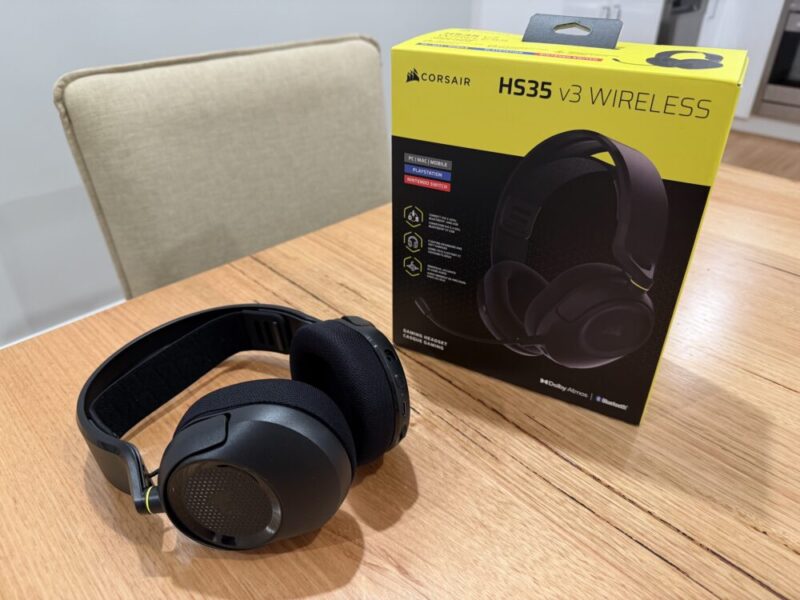
Corsair is no stranger to a range of both entry-level and premium gaming accessories, the most recent being the HS35 v3 Wireless, a more affordable yet feature-packed gaming headset for a variety of gamers and platforms.
It’s certainly one of the cheaper wireless headsets on the market, and offers not only multiple ways to connect to various devices, but also a detachable mic and a versatile wireless adapter.
While its audio quality won’t blow you away, it’s one of the better entry-level headsets we’ve tried thus far.
Design & Connectivity
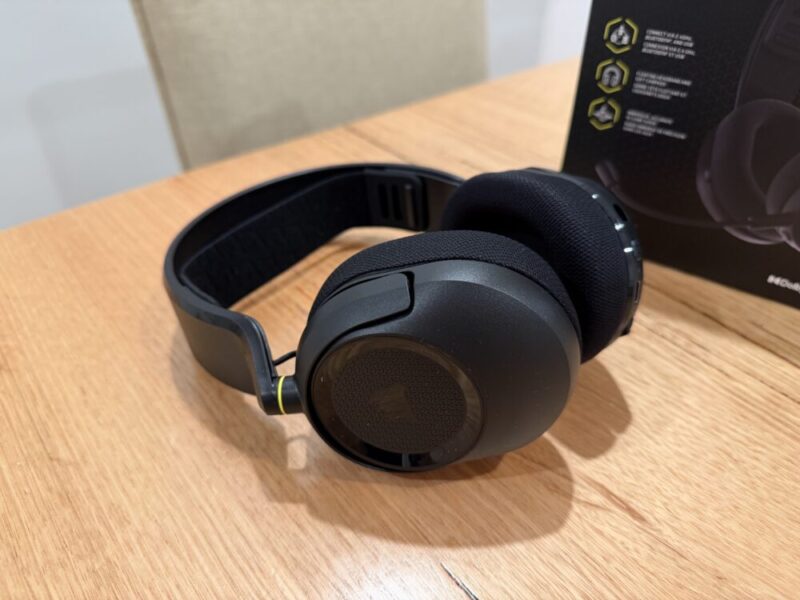
The HS35 v3 Wireless is a sleek, lightweight, and relatively comfortable headset that scores major points for its adjustable ski band. It is surprising to see that the hinges can be twisted inwards, but not adjusted for larger heads. Instead, you’ll have to adjust the ski band, but even right out of the box, I found this to be rather comfortable.
The plastic build feels incredibly light, making it a great option for longer gaming sessions, but I must admit, it isn’t the sturdiest headset on the market. It’s not to say this is poorly built, but rather that some unavoidable squeaks come with this plastic build, which helps justify its lower price point.
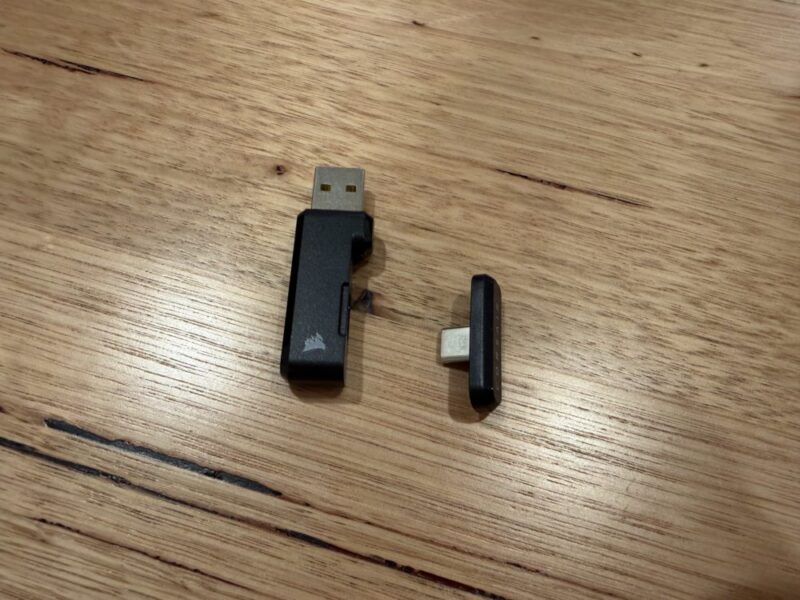
In the box, you’ll also get a wireless USB-A/C 2.4 GHz transmitter, a 1.8m USB-A to USB-C charging cable, and the detachable mic. I will say that more headsets need to take notes from this wireless transmitter, as a smaller USB-C version can be detached from the larger USB-A portion of the transmitter, making it an incredibly versatile option for various platforms.
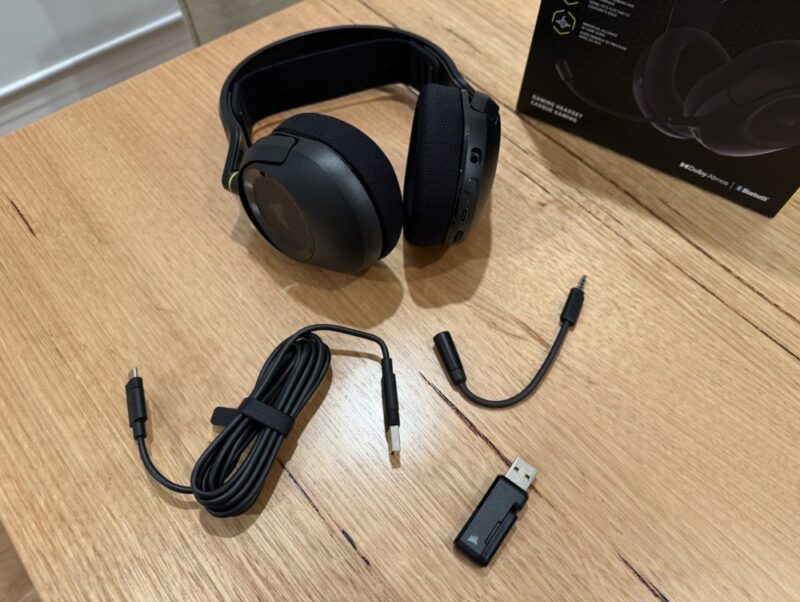
While I have no issues using this with the USB-A version on my PC, it’s nice to be able to plug that smaller USB-C version into the front of my PS5, as the USB-A ports around the back of my PS5 are currently in use.
The headset puts all of its controls on the left earcup along with the mic, and while it’s easy to find each button, it is worth reading up on the commands first. For example, pressing the volume wheel down while in Bluetooth mode for a couple of seconds puts the headset into Bluetooth pairing, while pressing it once mutes and unmutes your mic.
Pressing the button below the volume wheel and next to the USB-C charging port turns the headset on and off when holidng of for a couple of seconds, while pressing it twice switches the headset between dongle and Bluetooth modes. It’s worth notring the the headset does notify you when you activate each of these commands, but as they’re not actually printed on the headset, there’s no way of knowing right away.
Performance
The included custom-tuned 50mm neodymium drivers are solid, but they won’t necessarily blow you away. I found that the compatible Dolby Atmos Spatial Audio helped to create a wider sound stage, but this feature is only available on PC. On my PS5, however, I found the overall soundstage to be fine, free from any significant distortion at louder volume levels.
While the highs and mids don’t sound that light or tinny, I couldn’t help but notice the lack of any real thundering bass that most larger drivers tend to opt for out of the box. While the HS35 v3 Wireless only works with the Corsair Web Hub App for the sake of firmware updates, I feel as though Corsair chose a more balanced soundstage, assuming that they felt gamers were turning down or disliking the higher bass levels in other headsets.
For gaming, it’s fine, but I would consider something else for everyday use. Again, it’s not bad, but I feel as though it could have used a little more bass overall.
The detachable mic is flexible and easy to adjust, and I’m a fan of its slimmer design, even if its performance feels relatively lacklustre. It’s definitely serviceable, but it does pick up a fair amount of background noise, while most voices sound slightly light and tinny.
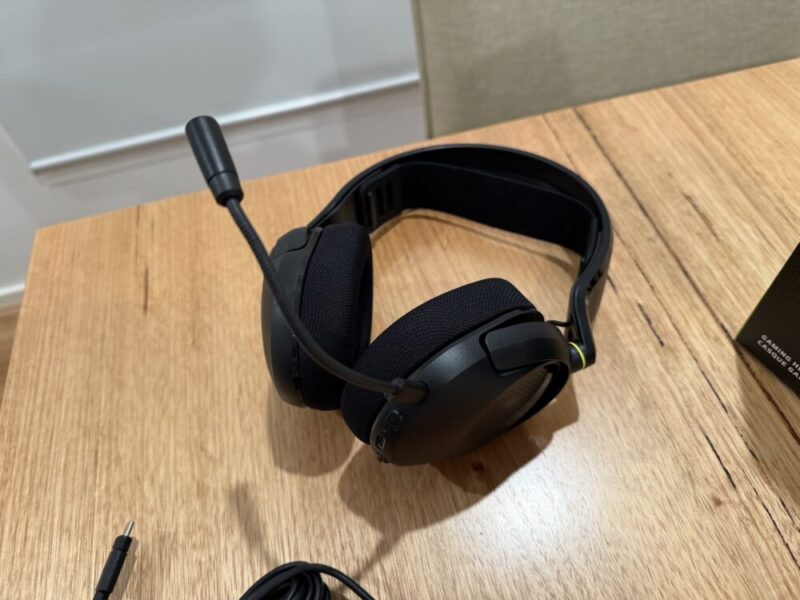
While you can use this as a wired headset via the included charging cable, it is worth noting that there’s no simultaneous audio, meaning you can’t be connected to your console for gaming via that 2.4 GHz dongle, and to your phone to take calls via Bluetooth. I can understand this feels like more of a premium feature across the board, but it would have certainly provided additional value here.
Battery Life
Corsair states that you’ll get around 30 hours of battery life via the 2.4 GHz dongle with the headset’s volume at 50%, and I feel that’s relatively accurate. Of course, using this via Bluetooth will save some battery life, but that all depends on the platforms you’re using.
For the Nintendo Switch, PC and mobile devices, it’s fine, but on the PS5, you’ll be relying on that dongle, so it’s worth considering where you’re playing.
The provided charging cable, however, will get this back up to capacity in an hour or so, so it’s not even a massive trade-off. I do wish, however, that a 3.5mm cable was included here, so that this could be used as a wired headset on the PS5 as well.
Verdict & Value
The HS35 v3 Wireless gaming headset is sleek, comfortable and packs plenty of value into its multiple options for connectivity and compatible platforms.
While its soundstage and lighter bass levels hold it back from being fantastic, it is without a doubt a solid and value-packed entry-level option.


THREE AND A HALF STARS (OUT OF FIVE)
Highlights: Decent audio quality; Versatile wireless 2.4 GHz dongle; Solid battery life; Light and comfortable
Lowlights: Lacks a little bass; average microphone; Slightly confusing onboard controls
Manufacturer: Corsair
Price: USD$79.99
Available: Now available via the official Corsair website.
Review based on unit provided by Corsair.
