

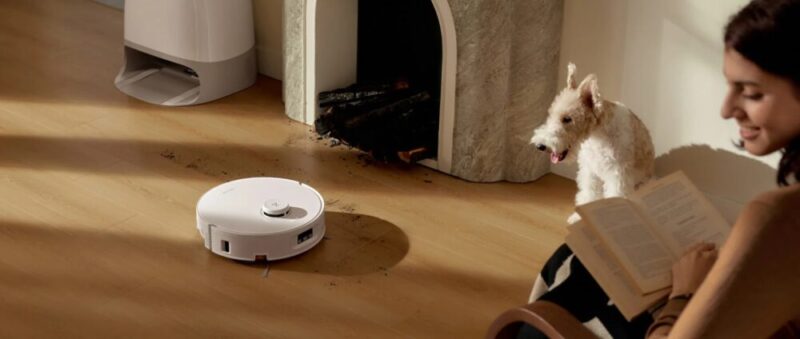
I feel like everyone around me is beginning to adapt to robot vacuums for automated cleaning while at home and away, and I can definitely see why. I can’t believe I haven’t pulled the trigger on a robot vacuum just yet, but upon being allowed to review Roborock’s new Qrevo Curv 2 Flow, I’m glad I waited.
The Roborock Qrevo Curv 2 Flow is an incredibly versatile and powerful robot vacuum with the ability to clean up after parties, kids and even pets, across carpets, hardwood floors and tiles alike. It gets almost everything right, and given its easy setup, rarely causes any issues down the track either.
I’ve been using this for a few weeks now, and I must say, should the premium price tag suit, it’s honestly hard to imagine being without it.
Design & Setup
From a design perspective, the Qrevo Curv 2 Flow is relatively basic when compared to other robot vacuums in its class, but I like the rounded dome design and white finish. The top of the dock also has a convenient rooftop lid that you only need to lift to reveal the clean and dirty water tanks, along with the slot for interchangeable dust bags.
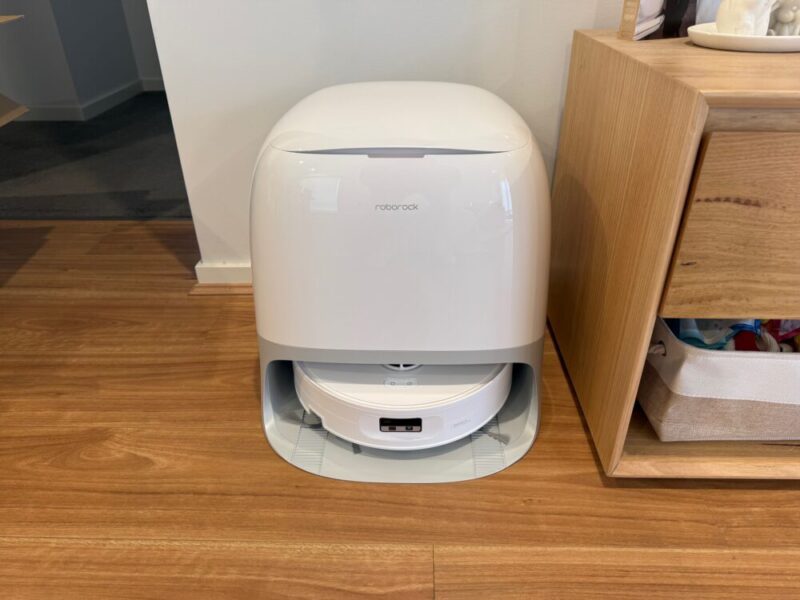
The actual vacuum itself also tucks into the dock nicely, and thanks to the generous lip on the front of the dock, it means the vacuum doesn’t stick out. On the vacuum, however, you’ll only find a dedicated power button and a home button, which not only sends the unit back to the dock when out and about, but empties the dustbin once docked. That being said, you’ll rarely need to touch either of these buttons, as everything is automated and so easily controllable via the dedicated Roborock app, which we’ll get into a little later.
In terms of setup, I don’t think it could have been any easier. It was so easy that I actually had to double-check the vacuum later on that night to check if I had left anything in the box, or left any stickers on the actual vacuum or docking station. Unboxing this package feels so straightforward because everything already comes in place. There’s no need to pop the mop pads on or pop the roller in, or even put together bits of the docking station. Simply take the docking station out, plug it into power, take out the robot vacuum, take off all the stickers and packaging, and pop it into the dock.
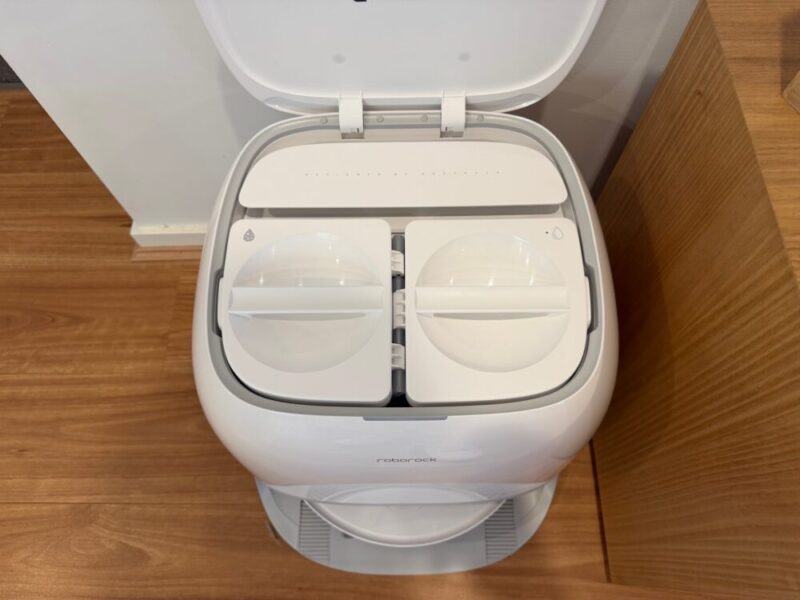
The app will then automatically scan for nearby devices, to which you can connect to your Wi-Fi network to get started. The only real management that takes place beyond the initial setup is the need to fill the clean water tank, empty the dirty water tank, and change the dust bags, all of which are indicated either within the Rocorock app, or by the thin light next to the lid of the docking station, that turns red when something needs to be changed or filled.
I still look at this thing as though I’m missing something, but as I’ve had no real issues to date since setting it up, I’m going to trust I’ve done things right. Given that it only takes a few minutes to set up both in person and via the app, it’s hard not to recommend it to anyone with a smartphone and an internet connection.
Performance
The Roborock Qrevo Curv 2 Flow brings the goods in all departments, simply because it does everything, so buckle up as we run through the list.
The vacuum itself packs a punch with 20,000 Pa Hyperforce Suction, and anti-tangle heads, meaning it can tackle tougher stains and spills, even down to mud, hair, coffee, dirt and sauce. I live with two larger dogs that shed what feels like all year-round, and the Qrevo Curv 2 Flow seems to pick up short and long dog hair with ease. The dust bags are easy to change, but if you have pets, I feel as though you’ll be changing the dust bags a little sooner than the suggested 5-6 weeks.
You’ll also get 75°C high-temperature mop cleaning on the Qrevo Curv 2 Flow, which suggests a 99% bacterial removal rate. I’ve got hardwood floors throughout the central area of my house, and the mopping function is generally fantastic. The docking station will wash the mop after each cleaning and dry the mop pads once docked. It’s worth mentioning here that the docking station takes around 3 hours by default to dry them, and you’ll hear a slight whirring noise throughout. It’s hardly loud, and I would go as far as to say it’s actually quiet, but you can hear it if you listen carefully.
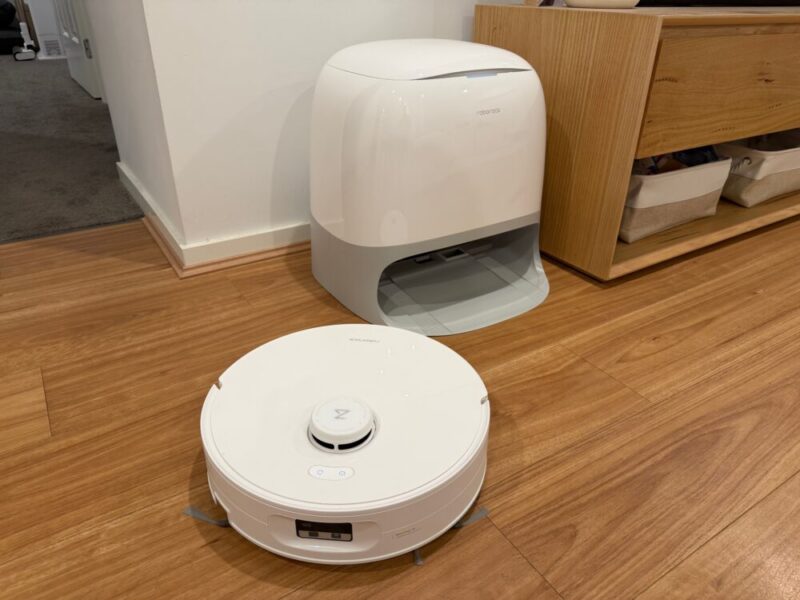
It’s far from a deal-breaker, and I wouldn’t really recommend interrupting it, as it’s necessary in order to keep those pads free from bacteria before cleaning again. As it dries the mop pads with 55°C of warm air too, it prevents them from growing mould or unpleasant odours, which is important to note if you’ve got this in a busy space like a living room or hallway. I’ll also mention here that this can leave streaks from time to time, but I feel your flooring type makes a difference, as I noticed this on my hardwood floors, but not on my tiles.
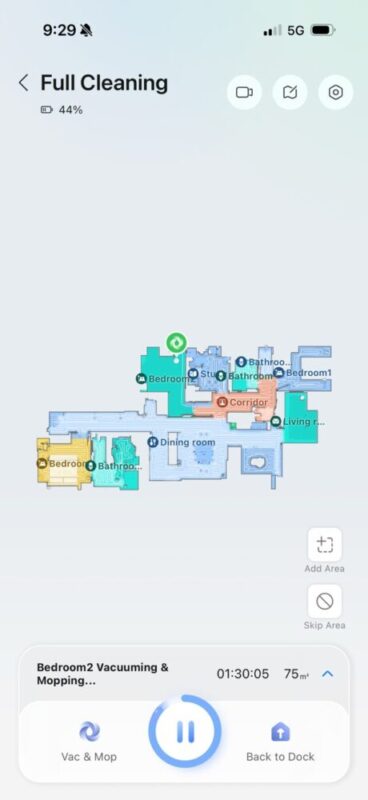
The Qrevo Curv 2 Flow also comes with PreciSense LiDAR Navigation, which essentially scans your entire house on its initial run, and does a decent job at guessing the difference between each room on the fly. Upon checking the map, I could see the vacuum had scanned and labelled my bedrooms and bathrooms, differentiating between carpet, tiles and hardwood floors. Funnnily enough, I had forgotten to open one of my doors when the vacuum was mapping out my house for the first time, so I missed an entire bedroom. But upon running a clean the next day with that door now open, the Qrevo Curv 2 Flow actually went into the bedroom, cleaned it, scanned it and added it to my house’s map.
There are a few quirks here, however, as it also added a corridor next to that bedroom that doesn’t exist (creepy), but you can thankfully edit the map and surrounding areas with ease, even going as far as to allow you to add items of furniture to the map like bedding, couches and tables too, for added reference. It’s also relatively alert when it comes to obstacle sensing, as the study I’m currently writing this review in is a little cluttered, to say the least. Even then, the Qrevo Curv 2 Flow does a decent job at detecting such obstacles and items, even if I found a few small doormats and bath mats moved a few inches over.
The Qrevo Curv 2 Flow does give you the option to edit and add maps, but this is only applicable to those who are using it across multiple stories, which I unfortunately have not been able to test in my single-story house.
The Qrevo Curv 2 Flow will also alert you when something has jammed it up via the Roborock app, which comes in handy, and the vacuum itself allows you to pull the roller out to remove the object easily. I’m not sure if my golden retriever, Millie, will forgive this thing for sucking up her little taco toy, which made its way under our bed. Aside from object recognition and avoidance, the Qrevo Curv 2 Flow can also automatically raise itself to 15mm to clean rugs and carpets, which is a nice touch. I’ve got a relatively thick rug in my main living room area, and it had no trouble getting on or off.
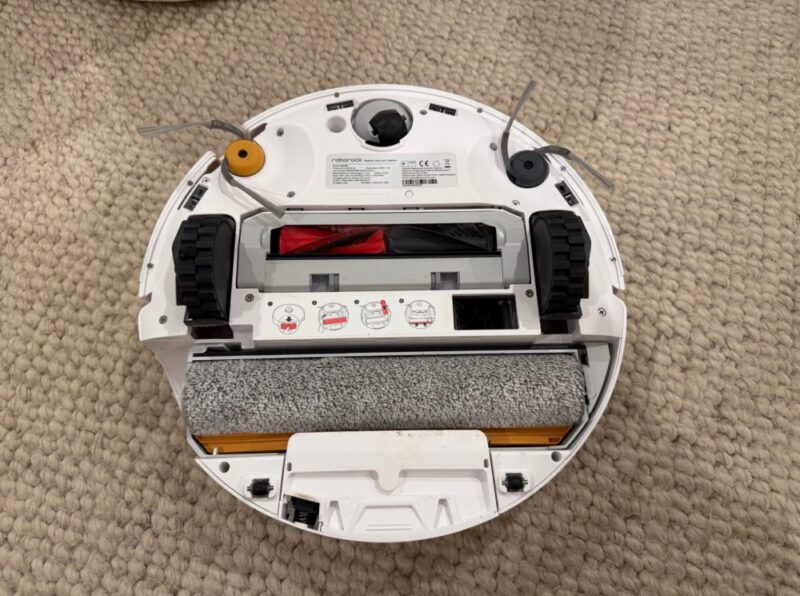
The Qrevo Curv 2 Flow cleans the edges with an Edge-Adaptive Roller Mop, which extends within 10mm along the edges of your rooms and even along furniture. That being said, I feel like this missed the edges of my chairs under the dining table, and even though it could fit, I did not want to go under each of my individual chairs, which is where I found most dog hair and debris remaining.
Finally, the Qrevo Curv 2 Flow allows for remote viewing while you’re away, and even allows you to call the actual vacuum to talk through it, and even track pets too, if they’ve gone missing or hidden under the corner of the bed, for example. Even when the vacuum is stuck, you’re able to see where it is, through the camera or on the map via the Roborock app.
Overall, the Qrevo Curv 2 Flow packs so much into one package that it will make your head spin. But while I say that, I realise that so many of these features are automated or initiated at the touch of a button, that it’s really a breeze, cleaning whenever and wherever you’d like with minimal input.
Software & Compatibility
The dedicated Roborck app is easy enough to use, and while essential for the initial setup, it allows for a multitude of customisable options. Aside from being able to edit the map, the app allows you to decide if you want to mop and vacuum or simply vacuum and even adjust routines like vacuuming followed by a mop, cleaning after meals, deep cleaning after weekends or even instant sweeping to clean the floor without mopping, to name a few recommended routines.
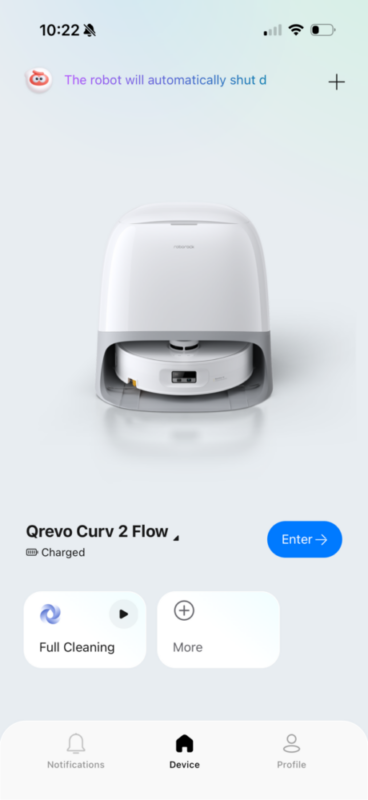
You only need to open the app and hit enter to get a view of your house map, simply hitting the play button to start cleaning. At any point during cleaning, you can hit the Dock button on the bottom right to send the unit back, or even the button on the bottom left, which determines the type of clean you’re getting.
It’s on Vac & Mop by default, but by clicking into it, you can not only change the mode, but the intensity of the suction, water flow, cleaning count and routes to your liking. I had messed around with these features after a few days, but in all honesty, the balanced default settings are already fantastic, and I only recommend altering these settings when and where you need that deeper or lighter clean.
You can even click on your map to select specific rooms to clean, assign specific zones to vacuum or mop, and finally adjust those aforementioned routines.
Finally, I would also like to point out here that the Qrevo Curv 2 Flow can also connect to assistants like Alexa and Google, and even has an Apple Watch app, if you’re unable to start cleaning from your phone. That being said, I have had a few issues using voice commands to get the Qrevo Curv 2 Flow started, and had to go into my Alexa app multiple times to launch the function, even though the Roborock skill was already enabled. After a week or so, it was working consistently, so I’m happy to chalk this one up to user error.
Verdict & Value
Overall, the Rocorock Qrevo Curv 2 Flow has changed the way I clean and want to clean my home moving forward. It’s packed with plenty of features that rarely feel intimidating or tough to use, simply because they’re practically all automated, requiring minimal input when it’s time to empty the dirty water tank or change the dust bin.
The Qrevo Curv 2 Flow does such a great job taking care of itself that it makes cleaning the house so much easier in the process. To top it all off, the 20,000 Pa Hyperforce Suction makes this a great vacuum in general, while the 75°C high-temperature mop with automated cleaning takes care of the rest.
It’s the perfect companion for those with pets, kids or even a generally busy household, and while the premium price tag of A$2499 feels steep, it’s one of the best investments you could make for consistently clean floors with next to no fuss.


FOUR AND A HALF STARS (OUT OF FIVE)
Highlights: Easy to set up; App works great; Powerful suction and effective mopping; Vacuum takes great care of itself with minimal user input
Lowlights: You can hear the docking station as it dries the mop pads after cleaning
Manufacturer: Rocorock
Price: A$2499
Available: Now available at all leading hardware retailers, including the official Rocorock website.
Review based on unit provided by Rocorock.
Featured header image provided by Roborock.
