

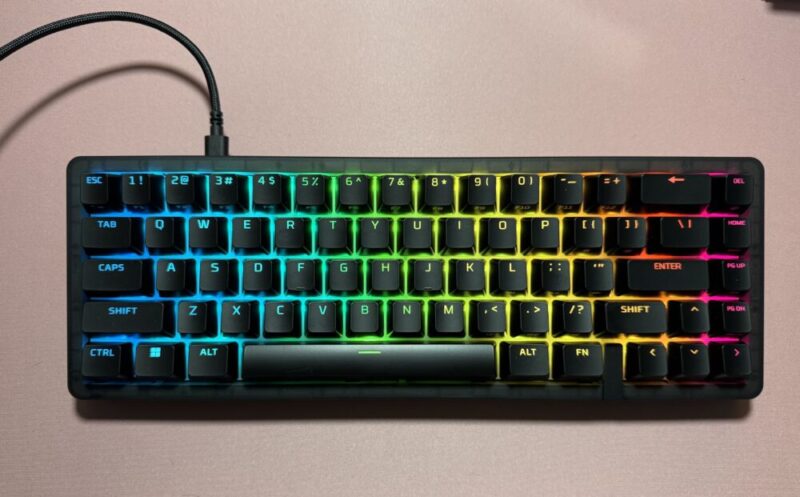
I’d like to think that I’m getting pretty well-versed in the world of keyboards at this point. I’ve tried enough to know which ones I like and what works best for me, and also understand the type of keyboards that I don’t like. I was lucky enough to be given the opportunity to test the HyperX Origins 2 65, and I have to say that it’s held up pretty well over the last 3 weeks.
Box Contents
- Origins 2 65 Keyboard
- USB-C to USB-A Cable
- Switch and Keycap Puller Tool
- QSG
Design
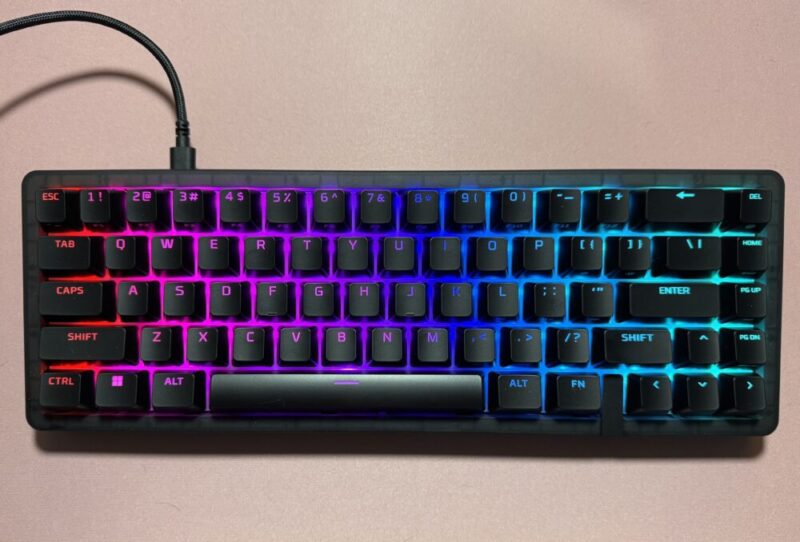
The HyperX Origins 2 65 Mechanical Keyboard only comes in black, but features vibrant RGB lighting that’s customisable through NGENUITY software. It’s incredibly lightweight (692 grams including the cable!) and compact, sitting at a 65% layout.
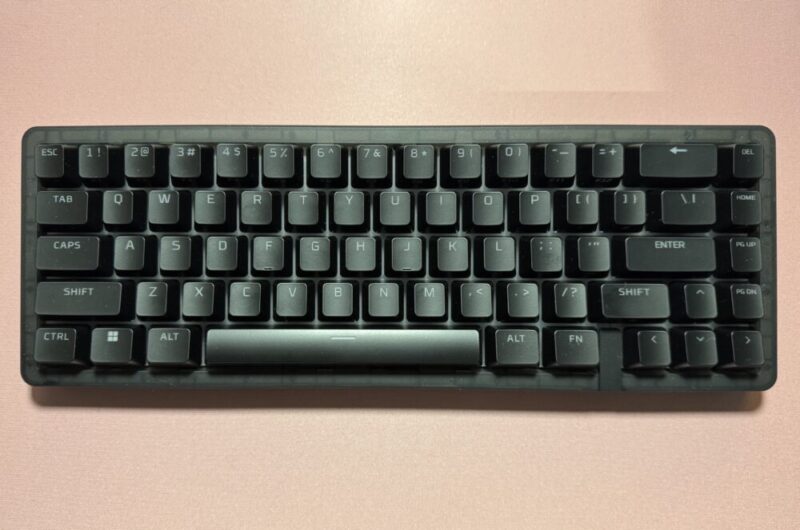
The simple design allows the keyboard to suit any desktop layout, whether you’re an avid gamer or a keyboard enthusiast.
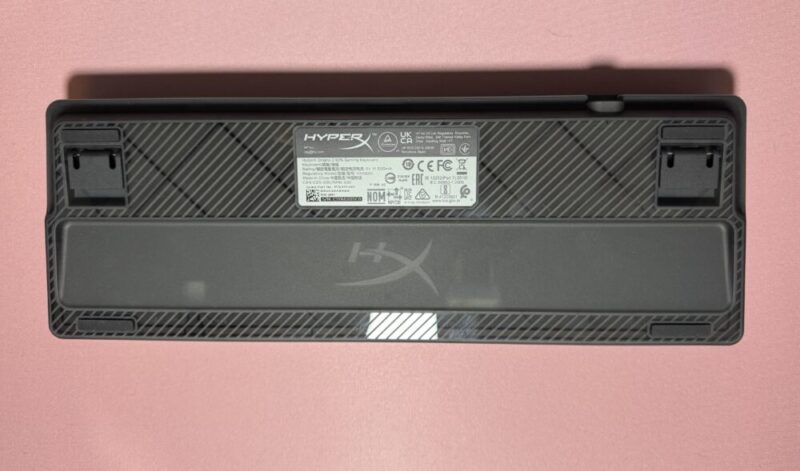
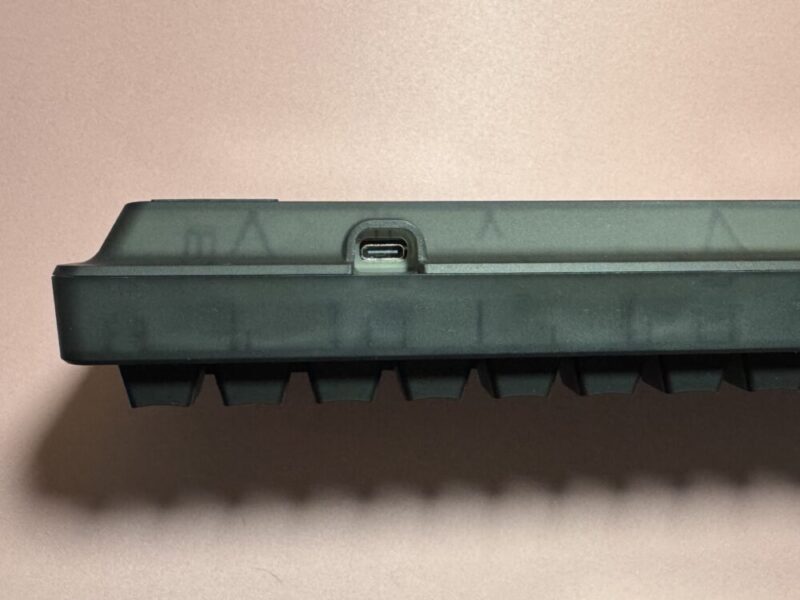
Users are also able to easily change the keycaps and switches with the hot swap switches in place, as well as adjust the height of the keyboard with the kickstands on the back. It’s also important to note that this keyboard is not a wireless keyboard, featuring a USB-C input.
The USB-C to USB-A cable included in the box also makes it really easy to plug in the keyboard to whatever device I’d like, including PC, PS5, or the Xbox Series (in my case a PC and the PS5).
Performance
The general touch and feel of the keys were great, and has a really satisfying click to them, but the first thing I noticed about the HyperX Origins 2 65 was how loud it was. If you’re a bit sensitive to sounds, love a more creamy sound to your keyboard, or if you plan to use the keyboard more during the evenings, it might be a little bit of an issue. But if you love a really sharp click of a keyboard, then you’ll probably love it.
In terms of typing, I never experienced any sort of pain in my wrists, which was a good sign of the ergonomic nature of the keyboard. It was surprisingly easy to get used to the layout and the feel of the keyboard, immediately feeling quite natural under my fingertips, which is most likely thanks to the O Ring Mount embedded into the keyboard.
With that said, to quickly jump back to the sound of the keyboard, the O Ring Mount also should have reduced the clicks with the softer feel and innate ability of reducing noise, but I personally still thought that it was quite loud in comparison to what I’m used to.
With gaming, the 8,000 Hz polling rate was evident. The response time was so quick and made playing games feel effortless. For such a compact keyboard, it really packs a punch and you can feel it through the instant input and the little resistance felt while playing.
After a couple of weeks of use, the keyboard still looked brand new. With black keyboards, it’s so easy to see any sort of marks on the keys, but the matte texture of the keys made it so that any dirt or debris wasn’t as easily transferable.
Regarding the software, the NGENUITY software was also simple to use and very user-friendly, but I don’t normally change up too many of the settings for my keys, so I honestly didn’t use it for much other than to test the lighting.
Verdict & Value
The HyperX Origins 2 65 is ideal for gamers of all levels; it’s incredibly intuitive, providing players with a straightforward and simple set-up to suit all gaming (and regular typing) needs. The keyboard looks aesthetically pleasing and has proven to be very durable over the last few weeks, with the only real issue being the noise level of the keys (which could be the best feature depending on your preference).
All in all, this is a fantastic keyboard that is completely capable for different types of uses across different hardware.


FOUR STARS (OUT OF FIVE)
Highlights: Durable and amazing RGB lights that really shine through.
Lowlights: Might be a bit too loud depending on your sensitivity to sound.
Manufacturer: HP
Price: $A145
Available: Now on the HP website HERE
Review is based on the unit provided by HP.
