

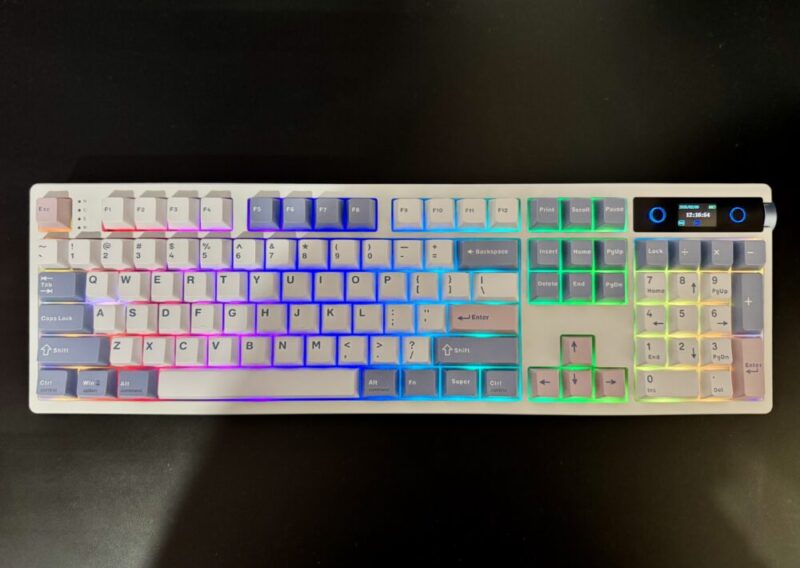
I’d say for the better part of the last 15 years or so, I’ve either operated on a laptop keyboard, or a 65% keyboard, in both my personal and work life. It was probably due to a few factors: convenience, space, and lack of knowledge around mechanical keyboards in general.
So when I was allowed to trial a mechanical keyboard from the team at Epomaker, I jumped at it. The Epomaker TH108 Pro is the first time I’ve ever used a mechanical keyboard, and I honestly don’t think I could ever go back to using a normal keyboard again.
Box Contents
- The contents of the box contain the following:
- TH108 PRO Full-Sized Gaming Keyboard
- USB A-to-C Cable
- Wireless 2.4Ghz Receiver (stored under the left kick-stand)
- 2-in-1 Keycap-and-Switch Puller
- 2 x Extra Switches
- Multilingual Manual
Design
The Epomaker TH108 Pro comes in three different colours: Black, White, Blue, and Pink. The particular version I had received was the White Blue one, which had the added touch of a few pink key caps. The south-facing RGB lighting is really bright and breathes a whole new life into the keyboard once switched on.
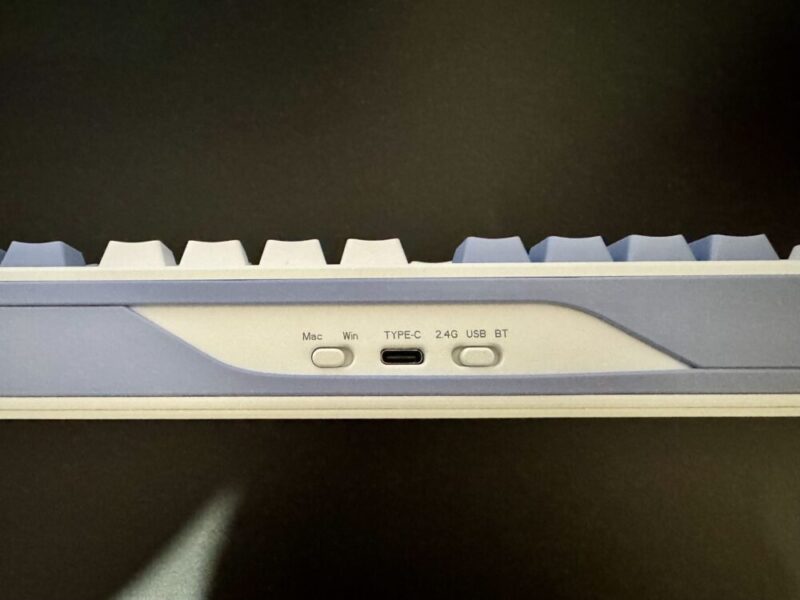
Users can connect the keyboard via three avenues: Bluetooth 5.0, 2.4GHz, & USB-C, and can easily swap between a Mac or Windows interface with a quick switch located at the top of the keyboard, alongside the connectivity settings and the USB-C input.
The keyboard is also ergonomically friendly with the added kickstands on the underside of the keyboard, where you’re able to comfortably switch between 6, 8, and 10.5 degrees.
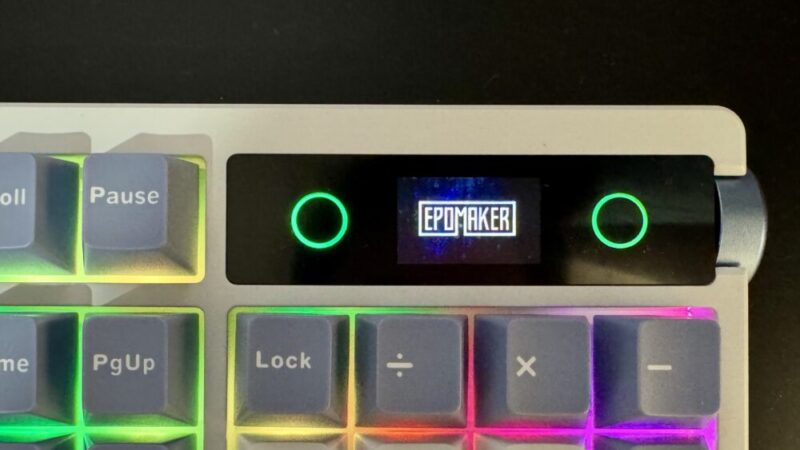
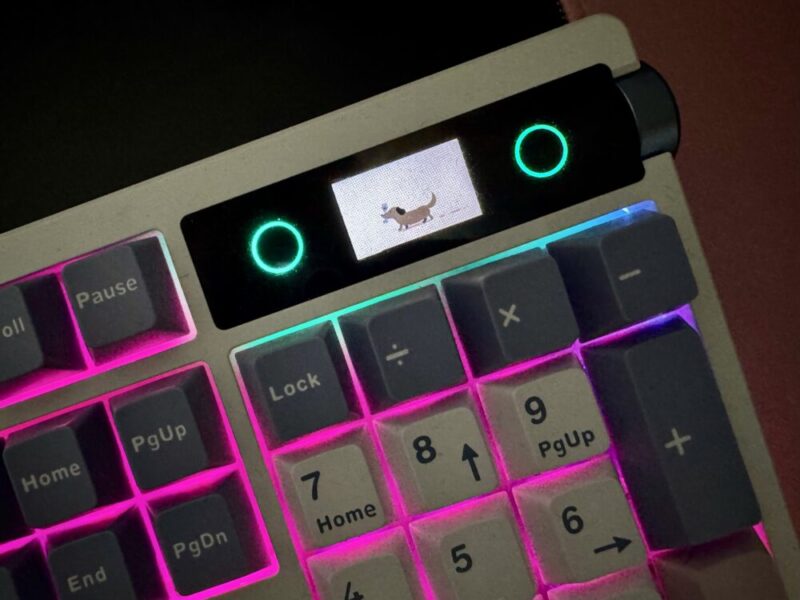
The 104 key keyboard also has an added LCD Display on the top right corner with a knob for quick access to control some basic functions like the effects, colours, brightness, volume and a few other handy settings. You can either have the LCD screen display the time or a GIF (the default GIF being the logo for Epomaker). You can also change the GIF on the display through the Epomaker TH108 Pro Driver, which is a web app that can be accessed on their website.
The keycaps and switches are interchangeable with the Epomaker website, providing an array of different keys and switches to personalise your keyboard exactly how you’d like it.
In terms of battery power, the keyboard has a 10000mAh battery, stating that it has a battery life of up to 42 hours with the RGB lighting and LCD screen on, and 200 hours with the features turned off.
Performance
I’ve been using the keyboard for about a month at this point; I’ve gone between a standard keyboard at work, my laptop keyboard, and another mechanical keyboard, but I just can’t help but come back to the Epomaker TH108 Pro. Understandably, this is my first mechanical keyboard, so I may be biased, but for the first time, I’m really impressed.
The most appealing part of the keyboard was honestly the sound and the way it felt under my fingertips, with the acoustic feedback being creamy and soft to the touch. Given that most of the keyboards I’ve used over the last few years have been flat, this is the first time in a long time that I’ve had to get used to typing with raised keys. The soft switches made it really easy to get used to, and allowed me to type with ease, while somehow making me feel like I’m typing just that little bit faster.
I did get a little bit of discomfort in my wrist after using it for long hours (on the 6-degree angle), but I could put that down to my own personal wrist issues, as well as generally not being used to using raised keys. Bumping up the kickstand to 10.5 degrees also helps mitigate the pain in my wrist.
The ability to change the settings on the keyboard through the knob was really useful for quick changes of some configurations. But for a bit more personalisation, the Epomaker TH108 Pro Driver is accessible through their website. I found the Epomaker TH108 Pro Driver so intuitive, plugging the keyboard in and playing around with the different lighting and settings, you’re really able to make the keyboard yours.
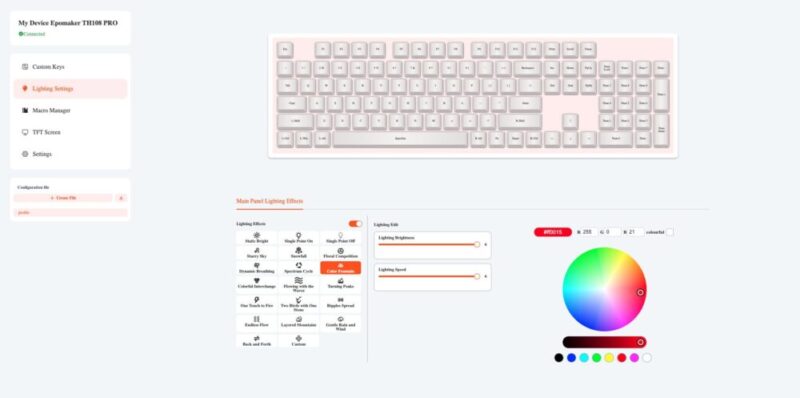
My favourite part was being able to change the GIF. You can download any GIF you’d like from the internet and upload it right to the keyboard.
The battery life has barely made a dent in the last month. Starting at 94%, after a solid month of use, it’s only gone down to 56% (that’s also inclusive of it being plugged and effectively charging for about half an hour while I played around with the driver).
Though I would say this mechanical keyboard with the current switches isn’t necessarily compatible for a corporate office, as it is that little bit louder than the average keyboard, so the sound could be bothersome. But for personal use and maybe for a more laid-back office, this would be a great addition to your work setup.
Verdict & Value
As I mentioned earlier, I don’t think I could ever go back to using another keyboard again. The Epomaker Th108 Pro is so intuitive, really aesthetic, and just so effortless to use.
While I don’t have the technical jargon around the mechanics of what makes this keyboard so great, I can go off with the consensus of how well it performed for the average user, and I love it. It does the job, it has some really cool features, it has aspects that allow it to be personalised, and it’s just a great feeling keyboard.

FIVE STARS (OUT OF FIVE)
Highlights: Really great acoustic sounds for people who love a more smooth-sounding keyboard, and incredibly easy to get used to with the soft switches.
Lowlights: Could be too loud for an office space.
Manufacturer: Epomaker
Price: A$142
Available: Now on the Epomaker website HERE
Review is based on unit provided by Epomaker.
