

I’m going to make a bold statement here and say that typewriters started my love for writing. The feel of the metal keys under your fingers, the sound of the keys when it hits the paper, and the bell that rings to let you know when you’re running out of room on the paper to write. It feels tactile and grounded in the best way.
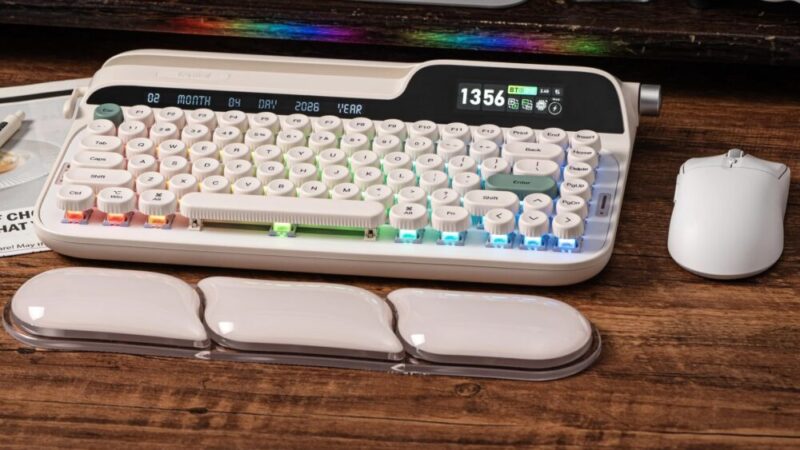
So when I was offered the chance to trial the Epomaker Glyph, which mimicked that retro look of a typewriter, I was curious to see how it would work.
Box Contents
The contents of the box are the following:
1 x EPOMAKER Glyph Typewriter Mechanical Keyboard
1 x Silicone Wrist Rest
1 x Detachable USB A-to-C Cable
1 x Wireless 2.4Ghz Receiver (stored within keyboard’s back)
3 x Extra Switches
2 x Extra silicone stands
1 x 2-in-1 Switch-and-Keycap Puller
1 x Multilingual Manual & Brand Card
Design
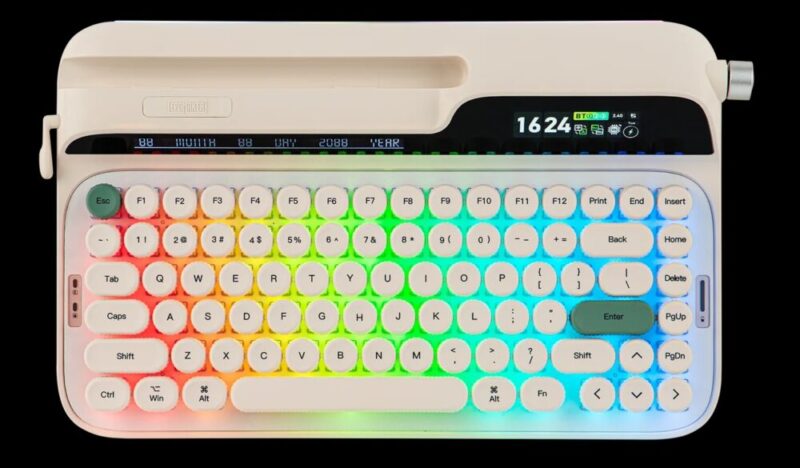
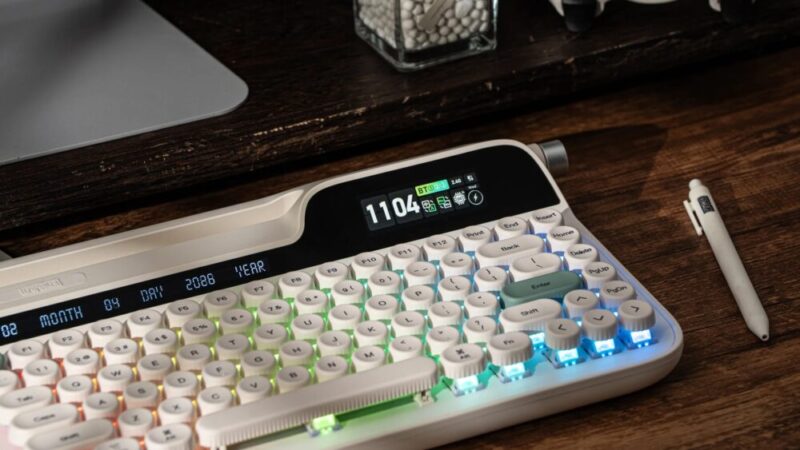
The Epomaker Glyph comes in one colour – Retro White – and has a 75% layout with only 83 keys. But the keyboard itself is quite large, sitting at 1178.8g and almost 35cm in length (more specifically 34.7cm x 20.7cm x 5.7cm). It also comes with a silicone wrist rest that sits around the same length.
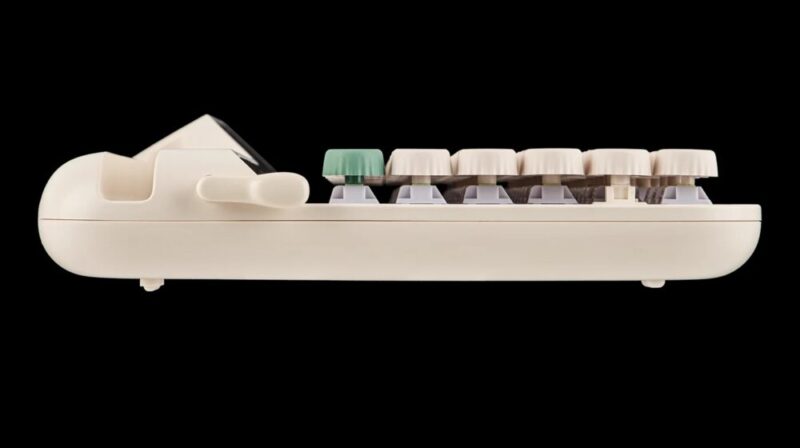
The feel of the keys is a matte-like texture and is concave and raised, giving a unique floating effect that seems to emulate the look of traditional typewriters. Due to this design choice, users are also able to see the switches, which are the Wisteria Switches V2.
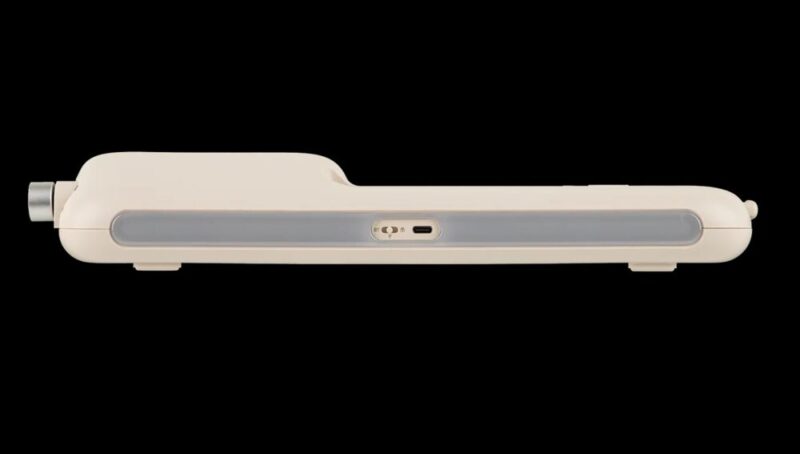
The keyboard features dynamic RGB south-facing LEDs with a strip of light on the backside that also houses the USB-C port and connectivity switches. The charging light on the right-hand side of the keyboard gives users a glimpse of how much battery life is left on the keyboard, of which has an 8000mAh rechargeable battery.
The Epomaker Glyph also technically has two screens – a Smart Screen display, and a screen that displays the date. The Smart Screen display allows users a glance at the time, the type of connection, the day, battery life, and more. The Smart Screen can be customisable through the driver, where users also have the option to add GIFs, memes, and logos. Alongside the Smart Screen is also a knob, where the function can also be customised.
In terms of connectivity, users are able to connect the keyboard via Bluetooth, 2.4GHz Wireless, and USB Wired. The Epomaker Glyph is also compatible with Mac, Windows, and Android devices.
From an ergonomic standpoint, there are rubber backings that can be flipped over to adjust the height of the keyboard.
Performance
The feel of the keys on the Epomaker Glyph is amazing; it’s comfortable and also stays clean, thanks to the texture of the keys stopping the transfer of greasy fingertips. The sound of the keyboard is also the perfect texture of creamy and thocky that is immediately satisfying (you can hear it on their website HERE).
But it does take a little bit of time to get used to the floating keys. The wrist pad helps a little bit with elevating your posture to type comfortably, but I found that the rubber kick stands (even at the highest level) didn’t give enough height. Which at times, would trigger a wrist injury I’ve sustained in the past.
The spacing of the keys was also a bit hard to get around. The rounded keys definitely looked great and imitated that of a traditional typewriter, but I found that my fingers kept getting caught in between the gaps. I’d have to make more of a conscious effort to lift my fingers to get to each of the keys, which in turn made me type slower than I usually do.
I also found that the size of the keyboard was quite inconvenient. For someone who works at a super fast pace, the bulkiness of the keyboard, with the added wrist rests, took up so much space on my desk that it was hard for me to function normally. My desk is also big enough to fit my laptop, my screen, and my printer, and at that point it felt quite cramped. Even trying to use the keyboard with my phone or iPad, it felt a bit more like a nuisance than a convenience, particularly if I wanted to bring it around with me.
Though what I do love about the Epomaker keyboards in general is the sleek Smart Screens and how intuitive the functionality of the keyboards is. There are many shortcuts on the keyboard itself that allow users to adjust the brightness of the RGB lights and connect to Bluetooth with the touch of a button (or two). And the driver is accessible and easy to use once you play around with it.
The battery life is also pretty impressive. I would use the keyboard around three or four hours a day and only had to charge it after a week and a half. Charging it to 100% also only took around two hours, so the battery life on this keyboard is definitely a huge plus.
Verdict & Value
If you miss the novelty of typing on a typewriter (or want to experience it to some capacity), the Epomaker Glyph is a pretty decent keyboard that doesn’t necessarily break the bank. But if you’re looking for productivity, this keyboard might take a bit of time getting used to.
Admittedly, the Epomaker Glyph isn’t my first choice when it comes to keyboards, but it definitely is a fun collectible item for keyboard hobbyists rather than a keyboard to be used for any sort of productivity.


THREE STARS (OUT OF FIVE)
Highlights: The feel and sound of the keyboard are amazing; Battery life is powerful
Lowlights: The keyboard is quite big if you have a small desk set up; Not as ergonomically friendly as the other keyboards in their range; Takes a while to get used to
Manufacturer: Epomaker
Price: A$139
Available: Now on the Epomaker website HERE
Review is based on the unit provided by Epomaker.
Featured header image provided by Epomaker.
