

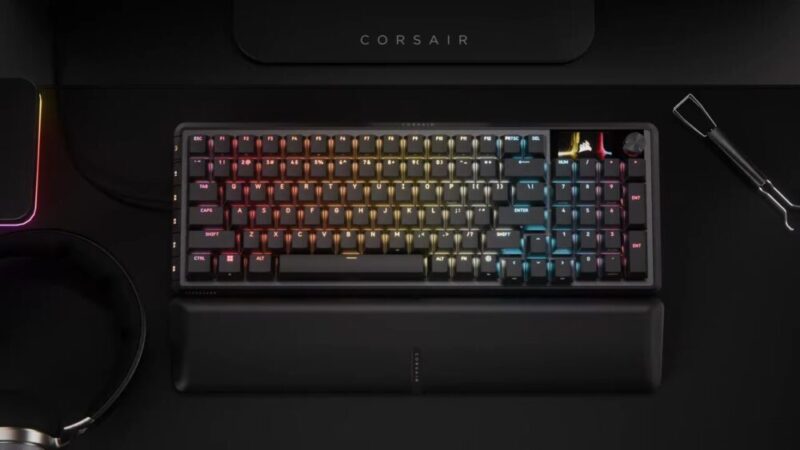
We recently reviewed Corsair’s Vanguard 96 Mechanical Gaming Keyboard, applauding it for its premium build quality, satisfying keys and general versatility. That being said, we would also like to mention up top that our review for the Vanguard Pro 96 Hall Effect Gaming Keyboard might draw similarities in certain areas, and while we don’t mean to retread old ground, we will do our best to cover this review as its own product.
While the standard Vanguard 96 did many things well, it’s clear that the Vanguard Pro 96 is a better keyboard, although its improvements seem directed at a smaller audience of competitive gamers who feel they may need the edge provided by these Hall Effect keys. Everything else feels just as good, whether it’s the build quality, comfortable wrist rest, or customisable options, making it one of the best top-tier keyboards money can buy at this point.
Design
If you read our Vanguard 96 review or were interested in that keyboard, then you’ll find much of the same here. The 96% form factor is a great size, and manages to trim off the fat of a full-sized keyboard while still including things like arrow keys and a full number keypad on the right-hand side. This time around, however, the keyboard is only available in black.
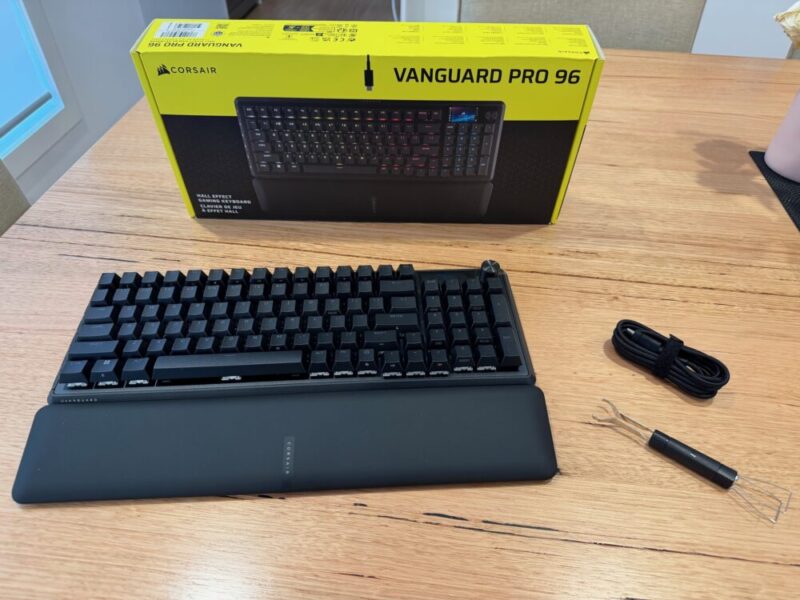
In the box, you’ll also get the same leatherette wrist rest, USB-C to USB-A cable, and the 2-in-1 keycap and switch puller found in the standard Vanguard 96. I might have missed it in our Vanguard 96 review, but both keyboards include multiple grooves on the underside of the keyboard in which you can guide the USB-C to USB-A cable through to connect to your device of choice, but it still feels a little awkward to have to press it in so it stays. That being said, it’s far from a huge issue.
The Vanguard Pro 96 also includes the same 1.9-inch 320 x 170 LCD screen on the top right-hand corner, which can be customised to keep tabs on certain things, or update you on certain settings like caps lock, number lock and volume control as standard. While I didn’t speak much about it in our Vanguard 96 review, I still don’t really know what to do with it during daily use.
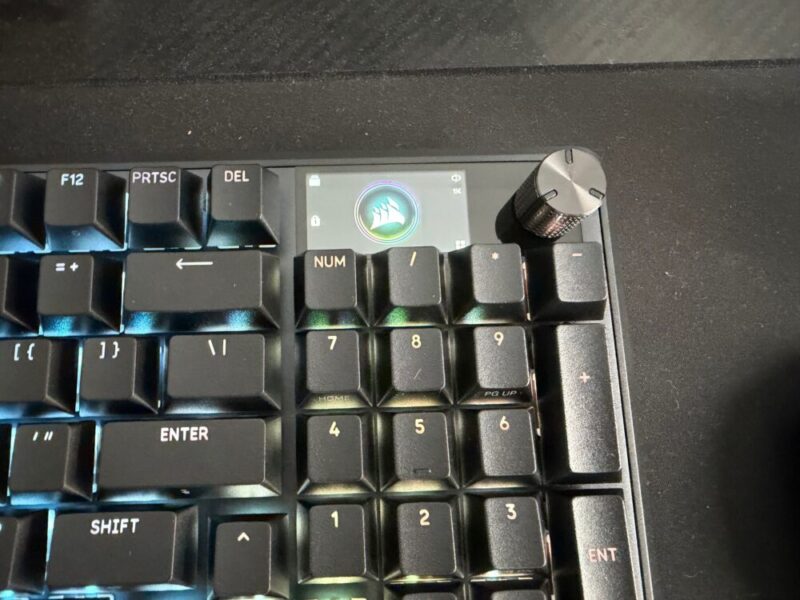
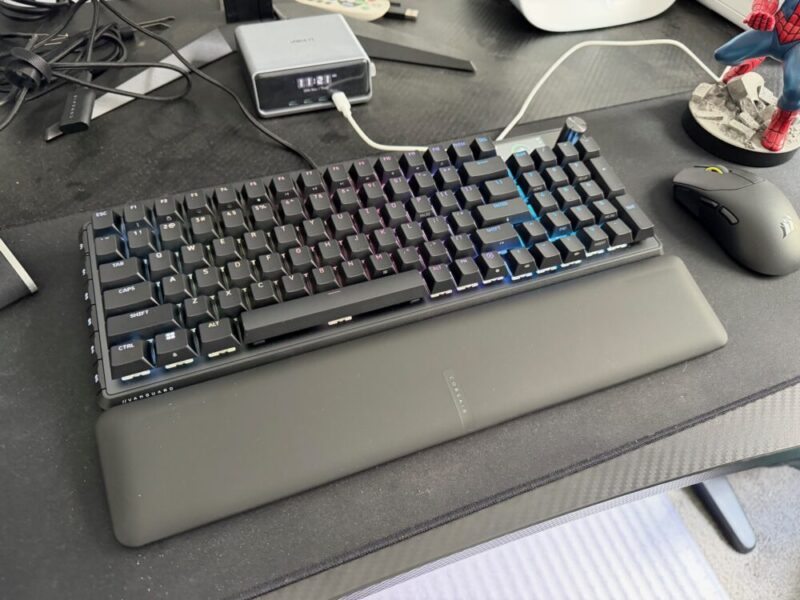
Along the side of the keyboard, you’ll also find a selection of 5 G keys, all of which can be customised to commands of your choice, which are also easy to locate without ever getting in the way. Finally, the leatherette wrist rest is simply awesome and super plush, and comfortable to lean on after multiple hours of use. It doesn’t really trap any moisture or residue over time, and is super smooth to the touch.
If that wasn’t enough, there are even 4 layers of sound-dampening foam under the keys to ensure solid taps and creak-free gaming. Overall, the Vanguard Pro 96, while incredibly similar, if not identical in design to its cheaper alternative, still packs a punch when it comes to solid build quality thanks to its aluminium frame, expertly blended with its compact design.
Performance
Now, we get to the main difference between the Vanguard 96 and the Vanguard Pro 96. These MGX Hyperdrive Hall Effect magnetic switches are simply fantastic, and some of the best I’ve used in a keyboard to date. They’re very thocky and linear, and while that’s still incredibly satisfying to type with, it greatly improves responsiveness for those invested in competitive gaming.
Using magnetic Hall Effect sensors, these keys offer 0.1mm to 4.0mm, dynamically resetting actuation points, allowing users to rapidly tap each key for the desired command, without the key having to fully raise and reset its command. Like the Vanguard 96, the Vanguard Pro 96 also features 8000Hz hyper-polling, and it’s also ridiculously fast, practically eliminating any sort of input lag. You can even customise the keyboard to utilise a feature that Corsair refers to as FlashTap SOCD Handling, essentially meaning you can clarify and adjust how the keyboard responds to accidental key taps, while you’re using the key you actually intend to.
These switches are also pre-lubricated and are easy to swap with the included 2-in-1 keycap and switch puller. However, it is worth noting that, unlike the Vanguard 96, the Vanguard Pro 96 only comes with one type of key from Corsair directly, which eliminates that feeling of choice, should you prefer a clicky set of blue or red switches. We’re obviously in a different ballpark here, given how these magnetic Hall Effect switches work, but it’s something worth mentioning nonetheless.
Once again, the Vanguard Pro 96 is also compatible with PlayStation and Xbox platforms as well as PC and Mac, but you will once again need to keep in mind the small command shortcut by holding FN + Windows key for 5 seconds, to jump back and forth between that dedicated PlayStation mode and the standard mode that basically works on everything else.
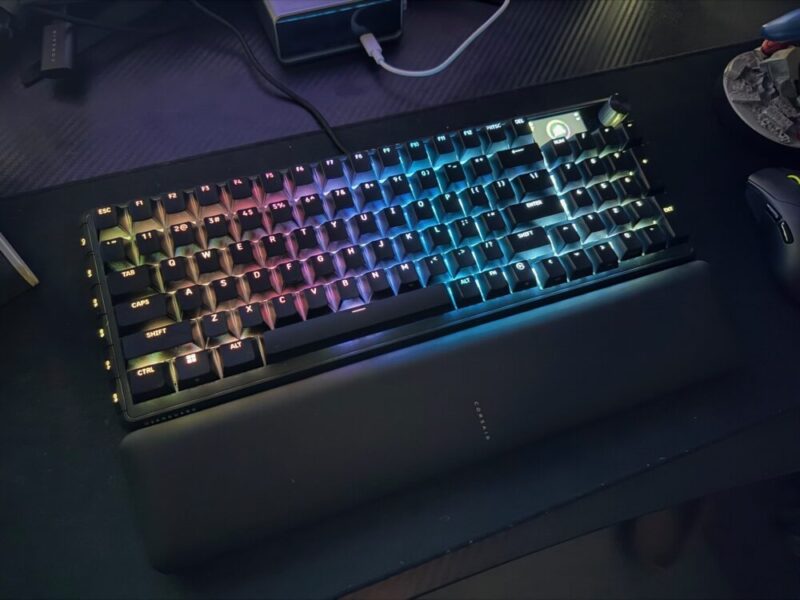
While the main difference lies in the keys, they are undoubtedly fantastic. I really have no issues with them, other than the fact that the benefits target a much smaller pool of dedicated gamers, who need that extra bit of responsiveness. The extra A$100 (A$249 vs A$349) will be a tough sell for some, as the standard Vanguard 96 is already a great keyboard, but I feel as though Corsair get that, given the two keyboards share so many other similarities.
Software
We’re actually going to bring across our initial thoughts from our original Vanguard 96 review here, as we feel many of the same points ring true.
“Corsair’s Web Hub App is not actually compulsory, but definitely recommended if you want to get the most out of the overall experience. Unlike other brands, this software is accessed via the web directly, instead of being installed directly on your PC. It’s easy enough to access, and you can also store a dedicated shortcut on your desktop.”
“Here, you can basically play with and adjust anything you would like. The polling rate, macro commands, and RGB settings and it’s all easy enough to customise and save. It is worth noting as well that users have up to 5 profiles to save their settings to, in which the keyboard can save these settings locally.”
“The keyboard can also be used in Hardware mode, meaning pre-saved settings and profiles can be saved and changed directly on the keyboard itself, but it’s worth noting that the keyboard will need to be connected to the Corsair Web Hub App to be able to create new profiles, new lighting effects and key assignments.”
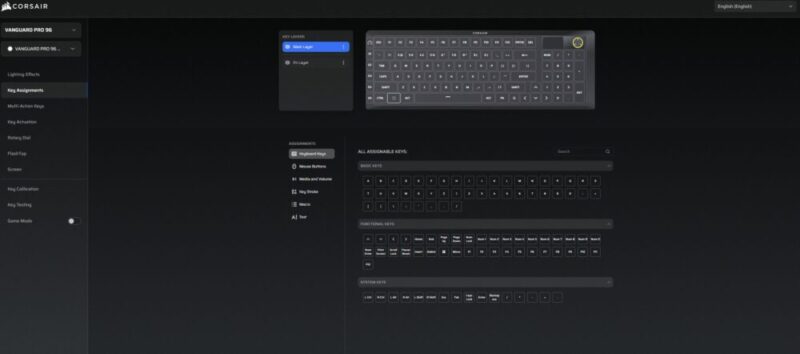
The Vanguard Pro 96 essentially begs you to customise it to take advantage of those Hall Effect switches, but if you’re happy with the way this thing runs out of the box, you can get away with that same premium experience.
Verdict & Value
Overall, the Corsair Vanguard Pro 96 Hall Effect Gaming Keyboard is a sensational top-tier option that feels only too easy to recommend to anyone invested in competitive gaming. The build quality is fantastic, the keys feel fantastic, and it’s incredibly comfortable to use over extended periods of time.
Comparing it so frequently to the Vaguard 96 feels inevitable given their design and software similarities, but I argue it’s one of the best keyboards you can snap up at this price.


FOUR AND A HALF STARS (OUT OF FIVE)
Highlights: Solid build quality; Satisfying Hall Effect keys; The included wrist rest is still incredibly comfy
Lowlights: Wired connectivity to keyboard is a little awkward during setup; Corsair Web Hub App relies on internet connectivity; Still don’t know what to do with that corner display
Manufacturer: Corsair
Price: A$349
Available: Now available at all leading hardware retailers, including the official Corsair website.
Review based on unit provided by Corsair.
Featured header image provided by Corsair.
