

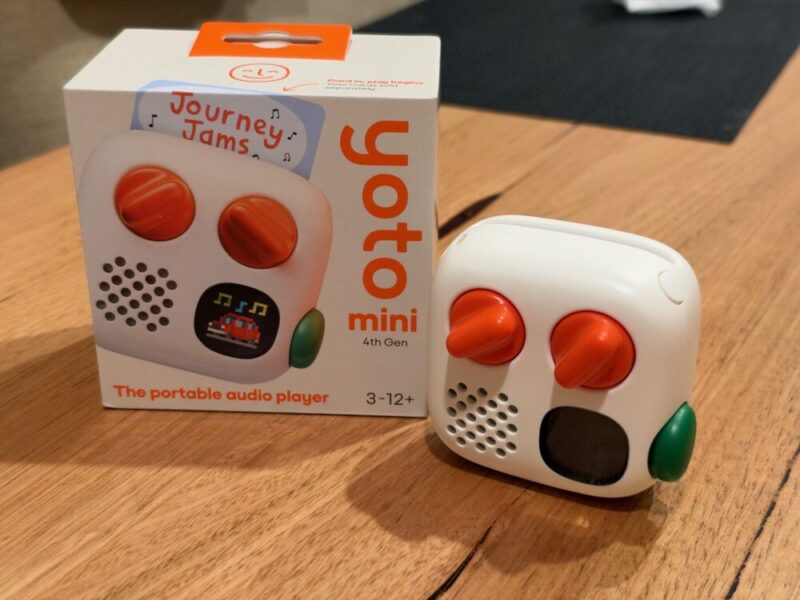
I can’t tell if the number of screen-free devices for kids is increasing, or if I’m just now being introduced to them. While my six-month-old son is a little too young for these, my nieces and nephews love them, and I’m beginning to see why. If you like, or have owned a Toniebox, then you might want to tune in.
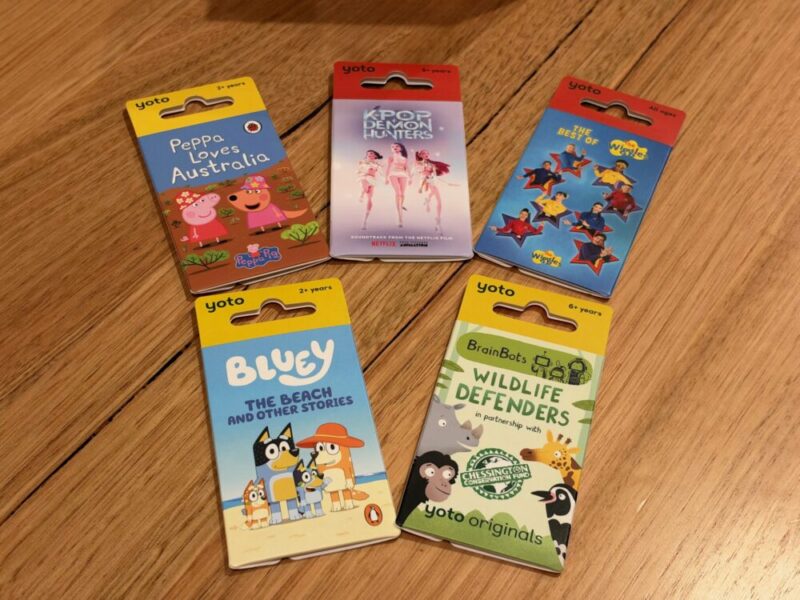
The Yoto Mini 4th Gen is the latest iteration of this small, screen-free speaker, which takes an assortment of additional cards based on various franchises that kids love. Be it Bluey or The Wiggles, you’ll be able to dance to songs and even listen to short stories. But thanks to the Yoto app, there’s plenty to love about this little speaker, so let’s dive in.
Design
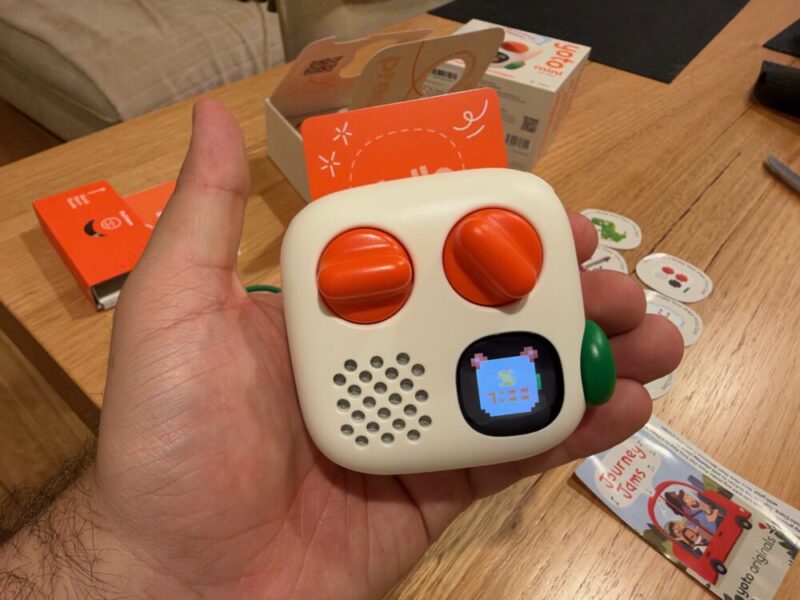
The Yoto Mini 4th Gen is rather small, fitting within the palm of an adult hand. That being said, it’s made for kids aged between 3 and 12, and I can’t imagine kids between those ages struggling to hold this either. While it might look like a bit is going on as far as controls are concerned, the Yoto Mini makes everything incredibly easy to understand.
The speaker has two orange knobs on the front, and a green one off to the right-hand side. The left orange knob controls the volume of the speaker, while the right knob allows you to scroll through the content of the card, pushing it in to select a new song or story.
The green knob off to the right then allows you to switch between the speaker’s various modes, including a clock, shown on the small screen in the bottom right-hand corner (I know we said screen-free, but we’ll get to this in a bit), and switch between things like Yoto Radio, and even some options for white noise, adding variety to the overall package, as it can help your kids sleep as well as play.
There’s a small white power button on the top right of the speaker, and finally, a 3.5mm AUX port to the left of the device for plugging in headphones, along with a USB-C port for charging.
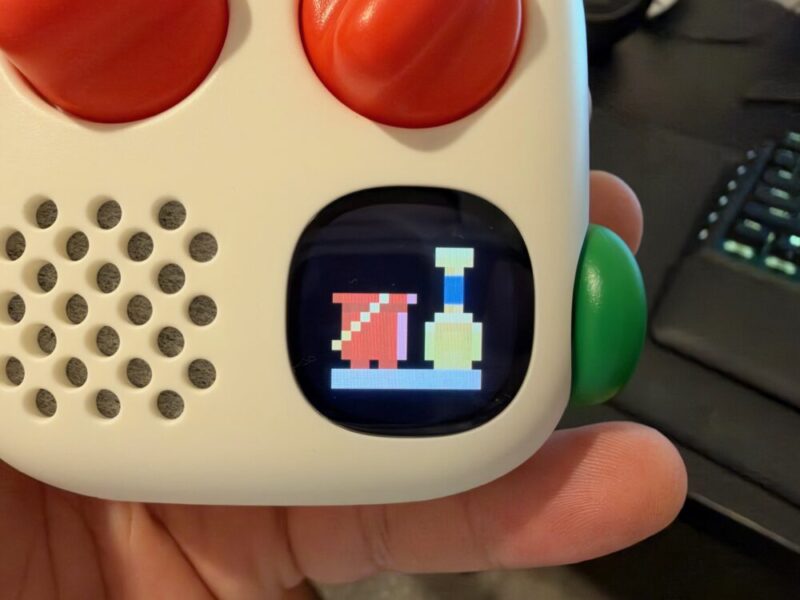
That small screen (or the Pixel Display, as Yoto calls it) does a great job of actually highlighting content, without ever being distracting. For example, the first card I checked out was the Bluey card, with the first story on that card being called “Beach”. The Yoto Mini simply displays a sand shovel and a bucket, so that while I’m scrolling through its content, I know how to differentiate each story.
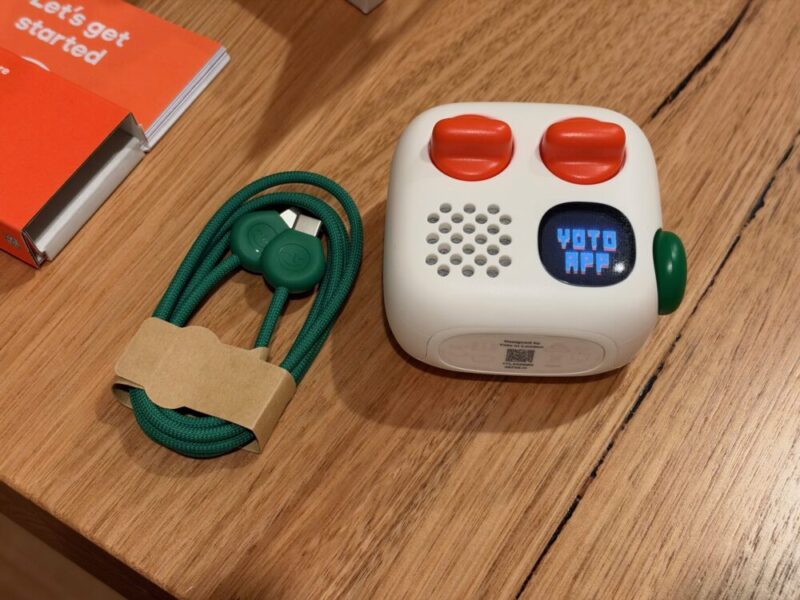
While the Yoto app is required to set this up, it only takes a few minutes. Unfortunately, the Yoto Mini seemingly will not work without some assistance from the app at first, but this is something only parents are ever meant to control. In the box, you’ll also find a starter card that acts as a brief tutorial for the device. But you only need to flip it over, and you have a card that you can make your very own, again by recording something on a phone via the Yoto app.
There are even some cool stickers to help customise it. Finally, you’ll find a USB-C to USB-C cable in the box for charging.
Performance
While the Yoto app gives a few freebies, including Yoto Radio and the ability to record your own sounds and save them to the included card, the experience really does rely on the cards you purchase after the fact. We were lucky enough to get a few cards for review purposes, and while you can pick up several unique cards to cover all ages 3 through 12, prices start at A$19.99, meaning the price of the overall package can stack up quite quickly.
The speaker allows you to choose between 5 volume levels, and while it’s not too loud, it’s certainly loud enough to pop in the corner of a room while kids play and listen. That being said, it never feels so loud that it might be considered damaging to younger ears. I had mentioned how easy it is to control, and I really love how it makes the audio experience the star of the show.
Younger kids might want to pick it up and play with it, and thankfully, the knobs turn infinitely, meaning kids can’t overtwist and break them over time. The cards themselves, though, are made of thin plastic and are not the most durable, and as they stick out of the speaker while playing, they can be bent or snapped if the speaker is dropped or even thrown.
But I’m ultimately pleased with how versatile it feels, given those cards cover several age groups. If your 3-year-old loves Bluey, it also might not be something your 12-year-old loves. So buy them the audiobook card for Harry Potter and the Philosopher’s Stone, which is something even I must admit I would appreciate. If that wasn’t enough, it even doubles as a standard Bluetooth speaker to play anything from your phone.
Finally, the Yoto Mini 4th Gen provides up to 16 hours of battery life, making it a great option for longer road trips, or simply when out and about during the day.
Accessories
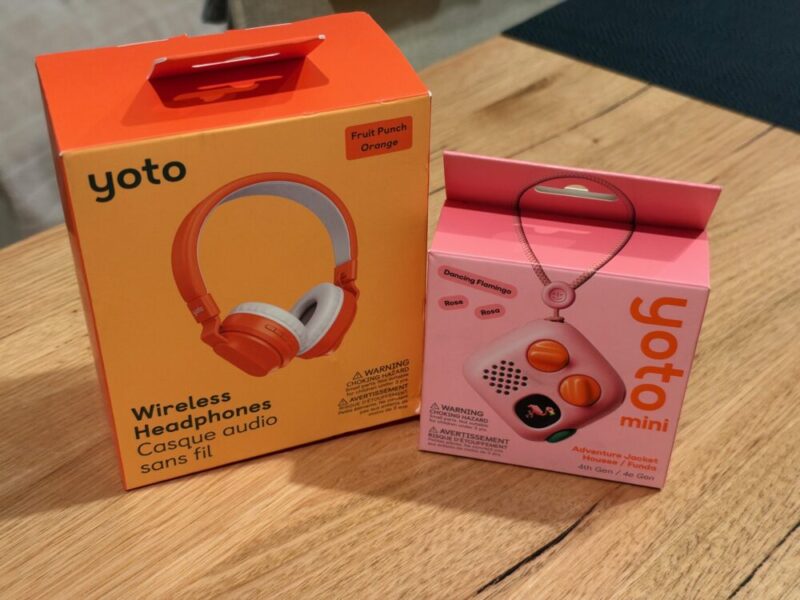
I also just wanted to take a second to shout out the awesome additional accessories that are compatible with the Yoto Mini 4th Gen. While it seems you can connect any Bluetooth headphones to the Yoto Mini 4th Gen, the Yoto Wireless Headphones are a much smaller, foldable fit for younger kids, and they even come with an audio cable to plug straight into the speaker.
Finally, Adventure Jackets, available in a wide range of colours, provide some additional protection, along with a lanyard to pop on things like backpacks and car seats.
Software
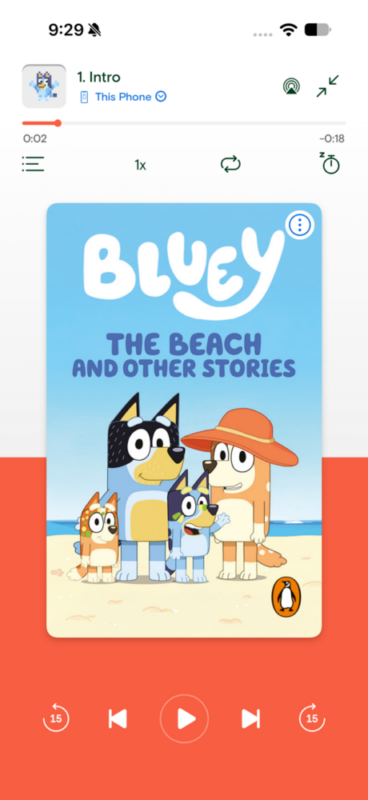
The Yoto app is an important part of the broader experience, but thankfully, only one parent will have to utilise. If you really wanted to, however, purchased cards can actually be tapped and added directly to your Yoto Library on your phone, by simply tapping the card when prompted. This then adds it to your phone if the speaker isn’t with you at that point in time.
But if you weren’t interested in shelling out what could turn into hundreds of dollars for dedicated cards, you can simply browse through the Discover tab for a range of free content. This includes podcasts and radio stations, along with a range of sleep sounds for bedtime. I can appreciate the variety on offer, but I also can’t deny that kids will always turn to the larger, more recognisable franchises that the paid cards offer.
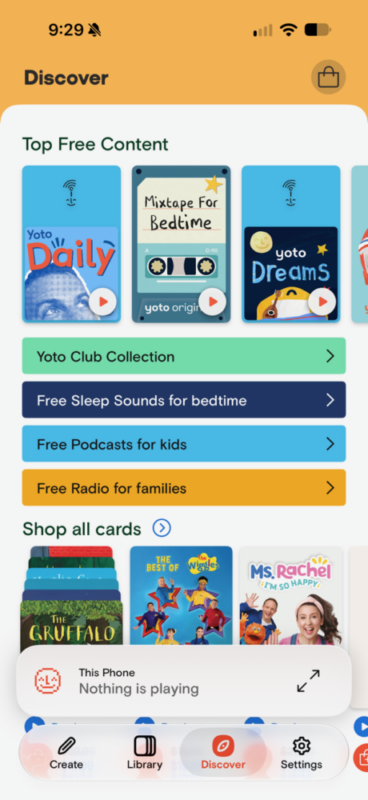
Either way, the app is really easy to navigate and use, making it a bonus for parents who don’t want to get lost in their phone either. For the most part, it’s always about the speaker.
Verdict & Value
I’ve never tried any of the previous Yoto speakers, but I’m glad I jumped on board with the Yoto Mini 4th Gen. It’s an incredibly portable speaker that’s as easy to set up as it is to use.
While additional cards can get expensive, there’s plenty to see and hear within the Yoto app for all ages.


FOUR AND A HALF STARS (OUT OF FIVE)
Highlights: Easy to use and set up; Small and portable; Yoto app adds plenty of value, along with free content
Lowlights: Cost of Yoto cards will add up over time, and cards for older kids get a little more expensive
Manufacturer: Yoto
Price: Device starts from A$174.99; Cards and packs range from A$19.99 to A$79.99
Available: Now available via the official Yoto website.
Review based on unit provided by Yoto.
