

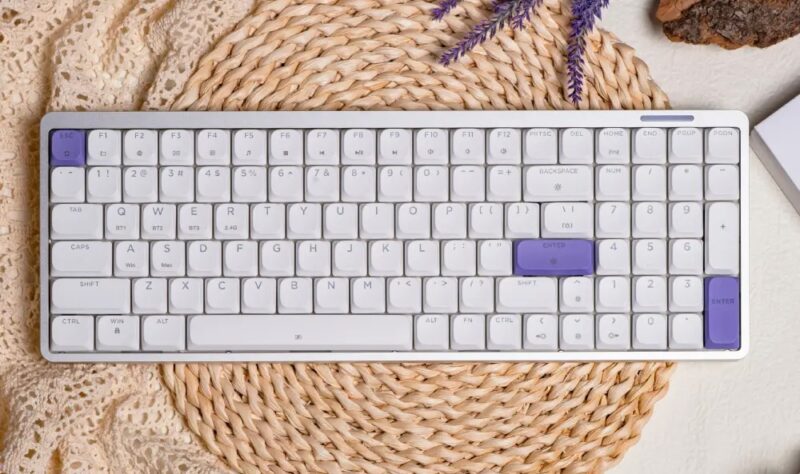
In the last few months, I’ve been fortunate enough to trial a few keyboards, particularly Epomaker keyboards. The ones I’ve been able to test out have had the higher keys, which is something I had to get used to after only using my laptop keyboard or really flat keyboards for years. So when the opportunity to test the Epomaker LUMA100 was available, I jumped at the chance.
With that said, I’ve been using the Epomaker LUMA100 over the last three weeks, and this keyboard could’ve had the potential to be my favourite of the bunch, if it weren’t for a few little things.
Box Contents
-
1 x LUMA100 Keyboard
-
6 x Additional Mac Keycaps
-
2 x Extra Switches
-
1 x 2.4G Wireless Dongle
-
1 x Detachable USB A to C Cable
-
1 x 2-in-1 Switch and Keycap Pullers
-
1 x Multilingual Manual
-
1 x Quick Start Card
-
1 x Cleaning Cloth
-
1 x High Profile Feet
-
1 x Storage Bag
Design
The Epomaker LUMA100 is a thin and durable keyboard with an anodised aluminium case, coming in only one colour, being white, with a few purple switches on the enter and escape keys. The keyboard also uses the Mint Low Profile Switch, which means the travel distance between keys delivers faster responses. Keycaps and switches are also customisable.
The keyboard itself is a 100% compact keyboard with 100 keys, and is a perfect size if the full-size keyboards can feel a bit too crowded in your workspace (sitting at 37.1cm in length and only 0.62kg). And while there are no kickstands on this keyboard, there are rubber feet underneath it to keep it sturdy and secure, which means the keyboard sits quite low with a front height of 23mm and a back height of 25.5mm.
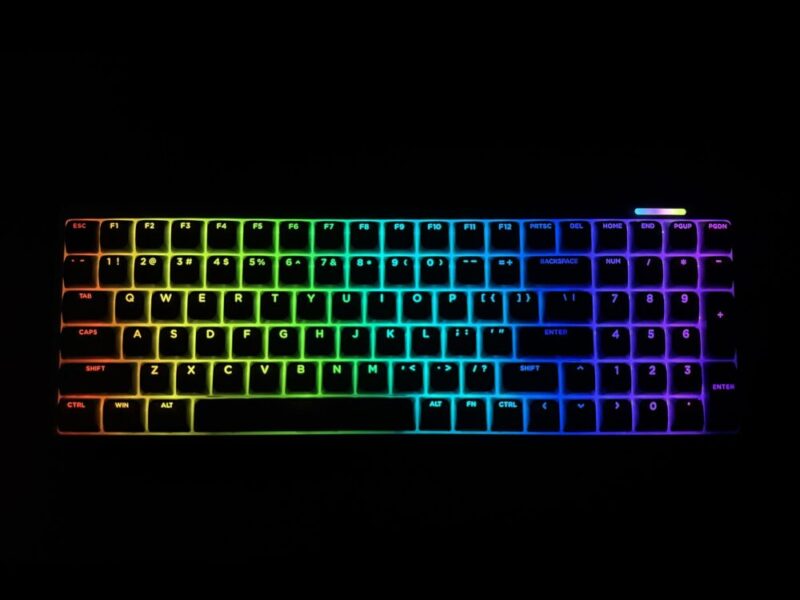
To switch on the Epomaker LUMA100, on the top right corner of the keyboard, there is an On and Off switch located right next to the USB-C port. Once switched on, the vivid north-facing RGB lights come to life, with the ability to change effects directly on the keyboard through Fn + \| or Fn + Home for the cycle strip (light on the top right corner).
In terms of connectivity, users are able to connect the keyboard via Bluetooth 5.0, 2.4GHz Wireless, and USB-C (with the detachable USB-A attached to the cord). The keyboard is also compatible with Mac, Windows, and Android devices.
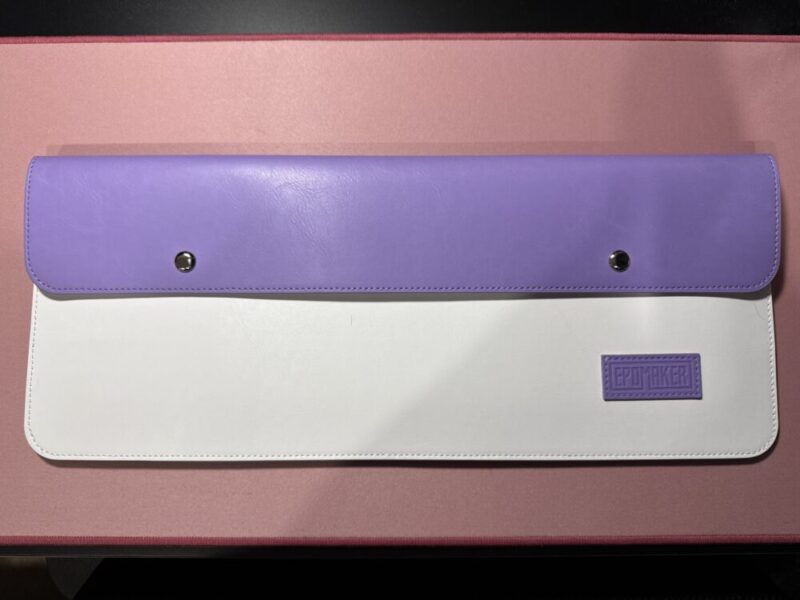
The battery on the keyboard is a bit smaller than some of the others, with a 3000mAh battery. Finally, the added carry case for the keyboard is also a really nice touch to include with the keyboard.
Performance
Admittedly, to go back to a lower sitting keyboard was a massive adjustment after I got used to higher keyboards over the last 3 months. But a couple of days in, it was my favourite of the bunch so far.
I immediately felt like I was typing so much quicker. My fingers weren’t getting caught between the keys because of the keyboard’s compact design. It felt like less of an effort (even though it already isn’t too much of an effort) to get from one key to another. I’ve also previously mentioned, while reviewing the TH108 Pro regarding my wrist issues and how higher sitting keys can flare up my injury, and I’m very happy to say that I’ve had no issues with my wrist using this keyboard so far.
But the best part? The sound of this keyboard. This has a sharper and more acoustic tone, and feels more hollow and crisp. A very satisfying sound that somehow makes me feel even more productive using and hearing it.
I also loved the aluminium casing on the keyboard; it adds an extra layer of style that makes it a perfect addition to any workspace without disrupting any aesthetics. And the fact that most of the keys had labels on what functions they could activate made it that much more intuitive.
In between everything I do in my day-to-day, I am staring at a screen and typing for what feels like more than half of my day. So it felt like the perfect opportunity to take the battery on a test run. With a battery of 3000mAh, I wasn’t expecting too much, but was quite shocked when the battery would die every 3 to 5 days.
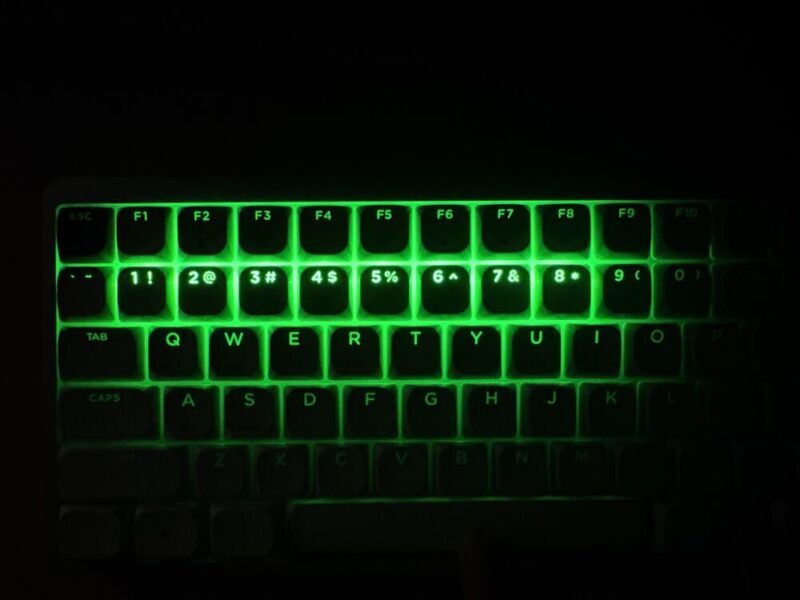
As I’m typing, it’s at a steady 81% after charging it around 2 days ago, so only time can tell how the battery will fare the more I use it. Though in terms of the charging speed, the keyboard takes just under an hour to charge from 0% to 100%, which is really impressive. I also loved that you’re able to check the battery power directly on the keyboard by pressing Fn + Spacebar, lighting up the numbers 1 through 9 depending on the charge on the device.
Customising the functions on the keyboard is a little different to the other Epomaker keyboards, where they normally have a driver you can click through directly on the Epomaker website. But for the Epomaker LUMA100, they have introduced the VIA software. The manual has the step-by-step guide on how to connect the keyboard to VIA, which I’ve also included below.
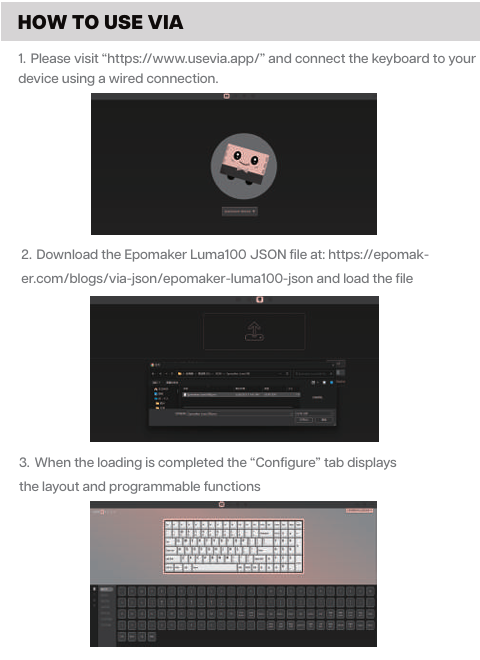
Although, for some reason, I wasn’t able to download the JSON file directly to the VIA web app, so I unfortunately wasn’t able to see too much of what could be personalised with this keyboard.
Verdict & Value
Due to my personal preference for lower keys, this keyboard is my favourite so far and one that I know I’ll continue to use until it probably stops working. The keyboard itself feels really strong and looks really refined, with the sounds of the Epomaker LUMA100 sounding sharp.
The only issues I came across were with the VIA web app, but because I never feel the need to personalise what my keys do, this isn’t a problem for me personally. But I would’ve loved a longer battery life so I didn’t have to plug in the keyboard every few days.


FOUR STARS (OUT OF FIVE)
Highlights: The keyboard was incredibly easy to type with and felt sharp and sleek, with a nice acoustic sound; Having all the functions labelled on the keys was a great addition; The build and quality is also amazing
Lowlights: The 3000mAh battery doesn’t last as long; the new VIA web app system is a bit confusing to navigate if you want to personalise or remap your keys
Manufacturer: Epomaker
Price: $A169
Available: Now on the Epomaker website HERE
Review is based on unit provided by Epomaker.
Featured header image also provided by Epomaker.
