

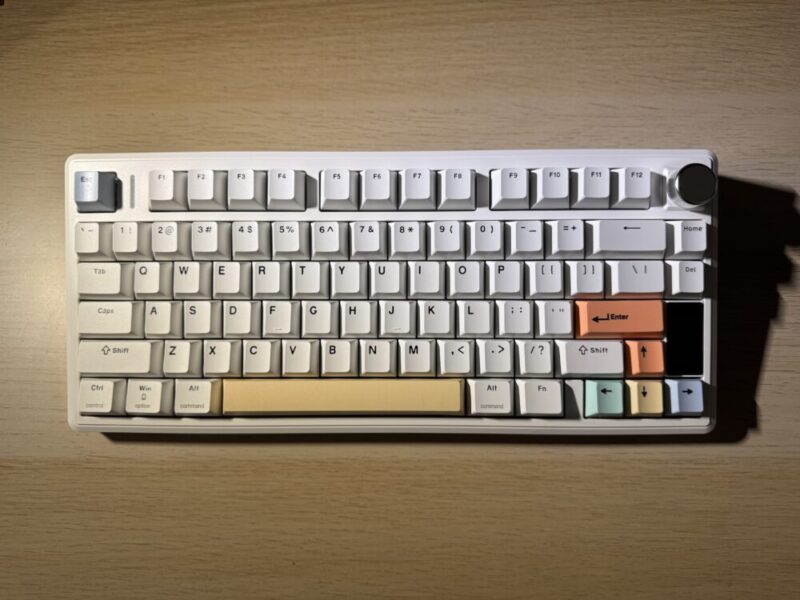
Over the last couple of months, I’ve been fortunate enough to try keyboards from a range of different companies. While I still consider myself a novice in this world of tech, I’ve begun to get my head around some of the functionality and stylistic choices that give mechanical keyboards an upper hand to any regular keyboard in the market.
After using the Epomaker TH80 V2 Pro for about three weeks, I have to be honest and say that Epomaker continuously impresses me with the quality and the aesthetic in comparison to other brands.
Box Contents
-
1 x TH80 V2 PRO Keyboard
-
1 x Detachable USB A to C Cable
-
1 x 2-in-1 Switch-and-Keycap Puller
-
1 x Multilingual Manual
-
2 x Extra Switches
Design
The Epomaker TH80 V2 Pro comes in three different colours: Black, White, and Pink. I had been sent through the White version, which included a few pastel-type keys for some added colour.
Other than the size of the keyboard itself, the Epomaker TH80 V2 Pro being 75% in size (78 keys and the knob), there are many similarities in terms of the design of the keyboard to the Epomaker TH108 Pro. Connectivity for the keyboard is Tri-Mode Wireless (2.4Ghz/BT/USB Wired), with the detachable USB underneath the kickstand, and switches on the topside of the keyboard that allow for quick changes between connectivity as well as the compatibility for either a Mac or Windows.
In terms of ergonomics, the keyboard without the kickstand already sits quite high, but if you need an extra boost, there is the option to flip the kickstands and have the keys sit higher.
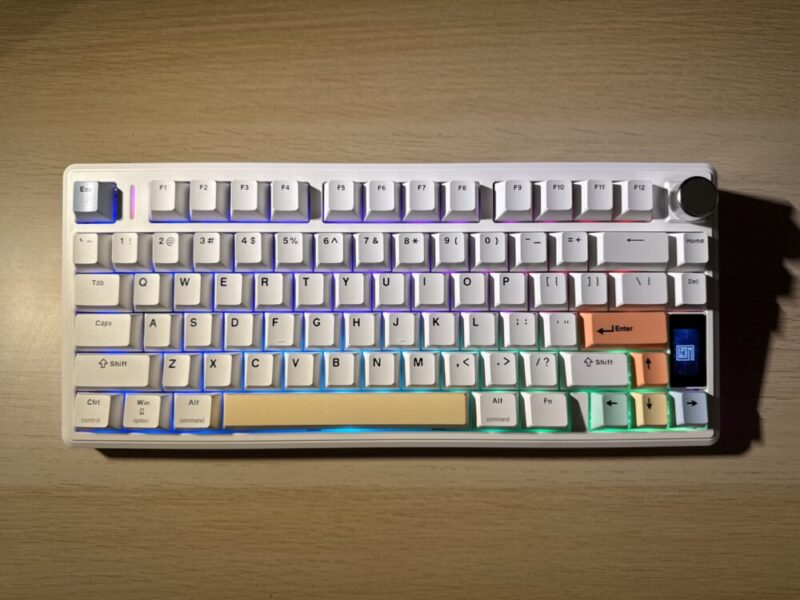
The keyboard also includes the LCD Glass Display on the bottom right corner with a knob on the top right corner (that can also be replaced with a key if you don’t necessarily like the look and feel of the knob). The LCD screen allows users to control simple functions like effects, colours, volume control, and a few other settings. Users are also able to access the Epomaker TH80 V2 Pro Driver on their website for more customisable functions.
It also includes RGB backlighting and features ambient side lighting alongside the graphic design embedded on the left and right sides of the keyboard.
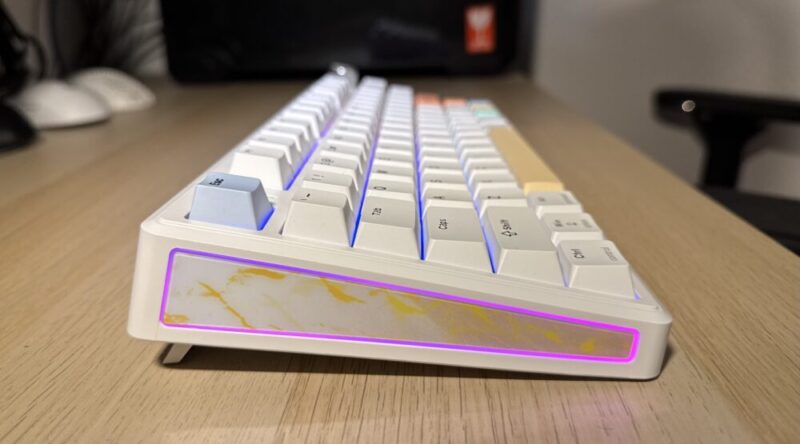
The keyboard also includes a 10000mAh battery, with Epomaker stating that it has the ability for 200+ hours of usage wirelessly.
Performance
After using 100% keyboard layouts over the last few months, getting back to something smaller and similar to the keyboards I’ve normally owned was a welcome change. The Epomaker TH80 V2 Pro is compact and quite light, weighing almost 1kg. I don’t have a lot of desk space, so I did find that having the 100% keyboard became quite bulky in my setup, despite how much I loved it. Although I did miss having a keypad for the rare moments I used it.
The feel of the individual keys on the keyboard had a matte-like texture to them. I found that this material meant that dirt and dust didn’t end up sticking on the keys or casing as much, which also makes the ability to clean them a little bit easier than the more plastic feeling keys.
The sound on these keys was incredible. It was a softer and more muted sound, which is probably thanks to the Sea Salt Switches, which is just a silent switch set (also sold separately by Epomaker). This was immediately evident and one of the first things I noticed when using the keyboard, and is perfect for those late nights typing or quieter office spaces.
Although with the keys themselves, I would often find that my fingers would get caught between different keys due to the raised keys, effectively slowing me down at times. But as I’ve mentioned previously, that could be due to a multitude of things, like my preexisting wrist injury, and the way I’ve learned to type. That said, users are also able to change the keys and switches to the compatible switches of their choosing.
While I’d love to have less screen time, between working, studying, and general admin, I would say that I spend about 10 hours a day looking at a screen and typing. With that, I was really impressed that in the three weeks that I’ve been using the keyboard, the battery life only went down to 39% after being charged to 100%. And it only took less than 20 minutes to charge it from 94% to 100% from when I first received the keyboard.
It’s also worth noting that I made sure to play around with the keyboard and the driver before properly using it, so the critique on the battery life is not inclusive of any time spent having the keyboard plugged in to use the driver.
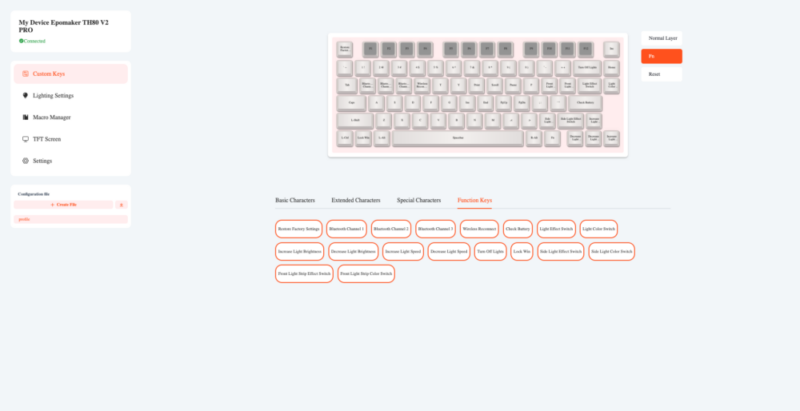
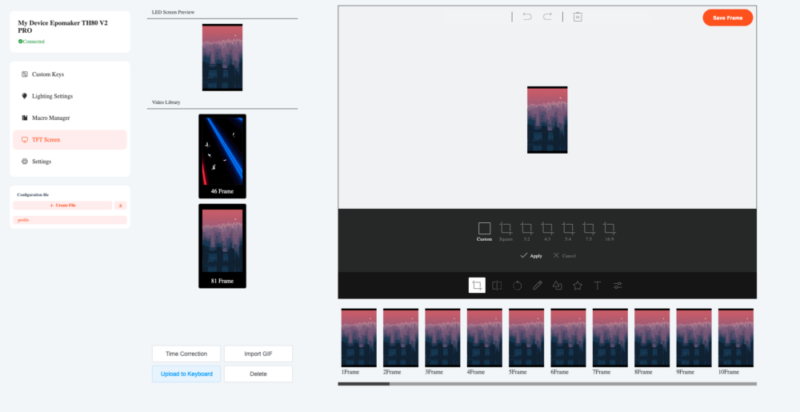
Speaking of, the driver is accessible on their Epomaker web page, and features the ability to change the functions of keys, expand on different lighting settings, and add a GIF to the LED screen. While I didn’t feel the need to change any functions of keys, it’s nice to know that this is there whenever you need.
The ambient side lighting was a really lovely feature added to this keyboard. Users are able to change the colour through the Fn + Right Shift, giving seven colour options to choose from. But users cannot customise anything on these side panels through the driver.
Verdict & Value
There’s no doubt that the Epomaker keyboards are instinctive. As someone who had very little experience using mechanical keyboards up until this year, I have never felt the need or pressure to understand any of the technical jargon (though it is getting easier to understand the more I use them).
The Epomaker TH80 V2 Pro is simply a really great keyboard that feels amazing, sounds satisfying, a powerhouse package in a compact size.

FIVE STARS (OUT OF FIVE)
Highlights: A softer and more muted sound for those who love the feeling of a mechanical keyboard, but want something a bit more lowkey.
Lowlights: N/A
Manufacturer: Epomaker
Price: $A131.99
Available: Now on the Epomaker website HERE
Review is based on unit provided by Epomaker.
Featured header image provided by Epomaker.
