

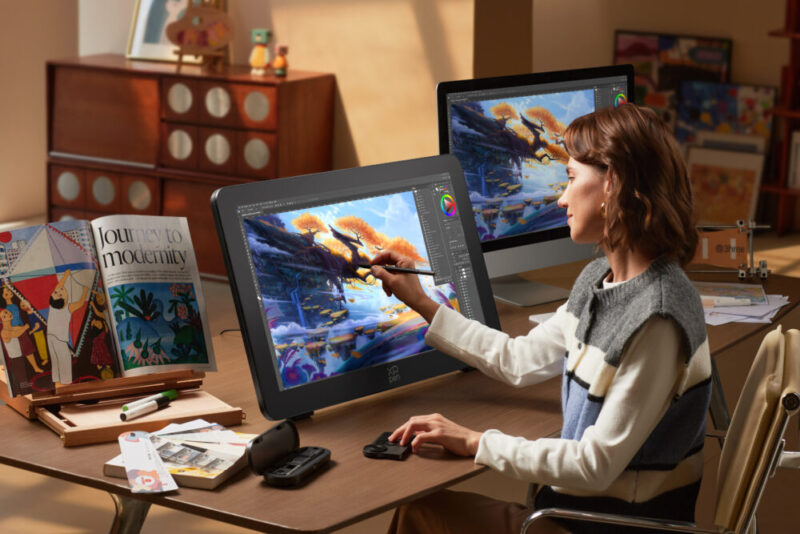
If you’re anything like me, adding a new device to your drawing set-up is a big decision: any new tech has to not just look and act right, but feel right. It needs to be easy to use. Efficient. Ergonomic. Maybe even fun. If I want my work to be great, what I do that work on needs to be great too.
I am not exaggerating when I say that the XPPen Artist Pro 27 Gen 2 Drawing Display is great. Honestly, I should have expected as much from the high-grade manufacturer’s new flagship device.
A large-format, high-performance display, almost everything about the device is top of the range – from its sizable screen with master-level colour fidelity, to the nuanced and delicate sensitivity of its dual styli, and even down to little details like the customisable shortcut and anti-touch systems.
It’s well-suited to work with almost any software, enhancing any type of digital art, and best of all, it feels amazing to use.
What’s in the Box?
It’s honestly incredible how much they packed into the box with the Artist Pro 27 – it has plenty of extras to make your drawing experience just a little smoother. XPPen are all about attention to detail, and it’s that attention that makes this drawing display such a delight to use.
The important points to note are the two different pen models, the pen case, the spare nibs, and the wireless shortcut remote.
- Artist Pro 27 (Gen 2) Drawing Display × 1
- X3 Pro Smart Chip Stylus × 1
- X3 Pro Slim Stylus × 1
- X3 Pro Slim Stylus Nibs × 10
- X3 Pro Smart Chip Stylus Standard Nibs × 10
- Pen Case with Nibs (X3 Pro Slim Stylus Nibs ×4, X3 Pro Stylus Felt Nibs × 4) × 1
- Wireless Shortcut Remote and Bluetooth × 1
- Receiver × 1
- Power Adapter and Power Cord × 1
- Pen Case × 1
- DisplayPort Cable × 1
- HDMI Cable × 1
- USB-C to USB-C Cable × 1
- USB-C to USB-A Cable × 1
- Glove × 1
- Cleaning Cloth × 1
- Pen Clip × 2
- Stand × 1
You’ll also find an XPPen Drawing Display Colour Calibration Factory Report inside, for those who want to match their precise work with a precise device.
Design & Set-up
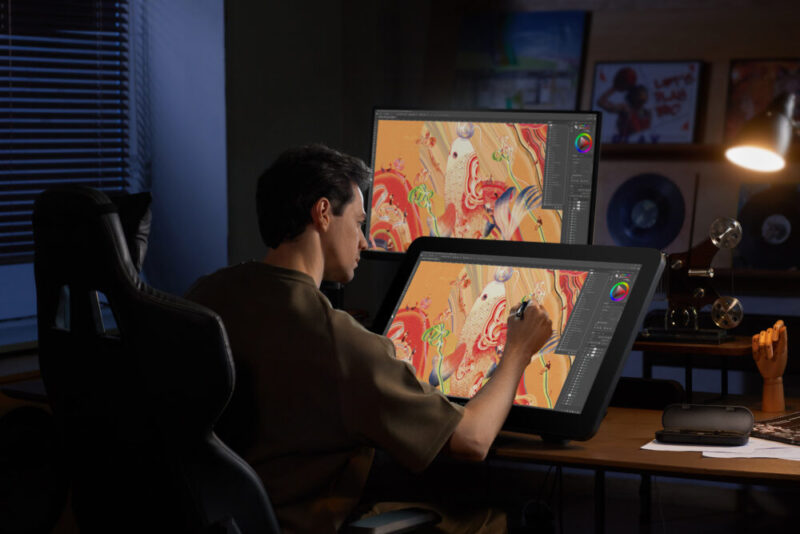
With its 69cm/27in screen, it is not an exaggeration to call the Artist Pro 27 massive. It’s bulky, but that size makes for sturdiness and reliability uncommon in smaller and more lightweight drawing displays. In addition, while its weight (around 7kg) might not make it the easiest to move to different workspaces, it doesn’t make it inflexible once it’s settled in place. The ACS02B stand features single-handed angle adjustment from 16 degrees to 72 degrees, making fine-tuning simple.
For those who like to flip between different projects at different angles on a whim, it’s a godsend. The stand is just as sturdy as the rest of the display, and though it doesn’t always allow for the finest, minute adjustments, its reliability means I’m more than willing to pay that cost.
As for the rest of the set-up, it’s a little finicky but nothing out of the ordinary for a device of this calibre – you’ll need to install the driver (and your preferred drawing software) on the device you’re connecting the display to, then either plug in the relevant cables or set up the wireless shortcut remote for a Bluetooth connection.
The Quick Guide makes it easy to do just that, with simple enough instructions and images to make set-up quick and easy for even the most tech-hesitant among us. In all honesty, the part that took the longest for me was just clearing enough space for the Artist Pro 27 on my desk.
You can also visit the XPPen website for help and to take advantage of the free software available with the purchase of one of their devices. Though anyone looking to use this particular model probably has a favourite software already, it is a nice bonus.
The driver also allows for some customisation of the display. Namely, while the Artist Pro 27 has three preset colour modes (sRGB, Adobe RGB and P3), those with an exacting taste in colours can configure the ICC independently.
Screen & Performance
There are a lot of very impressive stats to look at when it comes to the Artist Pro 27 – it is a serious device for serious artists, those working at a high level and looking for a device that does the same.
A crispy and crystal clear 4K resolution, high pixel density, and 10-bit colour depth with 1.07 billion colours are the big ones here. It allows you to capture subtle texture and colour shifts with greater fidelity. Those working with video, animation and modelling (and those who just work quickly) will also appreciate the minimal motion blur and lag that comes with its 120Hz refresh rate.
The large size means you can make the most of this excellent display. You can zoom right in to examine every little detail in perfect clarity, or zoom right out to really see your work in full force.
Just as precise and efficient are the X3 Pro styli and the user interaction they allow. While the pair may look different, with designs optimised for different drawing styles, they both offer the same light and smooth feel. 16K pressure levels (plus a 3g initial activation force and 60 degree tilt recognition) ensure an incredible level of precision and excellent line weight.

The potent combination of this large screen and silky-smooth stylus means that in many ways using the Artist Pro 27 feels more like drawing on a canvas, or an old-style drawing board – but with all the advantages of the latest technology.
One advantage, in particular, is something which may seem minor but will feel like a blessing to those used to older drawing displays and tablets: the X-Touch system. Alongside a snappy and responsive 10-point multi-touch, it includes intelligent customisation features and customisable touch gestures to make your workflow even smoother. You can keep essential tools and instant commands only a shortcut (or even a gesture) away in a floating menu, and define no-touch areas to make accidental inputs a thing of the past.
I’d like to see a painting on an easel do that. Or be as easily customisable.
It’s a rich system, with every feature shaped towards a single goal: helping you make the best artwork you can.
Verdict & Value
At A$2,899.99, the XPPen Artist Pro 27 is not a cheap device. But that is a price which reflects its quality: as the name suggests, this is a premium display for professionals. Its high-quality screen and ergonomic stylus feel great to use, and all its little intricacies and inclusions are clearly designed with a comfortable and efficient workflow in mind. Its sturdiness also means it will remain just as productive for a long time to come.
If you’re not a professional, you will be soon with the XPPen Artist Pro 27.
For those seeking a high-performance display for high-performance work, who want to take advantage of the latest and greatest tech, it’s well worth adding to your setup.


FOUR AND A HALF STARS (OUT OF FIVE)
Highlights: Clear graphics and colours, great performance, flexible device connection, smooth drawing experience
Lowlights: Set-up can take some time, large size and weight can be an issue for small workspaces
Manufacturer: XPPen
Price: A$2,899.99
Available: Now on the XPPen website HERE.
Customers can currently get 20% off RRP with code SOCIAL20, valid until the 31st of May, 2026.
Review is based on a unit provided by XPPen.
Feature image provided by XPPen.
