

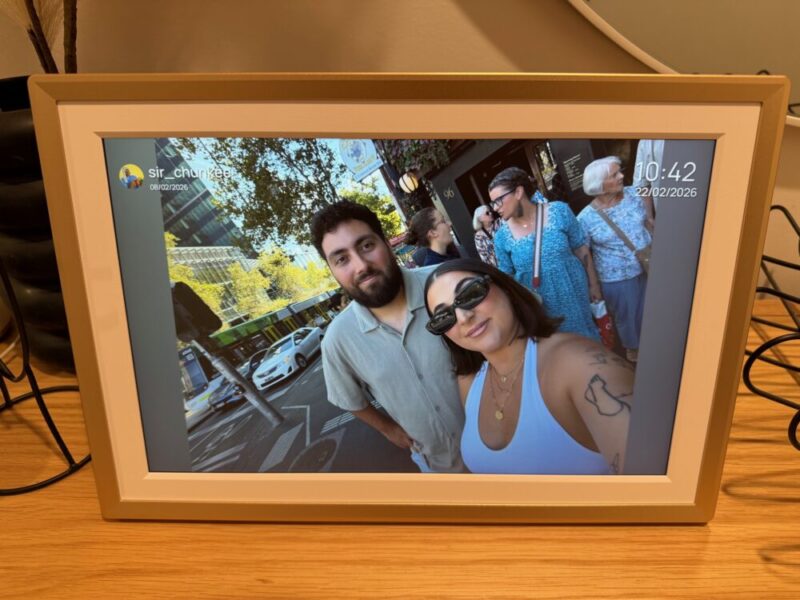
I’ve never actually gotten around to getting a digital photo frame, but given my family’s ever-expanding shared folders and social media inboxes full of photos, I’m not really sure as to why. My wife and I constantly update our own shared albums and send photos to each other daily, and thanks to the Arzopa D14 Digital Photo Frame, we’re now able to share those moments within the household at any point.
The D14 is a premium-looking option to say the least, and even though it’s not perfect, it’s easy enough to use, complete with multiple ways to upload and store photos.
Design & Setup
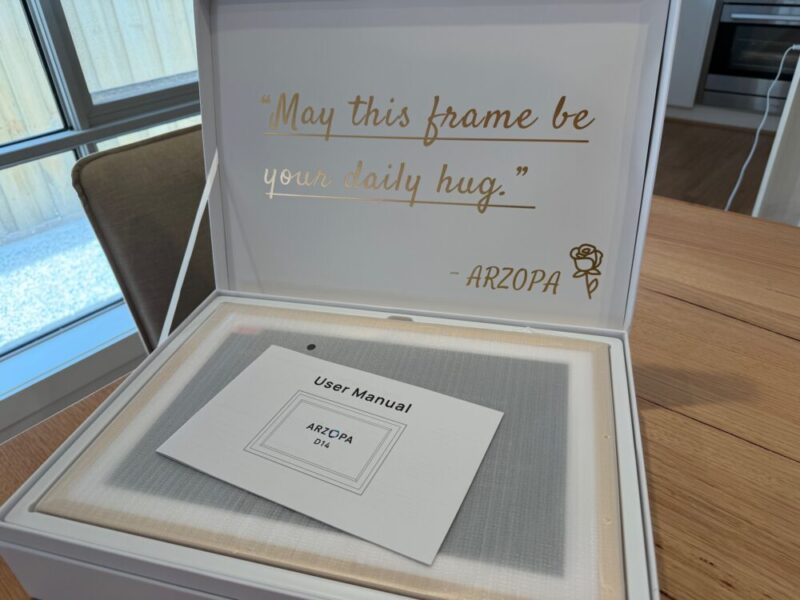
From a design perspective, the Arzopa D14 is a nice, premium-looking digital frame that’s also quite easy to set up. There’s not really much to it, as the frame comes with a power adapter and stem-like stand that plugs into a small hole on the back of the frame, should you want to use it on a tabletop. The frame can also be mounted flush on the wall, as the power adapter plugs into the frame from underneath, but it’s worth noting that no screws or mounting devices are included in the rather charming packaging.
The D14 can be used in either landscape or portrait mode with the included stand. Inserting said stand into the frame was awkward at first, as it seemed like you’re meant to insert it at a particular angle. I felt uneasy testing this under a little pressure, as it seems to flex. But that being said, the frame is still standing in the same spot, almost three weeks later. Around the back, you’ll also find a dedicated power button and speaker grill.
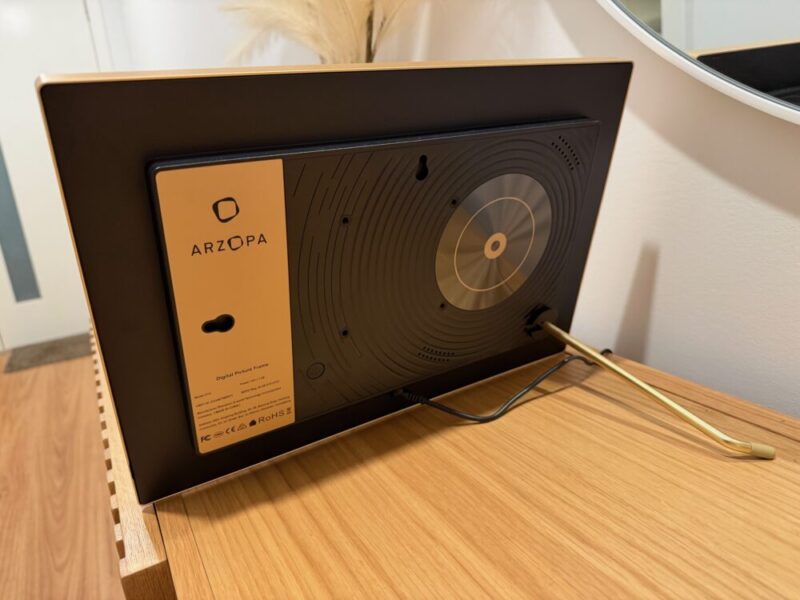
The Champagne gold colourway seems to be the only available option at this point, and I’m personally a fan of it. Arzopa claims that the frame carries some sort of metal construction, but I couldn’t find exactly what this frame was made from. I would be willing to bet that the bezel itself is made from aluminium, while the rest of the frame, from the interior bezel to the backing, is made from plastic. It’s certainly fine, although the build quality wasn’t really the first thing that jumped out at me.
Setting up the frame, as far as the actual software is concerned, is also really easy. The D14 can be set up directly from the frame via the touchscreen, only really asking for some sort of wifi connectivity to get up and running. We will, however, expand on this a little later.
Screen & Performance
The 14-inch 1920×1200 IPS touchscreen comes with an anti-glare finish, and it’s generally quite nice. It does a decent job at displaying vibrant colours, and is actually quite bright for what it is, with 300 nits at peak brightness.
The IPS does deflect glare, giving images a slightly more natural finish, but it comes at a slight cost. Viewing angles do become a little compromised, losing brightness and clarity the further you shift to either side of it.
I had the D14 on my hallway table, which I walked past regularly. I initially had it positioned to face more towards the front door on an angle, but soon realised I couldn’t see it when walking back the other way. I repositioned the frame to sit straight and in line with the hallway table, which gives me the ability to see it from both angles, but now requires me to get a little closer. It’s not a deal breaker in any way, but an observation worth mentioning, and you’ll be better off if you could pop this in a more central location.
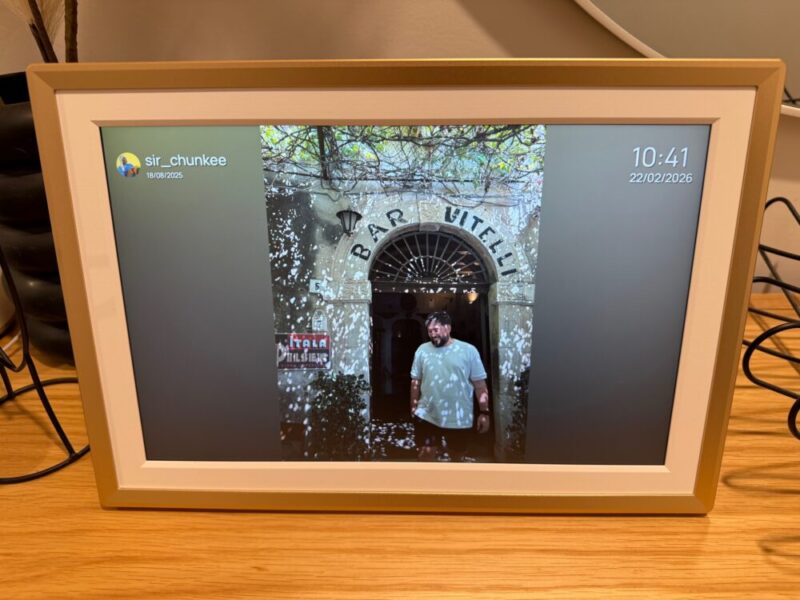
Thankfully, the D14 gives you multiple ways to store and view your photos. I connected this directly to wifi and uploaded my photos via the Arzopa app, which actually gives you unlimited cloud storage, in addition to the 32 GB of onboard storage. But you can also upload photos via USB or microSD, which comes in handy for people who don’t have internet or don’t feel particularly tech savvy. Of course, uploading new photos adds a step to the process, but it’s simply nice to have those options available.
The only real gripe I have with the actual hardware of the D14 is the lack of any battery option. The frame needs to be plugged into power at all times, which can slightly limit where you’re able to put this in the home. The two 2W speakers are a nice inclusion, but only for the sake of video playback, and as a means to an end, as they don’t really sound that great at all.
Finally, the on-board menus can be a little tricky to navigate. The basic options, like settings and wifi, can be seen simply by touching the screen at any time, but the actual menus beyond that can be a little confusing. For example, I had initially set the clock to 24-hour time during the setup, and it felt like a lifetime before I found out how to change it to 12-hour time. I haven’t really been back through them since the setup, but it’s worth noting.
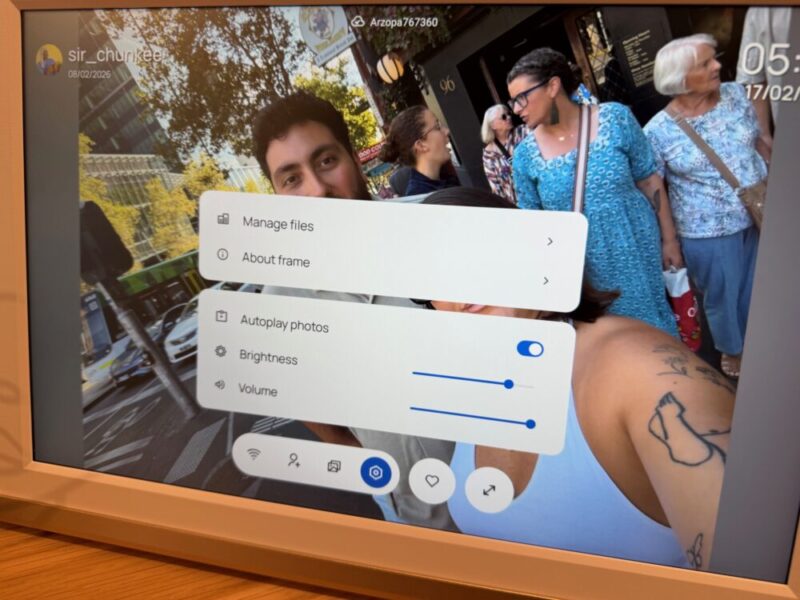
Overall, the D14 is a fine option with a decent screen that makes viewing and updating photos and videos a breeze. The multiple connection options are a plus, while the anti-glare display makes this a great option for brighter rooms, even if it compromises viewing angles.
Software
The Arzopa app is easy enough to download, set up, and use, and I still find it incredibly easy to upload photos on the fly, no matter where I am. Once you’re up and running, the app allows you to check on a timeline of uploaded photos by various users, look at the gallery of available photos and videos, customise your own playlist of certain photos, and adjust various settings.
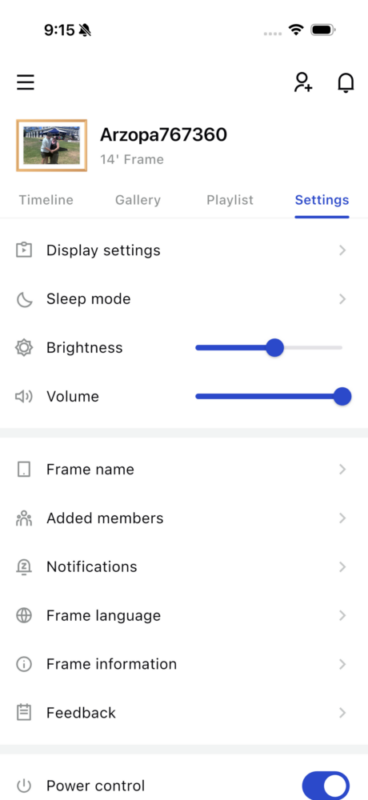
I’m not a fan of the fact that Arzopa makes you create a username, which cannot be hidden in any way. While the time and date on the frame can be hidden, it seems like a puzzling omission, even if it wants to show you who uploaded what in the first place. The app also pings the frame to make a little sound when things are being uploaded, which can be a little overbearing when you’re uploading multiple photos, and it keeps on chirping.

That being said, it is really easy to upload photos, with the Add Photos button present, no matter where you are within the app. Finally, you’ll also find a little invitation button on the top right-hand corner of the app to share a QR code with other users who might want to update the frame too.
Verdict & Value
The Arzopa D14 Digital Photo Frame is a nice-looking option that feels incredibly easy to set up and use. While the IPS display loses quality at wider viewing angles, it is reasonably clear and bright, making it a suitable option for most rooms and homes.
The multiple ways to connect and display photos are also a huge bonus, although I wish this applied to its portability, as it lacks a battery option and requires dedicated power at all times.
Overall, it’s a fine option for various users and homes alike, and I look forward to updating this regularly with new photos.


THREE AND A HALF STARS (OUT OF FIVE)
Highlights: Easy to set up; Multiple connectivity options; Premium bezel; Nice, clear IPS display
Lowlights: IPS display doesn’t have the best viewing angles; No battery option; Speakers are underwhelming; Username is always in the way
Manufacturer: Arzopa
Price: A$239.99
Available: Now
Review based on a unit supplied by Arzopa, available via the official Arzopa website and Amazon.
