

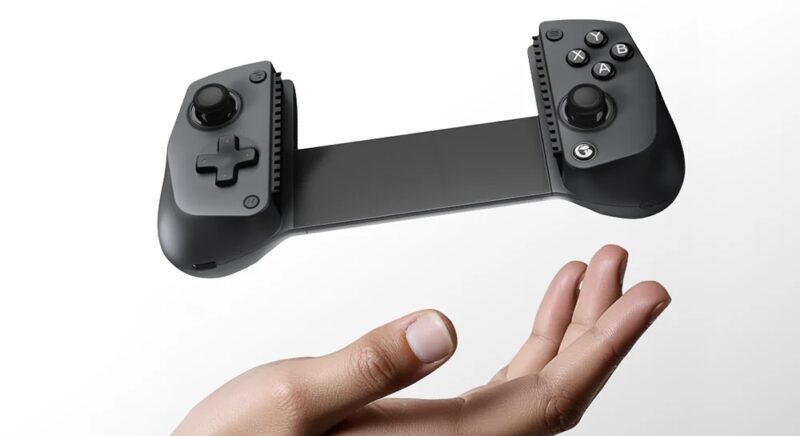
Gaming has arguably never been more accessible, across a range of portable and dedicated devices. While mobile gaming has been popular for a while now, the era of cloud and console quality gaming on the go is upon us, and we must prepare accordingly.
Sure, you’ve got something like the Backbone One, which has been around for a while, but it’s nice to see the market deepening and expanding with more affordable and versatile options for all types of gamers on varying budgets.
Enter the GameSir X5s Wireless Mobile Game Controller. In many ways, the X5s is a decent and affordable option that’s cheap enough to get you in the door, and solid enough in terms of build quality, features and software to keep you there.
Design
The X5s packs a relatively straightforward design, complete with asymmetrical analogue sticks and a standard A,B,X and Y button layout, ideal for both Xbox and PC. The controller itself is primarily built from plastic, but still feels solid in the hands, and barely flexes or creaks, particularly when a device is tucked inside.
In the box, you’ll get the controller in a nice little plastic travel case, USB-C to USB-A charging cable, and extra bumpers to swap up depending on the device in use. The bumpers pull out easily, but do take a little convincing to plug back in.
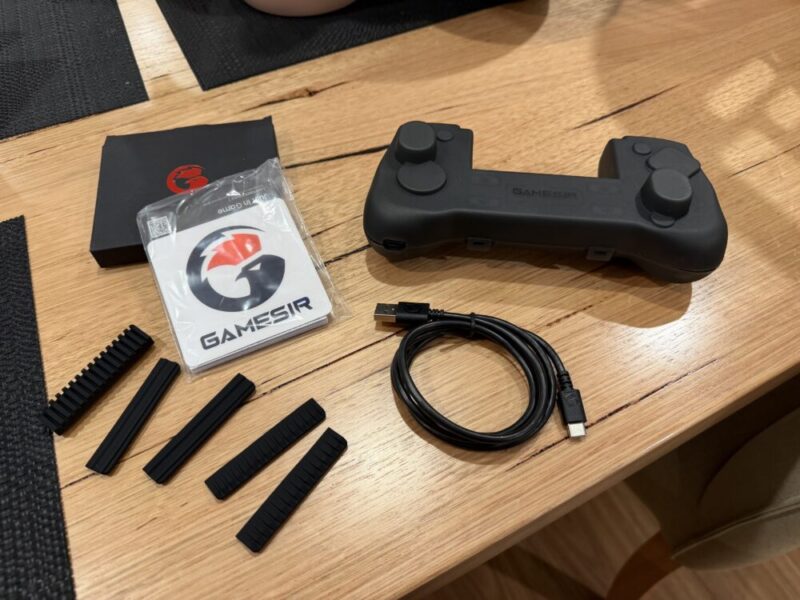
There’s even a little grip tool in the case which helps to pop out and rearrange the face buttons, depending on the platforms you’re currently using the controller on.
The controller itself extends easily, and to a wide degree. While you’ll be pushing the controller to its limits, you’ll be able to fit some larger tablets in there, and while I imagine a 13-inch iPad wouldn’t make much sense given how big the tablet is compared to the controller, but you could do it.
Performance
Once connected, the X5s is great. My main concern given its Bluetooth connectivity was the presence of input lag, but I struggled to pick it up.
I’m sure one could argue that input lag is always present when compared to a dedicated physical connection like USB-C for example, but I was surprised with the results here. You can actually buy a 2.4 GHz dongle for this should you wish to use a dedicated connection, but this is not included as standard.
The X5s also packs in an 840mAh battery that gives you anywhere between 8-12 hours of gaming, complete with a USB-C port under the left grip, so you can keep it charged while gaming. Given the design of device, there’s just no way to keep your devices charged while they’re in this, as opposed to something like the Backbone One, which provides passthrough charging.
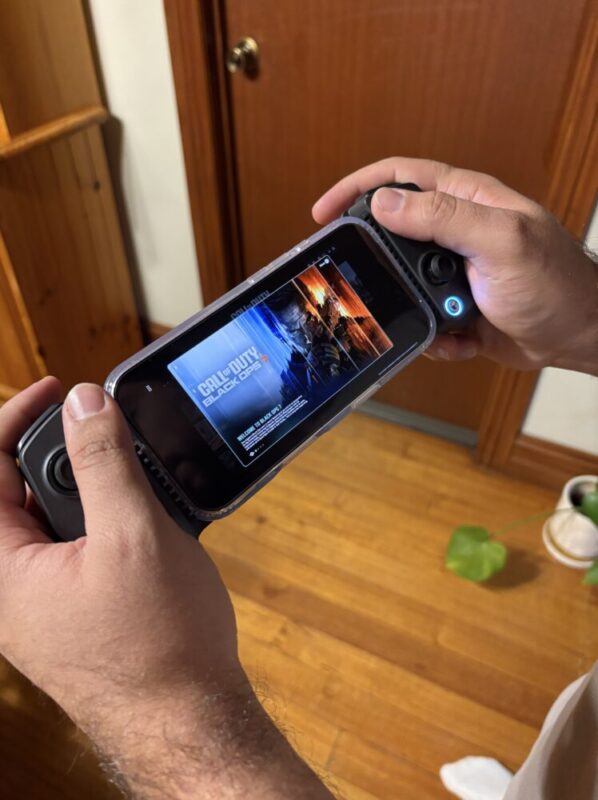
Gaming on the go is obviously a mixed bag, so I tried this with a bunch of games both locally and even via Xbox Cloud Gaming, and feel this holds up in all areas. The bumper buttons feel a little too clicky at times and the trigger travel time is a little shorter than that of a standard Xbox controller for example, but it gets the job done.
They actually are Hall effect triggers and joysticks here, which works off a magnetic field and helps with issues like stick drift and phantom trigger presses down the line. There’s even HD haptic rumble, which is a nice touch, given it feels like a feature reserved for higher-end controllers.
Part of the appeal here is also is versatility and compatibility with multiple platforms, including the Nintendo Switch and Switch 2. The Switch fits perfectly within the controller, and you can even change the layout of the controller’s face buttons to swap both A with B, and X with Y to match the on screen controls.
Software
While the GameSir app is not essential to setting up of even using the X5s on a surface level, it can unlock a new range of customisable options for a deeper, more catered experience.
On the main Home Screen, you’ll be able to upgrade the firmware, test controller buttons on the fly and change the button layout to suit Xbox/PC or Nintendo platforms. It’s rather basic, but it’s easy to access, and changes are reflected instantly.
It’s easy enough to get started, and as the controller itself generally goes into pairing mode when holding the dedicated GameSir or home button on the bottom right hand Conner, it’s easy to pair up.
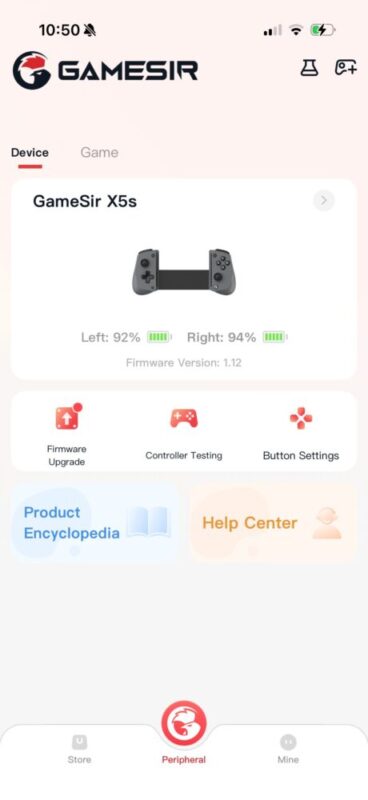
For some reason however, it took a couple of attempts to download the latest firmware update, as my progress kept getting stuck at random points. We got there in the end, but I’m just not sure what might have hindered its progress, as the controller was on and near my phone at all times.
Funnily enough, the battery indicator in the app also measures the current percentage of both the left and right sides of the controller, which is strange as it’s only a single controller that I assume is running off a single battery.
Verdict & Value
Overall, the GameSir X5s Wireless Game Controller is a fantastic alternative for causal gaming on the go, complete with certain customisable and interchangeable features that would make some more seasoned gamers turn their heads.
Given its versatility and compatibility with multiple platforms including the Nintendo Switch, its A$99 price tag is only outshined by its versatility.


FOUR STARS (OUT OF FIVE)
Highlights: Works with multiple platforms including the Nintendo Switch; Customisable settings via the GameSir app; Easy to connect and use
Lowlights: Firmware updates took a few attempts
Manufacturer: GameSir
Price: A$99
Available: Now available at all leading hardware retailers, including the official GameSir website.
Review based on unit provided by GameSir.
Featured header image provided by GameSir.
