

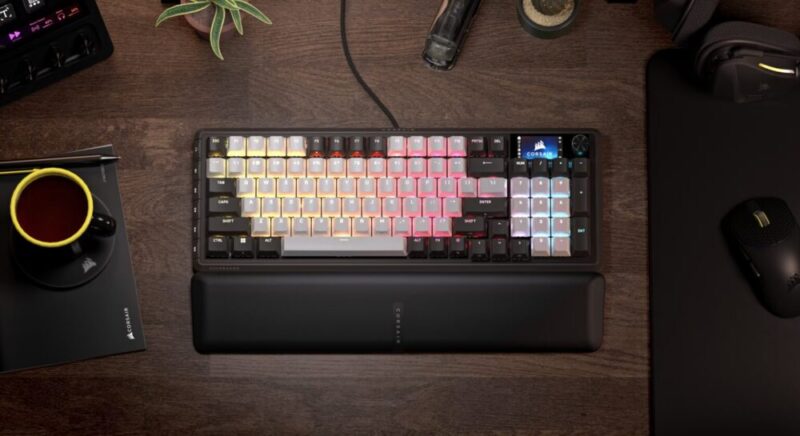
In this increasingly saturated market of gaming and mechanical keyboards alike, it becomes a little hard to pick which one might suit your needs best. Do you prefer clicky switches or softer linear ones? Do you need the numberpad on the side, or would you rather opt for a mini or 60% keyboard for more desk space? Do you need a display on the corner to keep track of settings? The answer is generally somewhere in between.
That’s where I feel Corsair’s Vanguard 96 Mechanical Gaming Keyboard comes in. It’s ultimately a sturdy, comfortable and well-rounded contender for one of the best value keyboards in its class. Keep in mind, we are reviewing the standard Vanguard 96, not the Vanguard Pro 96, which will have its own review in the coming days.
Design
The Vanguard 96 comes in a somewhat compact, 96% form factor, which essentially trims a little fat between the arrow keys and number pad, blading everything together. It’s a fine choice for the sake of space, but I do feel I get a little lost when looking for the arrow keys now and then.
Out of the box, the package is clean and concise. Apart from the keyboard, you’ll get a magnetic wrist rest, a 1.8m USB-C to USB-A 3.0 cable for connectivity, and a 2-in-1 keycap and switch puller. The keyboard is wired, and the setup is relatively seamless; no compulsory software installs or firmware updates, simply plug and play. I’m not sure why the USB-C cable has to connect under the keyboard in such a strange way, however.
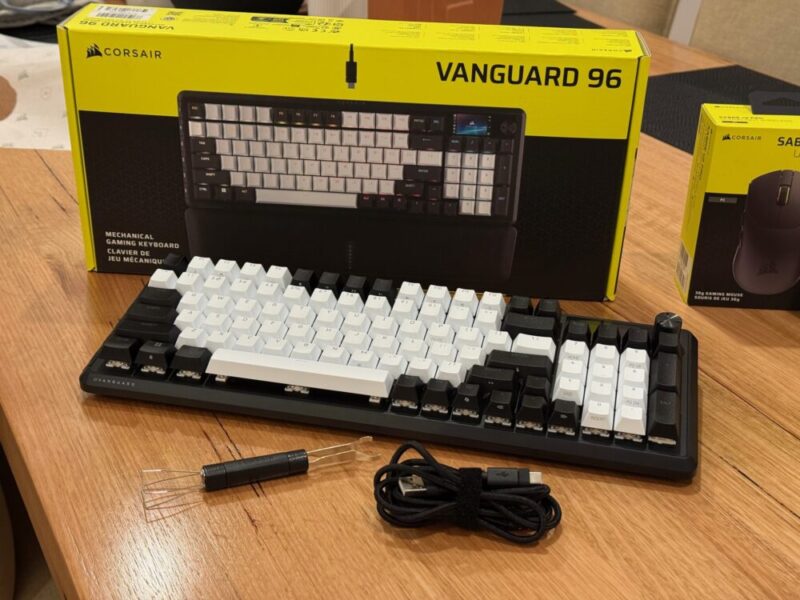
Up on the top right-hand corner, there’s also a small 1.9-inch colour LCD screen, which can keep tabs on certain keyboard settings, and a rotary dial, which can control whatever you’d like, although it controls your PC’s volume by default.
The leatherette wrist rest with memory foam cushioning is super plush and comfortable for longer periods of gaming and typing, while the keyboard’s overall build quality is incredibly sturdy. Corsair also mentions that it includes 4 layers of sound-dampening foam, and it really shows, as there are no creaks or cracks from the keyboard at any point.
It’s available in 2 colours, being a standard Black and Dual Tone, the latter of which we’re reviewing here. I personally love this Dual Tone variant as it mixes rather well with the RGB lighting. Overall, it’s a keyboard you feel like you’ve seen before, but I would look at it from a different perspective, as they’re certainly not trying to fix what isn’t broken.
Performance
The Vanguard 96 we’re reviewing here comes with customisable MLX Pulse keys, which are described on the box as ‘thocky and linear’. I would say that’s incredibly accurate, and if you’re a fan of quieter keys like I am, this is certainly the way to go. The keys are also described as being ‘wobble-free’, which is a strange feature to market, but I have come to understand it over the past couple of weeks.
It’s not so much that they’re solid to the touch (although they are), but it translates in such a way that makes things like typing and quick repetitive movements less prone to mistakes and incorrect key presses, which often happen when wobbly and sensitive keys combine forces.
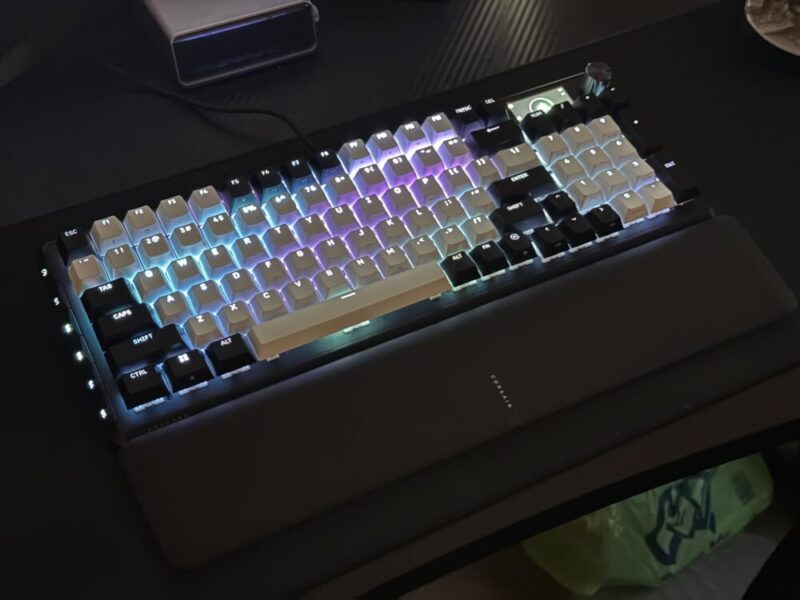
Funnily enough, it’s typing away during the week that gives me the best view of what these keys can do. Sure, I’ve also spent a fair amount of time gaming with them, too, and the 8,000Hz hyper-polling is really no joke. Things feel incredibly snappy and responsive, and while that only feels like it makes a real difference when gaming, the MLX Pulse keys do feel better suited to all types of users, from casual to hardcore.
I would argue the MLX Plasma keys would feel a little smoother, but this feels like a fantastic middle ground nonetheless. With 45g of actuation force, a 2.0mm actuation point and 3.6mm total travel, they really do feel like the perfect compromise.
The pre-lubricated stems are a bonus for those who like to customise, although it’s worth noting there are no additional keys included in the box. The 2-in-1 keycap and switch puller is incredibly easy to use, and the keys pop on and off without any hassle.
Finally, the Vanguard 96 is also compatible with PlayStation and Xbox platforms as well as PC and Mac, but you will need to hit a small command shortcut (hold FN + Windows key for 5 seconds) to switch back and forth between a dedicated PlayStation mode and the standard mode.
Software
Corsair’s Web Hub App is not actually compulsory, but definitely recommended if you want to get the most out of the overall experience. Unlike other brands, this software is accessed via the web directly, instead of being installed directly on your PC. It’s easy enough to access, and you can also store a dedicated shortcut on your desktop.
Here, you can basically play with and adjust anything you would like. The polling rate, macro commands, and RGB settings and it’s all easy enough to customise and save. It is worth noting as well that users have up to 5 profiles to save their settings to, in which the keyboard can save these settings locally.
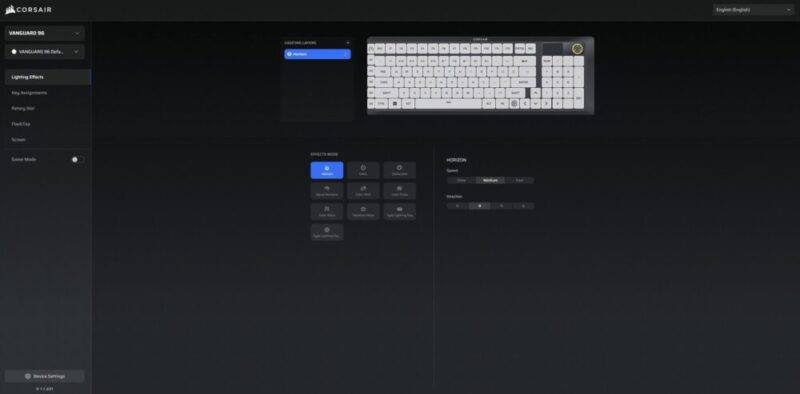
The keyboard can also be used in Hardware mode, meaning pre-saved settings and profiles can be saved and changed directly on the keyboard itself, but it’s worth noting that the keyboard will need to be connected to the Corsair Web Hub App to be able to create new profiles, new lighting effects and key assignments.
Verdict & Value
Overall, the Corsair Vanguard 96 Mechanical Gaming Keyboard is a wonderful attempt at hitting the right notes for hardcore and casual gamers alike. It’s incredibly sturdy, the keys feel fantastic, and there’s even a variety of pre-lubed keys to choose from within this MLX range if you’re not a fan of the Pulse ones we’ve reviewed here.
The software is easy enough to access and use, and there’s plenty of customisable settings to turn this keyboard into the ultimate gaming (or typing) companion, all without breaking the bank for a top-tier keyboard.


FOUR STARS (OUT OF FIVE)
Highlights: Solid build quality; Incredible keys which are easy to swap and change; Comfy wrist rest
Lowlights: Wired connectivity to keyboard is a little awkward during setup; Corsair Web Hub App relies on internet connectivity
Manufacturer: Corsair
Price: A$249
Available: Now available at all leading hardware retailers, including the official Corsair website.
Review based on unit provided by Corsair.
Featured header image provided by Corsair.
